Prompt
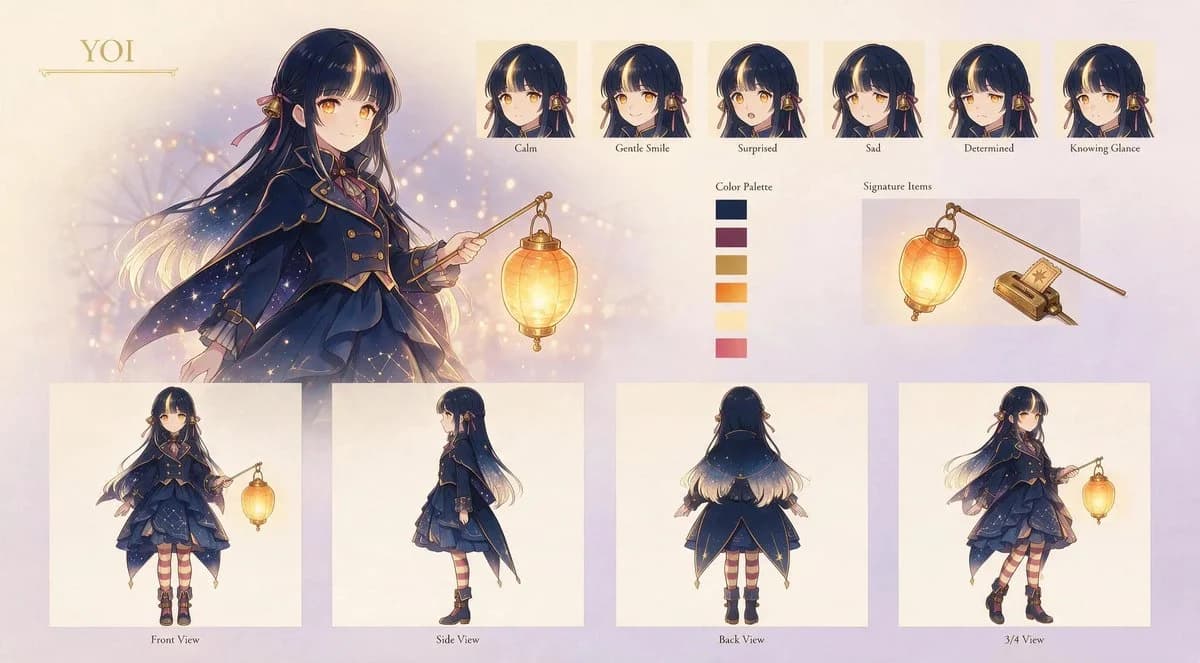
467 wordsGoal: Create an elegant anime character design sheet for {argument name="character name" default="YOI"}, a young magical lantern-bearer girl with a refined twilight fantasy aesthetic.
Canvas: Wide horizontal character sheet, about 16:9, soft cream parchment background with pale lavender and peach gradients, subtle bokeh lights, faint sparkles, and a delicate gold ornamental nameplate in the upper left.
Main illustration: On the left half, show a large three-quarter portrait/full upper-body illustration of the character holding a glowing hanging lantern from a thin golden wand. She has {argument name="hair color" default="very dark navy-black hair with warm blonde glowing tips"}, long flowing hair, straight bangs, golden amber eyes, and small ribbon-and-bell hair ornaments. Her expression is calm and gentle. The lantern emits warm yellow-orange light that softly illuminates her face, hand, and outfit.
Character outfit: Design a layered dark navy magical school-uniform-inspired outfit with gold trim, brass buttons, a short capelet/cloak that fades into starry sparkles, a structured jacket, layered ruffled skirt, burgundy ribbon accents, striped burgundy-and-cream stockings, and black ankle boots with gold details. The overall motif should feel celestial, lantern-lit, antique, and slightly Victorian.
Top row expression sheet: Include exactly 6 small headshot panels arranged horizontally across the upper right, each with a cream square background and a small label underneath. The 6 expressions are: 1. Calm, 2. Gentle Smile, 3. Surprised, 4. Sad, 5. Determined, 6. Knowing Glance. Keep the same character, hair ornaments, bangs, and lighting style consistent in every expression.
Color palette: Place a vertical color palette near the center-right labeled “Color Palette.” Include exactly 6 rectangular swatches: 1. deep navy, 2. muted burgundy, 3. antique gold, 4. warm orange, 5. pale cream-yellow, 6. rose pink.
Signature items: Add a labeled section “Signature Items” on the upper right with exactly 2 objects: 1. the glowing oval paper lantern hanging from a slim gold wand, 2. a small antique rectangular charm/book-like device with a star emblem and attached cord. Render them as neat item illustrations on a pale panel.
Bottom model sheet: Along the bottom, include exactly 4 full-body turnaround panels on clean cream rectangles, each labeled underneath: 1. Front View, 2. Side View, 3. Back View, 4. 3/4 View. The front view shows the lantern wand held outward; the side view emphasizes the cape silhouette; the back view shows the long hair gradient and starry cloak; the 3/4 view shows a dynamic walking pose with the lantern.
Visual style: Polished Japanese anime concept art, soft painterly rendering, delicate linework, glowing highlights, gold accents, warm magical lighting, high detail but airy composition, premium character reference sheet presentation.
Constraints: Use only the visible English labels described above, keep the layout clean and balanced, avoid extra characters, avoid logos or watermarks, and preserve the exact counts of 6 expressions, 6 color swatches, 2 signature items, and 4 full-body views.About this prompt
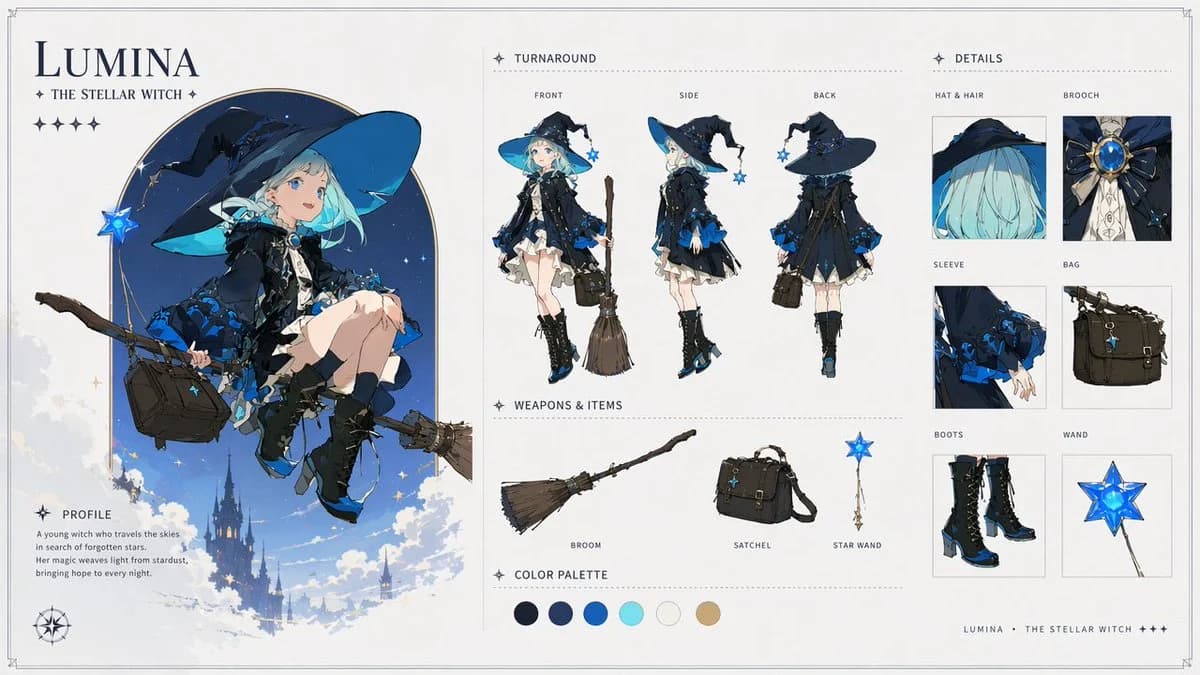
Anime Lantern Girl Character Sheet is a ready-to-use character design prompt for GPT Image 2 on Image 2. Copy the 467 words below, paste them into the Create form, and you will get a result close to the preview above. Tweak the Infographic, Storyboard, Character Design tag if you want to push it somewhere new.
Use it as a starting point, then adjust the subject, lighting, or composition to suit your idea. The credit cost stays the same whether you use it as written or customize it.
Use case
A strong starting point for Character Design
Start here when you want a character design image inspired by Anime Lantern Girl Character Sheet. The prompt already sets the look and composition; replace the subject, product, colors, or scene details to match your project.
Easy places to tweak
- Subject Swap in your person, product, place, or object without changing the overall composition.
- Look and mood Tune the lighting, palette, camera angle, or materials so the image fits your brand.
- Final format Set the aspect ratio, background, text, or layout notes before you generate.
More prompt paths to explore
Find more GPT Image 2 prompts with a similar style, use case, or subject.
How to use it
- Step 1
Copy the prompt
Hit the Copy button above to grab the full text.
- Step 2
Open Image 2 Create
Head to the Create form and paste it in.
- Step 3
Generate
Hit Generate. Your version lands in seconds.
Make it yours
Load the prompt into the Create form with one click, then start tweaking.