Prompt
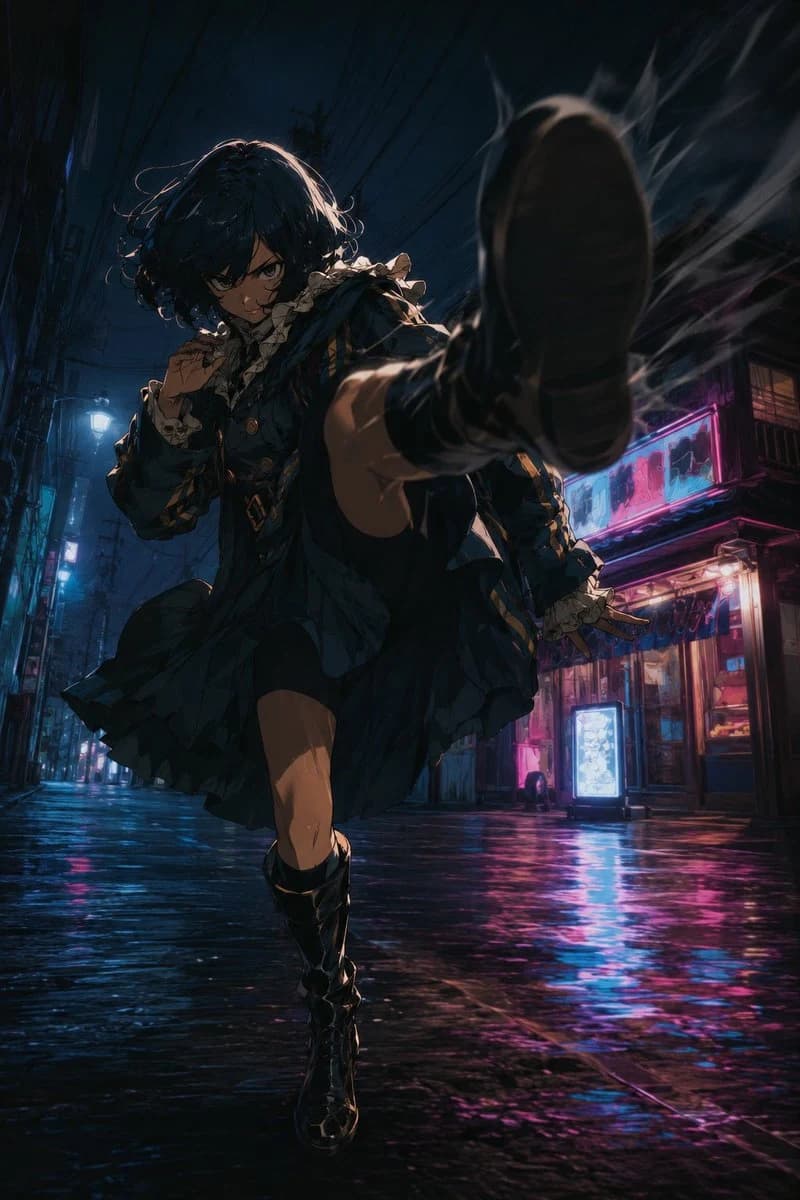
180 wordsUsing REFERENCE_0 as the pose and camera-composition guide, transform the plain mannequin into a dramatic anime action character while preserving the core motion: a low-angle, close perspective with one booted foot thrust toward the camera, the body twisting forward, one knee lifted, and the arms posed for balance/guard. Replace the mannequin with {argument name="character type" default="a dark-haired anime gothic lolita fighter"} wearing {argument name="outfit style" default="a frilled dark blue-black dress with lace cuffs, gold accents, and tall black boots"}. Add intense facial expression and dynamic hair motion.
Create a cinematic night setting not present in the reference: a narrow rainy urban alley with wet reflective pavement, overhead power lines, storefronts, glowing signs, and neon blue/pink lighting. Emphasize speed and impact with motion blur, smoke or energy streaks around the foreground shoe, strong rim lighting, deep shadows, and dramatic foreshortening. Use a highly detailed modern anime illustration style with filmic contrast, saturated neon reflections, and a vertical poster composition. Avoid a blank studio background, avoid a white mannequin look, and keep the action pose as close as possible to the reference.About this prompt
Anime Alley Kick Transformation is a ready-to-use storyboard prompt for GPT Image 2 on Image 2. Copy the 180 words below, paste them into the Create form, and you will get a result close to the preview above. Tweak the Comic, Storyboard, Product tag if you want to push it somewhere new.
Use it as a starting point, then adjust the subject, lighting, or composition to suit your idea. The credit cost stays the same whether you use it as written or customize it.
Use case
A strong starting point for Storyboard
Start here when you want a storyboard image inspired by Anime Alley Kick Transformation. The prompt already sets the look and composition; replace the subject, product, colors, or scene details to match your project.
Easy places to tweak
- Subject Swap in your person, product, place, or object without changing the overall composition.
- Look and mood Tune the lighting, palette, camera angle, or materials so the image fits your brand.
- Final format Set the aspect ratio, background, text, or layout notes before you generate.
More prompt paths to explore
Find more GPT Image 2 prompts with a similar style, use case, or subject.
How to use it
- Step 1
Copy the prompt
Hit the Copy button above to grab the full text.
- Step 2
Open Image 2 Create
Head to the Create form and paste it in.
- Step 3
Generate
Hit Generate. Your version lands in seconds.
Make it yours
Load the prompt into the Create form with one click, then start tweaking.