Prompt
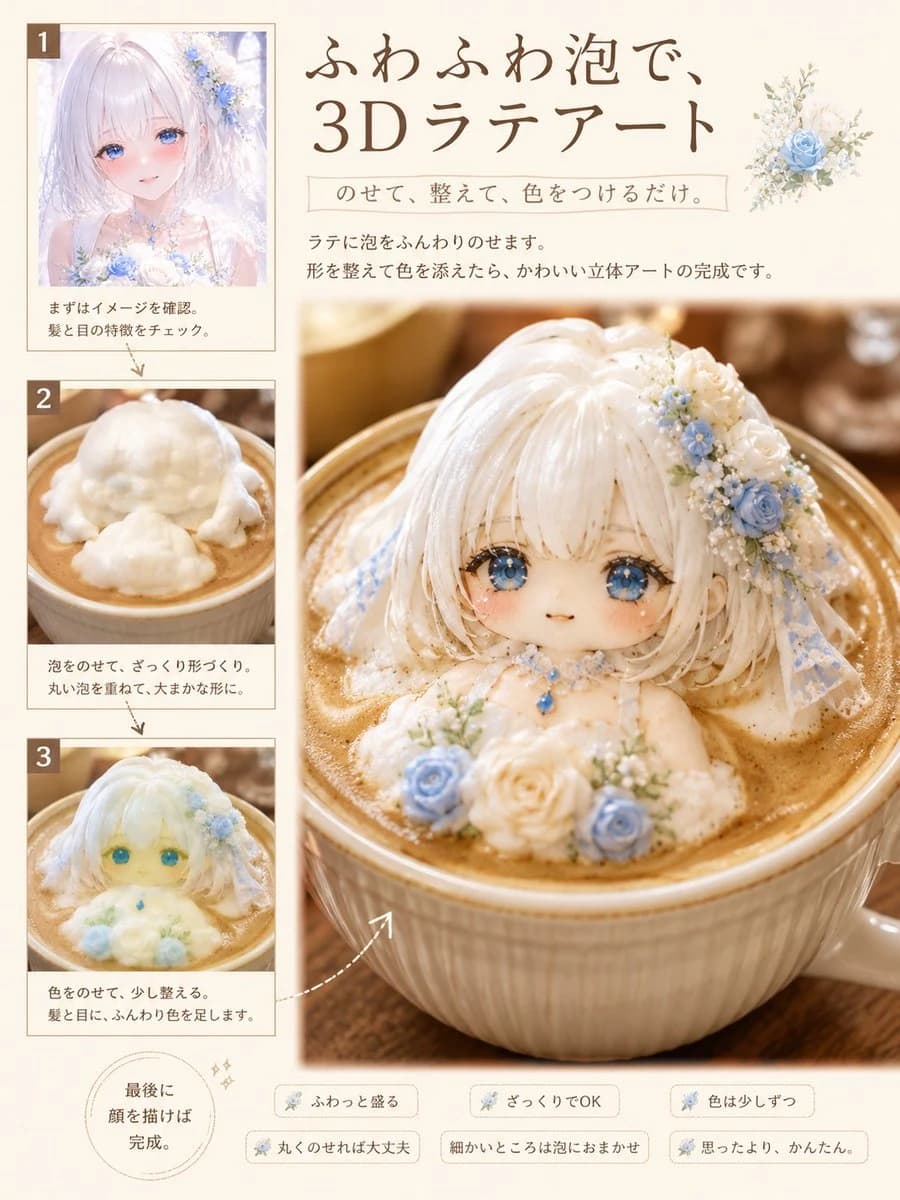
245 wordsBased on the attached character, generate a feature page in the style of a high-quality Japanese cafe/culinary magazine titled "How to Make 3D Latte Art."
[Format]
- 3:4 vertical orientation, single page.
- No double-page spreads or center binding seams.
- Minimal margins.
- Ivory, milk white, and light brown color palette.
- Elegant and readable editorial design.
- Low text volume, making images the main focus.
[Image Composition - Crucial]
Compose the page using ONLY the following four images:
1. A small reference image of the attached character.
2. A small image showing the white foam during the shaping process.
3. A small image showing the rough coloring process.
4. A single large final completion image.
There must be only one image depicting the finished 3D latte art on the page.
[Character]
Prioritize the attached image. Maintain the face, eyes, hairstyle, hair color, expression, decorations, and signature colors so the character is instantly recognizable. Represent them as cute deformed 3D latte art made of milk foam, not as a person, figure, or doll.
[Title]
Generate a short headline similar to: "{argument name="title" default="3D Latte Art with Fluffy Foam"}"
[Sub-labels]
Use short phrases like: "{argument name="tip" default="Scoop it fluffily"}", "Rough is OK", "Add color little by little."
[Latte Art Style]
Fine white milk foam sculpted into a cute chibi character. Soft rounded foam with slight handmade imperfections. Eyes and mouth drawn with cocoa or chocolate syrup. Realistic latte texture, refined high-quality illustration, warm natural light.About this prompt
3D Latte Art Magazine Tutorial Layout is a ready-to-use infographic prompt for GPT Image 2 on Image 2. Copy the 245 words below, paste them into the Create form, and you will get a result close to the preview above. Tweak the Infographic, Food, Beauty tag if you want to push it somewhere new.
Use it as a starting point, then adjust the subject, lighting, or composition to suit your idea. The credit cost stays the same whether you use it as written or customize it.
Use case
A strong starting point for Infographic
Start here when you want a infographic image inspired by 3D Latte Art Magazine Tutorial Layout. The prompt already sets the look and composition; replace the subject, product, colors, or scene details to match your project.
Easy places to tweak
- Subject Swap in your person, product, place, or object without changing the overall composition.
- Look and mood Tune the lighting, palette, camera angle, or materials so the image fits your brand.
- Final format Set the aspect ratio, background, text, or layout notes before you generate.
More prompt paths to explore
Find more GPT Image 2 prompts with a similar style, use case, or subject.
How to use it
- Step 1
Copy the prompt
Hit the Copy button above to grab the full text.
- Step 2
Open Image 2 Create
Head to the Create form and paste it in.
- Step 3
Generate
Hit Generate. Your version lands in seconds.
Make it yours
Load the prompt into the Create form with one click, then start tweaking.