Prompt
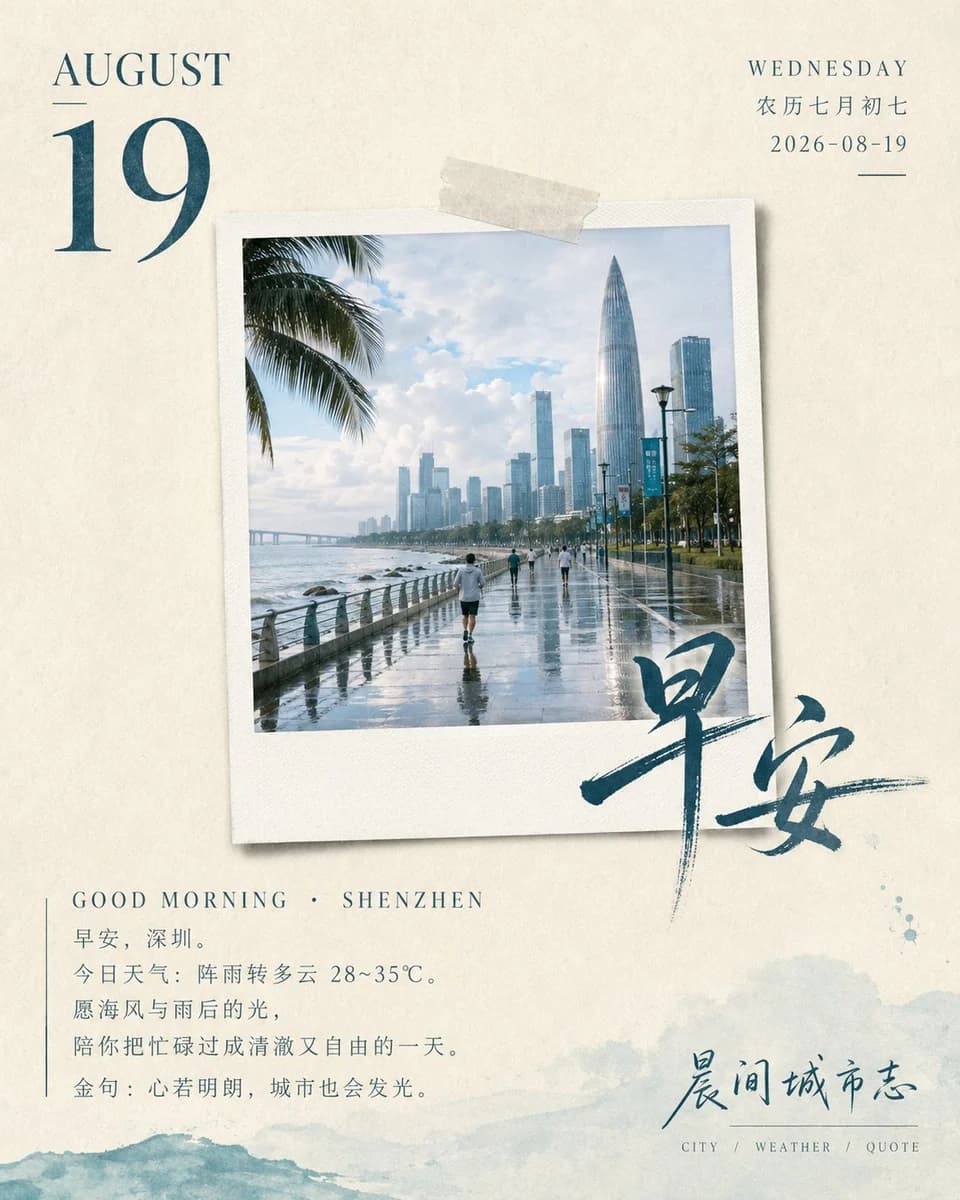
194 wordsOn a warm-textured paper background, the composition presents a vertical calendar magazine layout. In the upper-left of the frame, a Polaroid film photo with a widened white border and a subtle 3D projection is attached. The frame showcases a life scene with film texture determined by the {argument name="subject" default="Good morning greeting for a specific city with a quote and weather for August 19, 2026"}, with clear and natural tones. The upper-left of the frame features the month and large date digits in a rich, deep vintage serif font extracted from the primary colors, while the upper-right has slender, delicate characters for the day of the week and lunar calendar. Bold, free-spirited handwritten brush calligraphy diagonally stamps across the bottom-right edge of the frame, extending onto the card background to create a vivid layered effect. Below the frame, low-saturation English intros and sparsely arranged, rhythmic left-aligned Chinese poetic sentences are placed, with a minimalist brand signature and tiny category tags at the bottom-right. The overall colors of text and decoration echo the primary tones in the frame, creating a deep and shallow progression, overall presenting a quiet, elegant, relaxed, and healing Japanese lifestyle aesthetic.About this prompt
Japanese Style Calendar Magazine Poster is a ready-to-use infographic prompt for GPT Image 2 on Image 2. Copy the 194 words below, paste them into the Create form, and you will get a result close to the preview above. Tweak the Infographic, 3D, Vintage tag if you want to push it somewhere new.
Use it as a starting point, then adjust the subject, lighting, or composition to suit your idea. The credit cost stays the same whether you use it as written or customize it.
Use case
A strong starting point for Infographic
Start here when you want a infographic image inspired by Japanese Style Calendar Magazine Poster. The prompt already sets the look and composition; replace the subject, product, colors, or scene details to match your project.
Easy places to tweak
- Subject Swap in your person, product, place, or object without changing the overall composition.
- Look and mood Tune the lighting, palette, camera angle, or materials so the image fits your brand.
- Final format Set the aspect ratio, background, text, or layout notes before you generate.
More prompt paths to explore
Find more GPT Image 2 prompts with a similar style, use case, or subject.
How to use it
- Step 1
Copy the prompt
Hit the Copy button above to grab the full text.
- Step 2
Open Image 2 Create
Head to the Create form and paste it in.
- Step 3
Generate
Hit Generate. Your version lands in seconds.
Make it yours
Load the prompt into the Create form with one click, then start tweaking.