


01效果展示
两个年纪,同框入镜
童年的你和现在的你被放进同一张影棚合影,画面安静又有故事感。
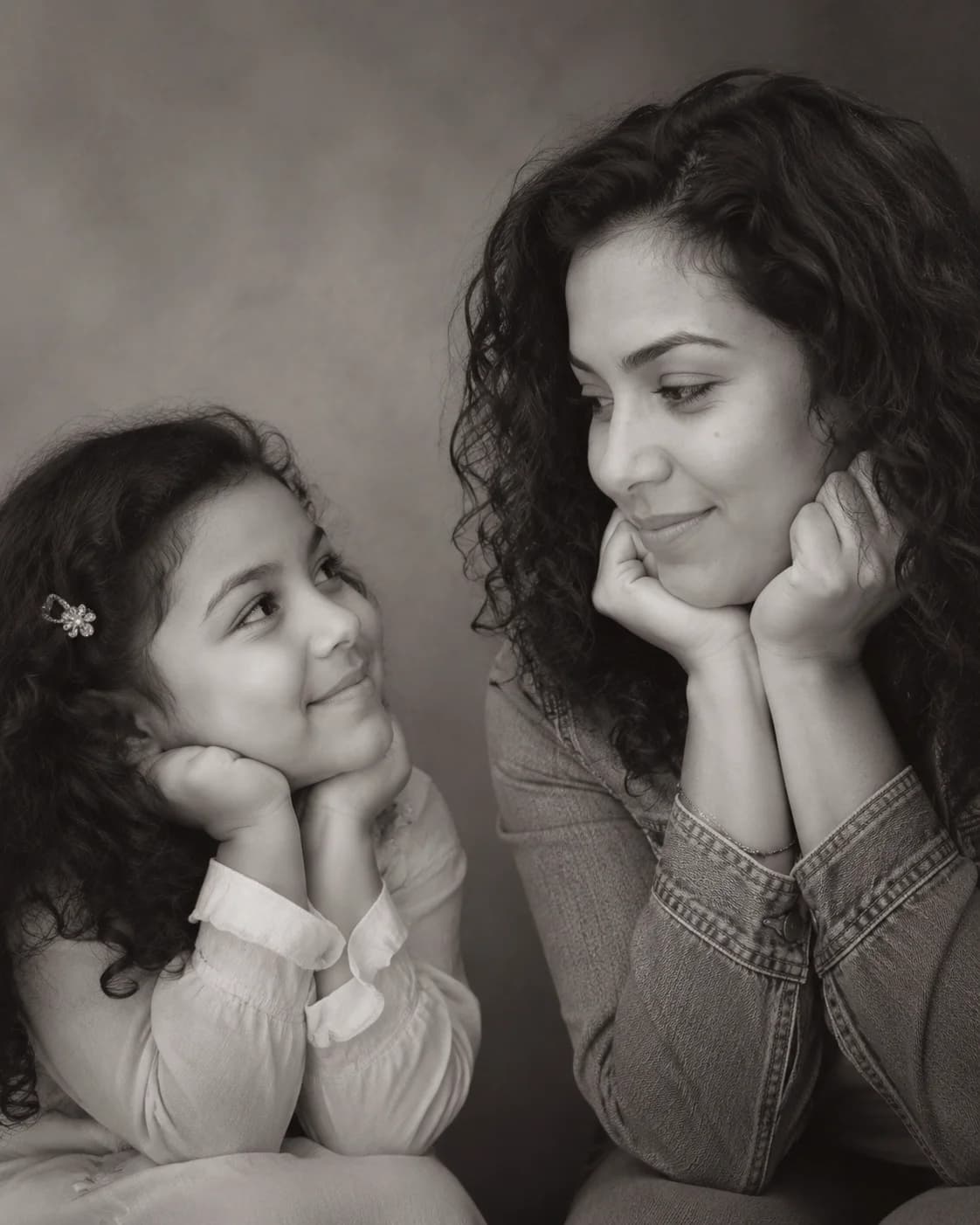
上传一张清晰人像照,Image 2 会生成一个可信的小号自己,并把现在的你和小时候的你放进同一张黑白影棚合影里。
童年的你和现在的你被放进同一张影棚合影,画面安静又有故事感。
柔和黑白光线把目光留在两个年纪的眼神交流上。
干净 4:5 构图,发朋友圈、小红书、Reels 短视频封面都顺手。
默认黑白情感提示词最稳,也可以复制不同场景的变体微调。
Use the uploaded photo as the only identity reference. Create a realistic black-and-white 4:5 studio portrait with a believable younger version on the left looking right with an innocent smile, and the present-day person from the uploaded photo on the right resting hands under the chin while looking back with a calm smile. Plain soft studio background, warm cinematic monochrome lighting, professional minimal emotional photography, preserve the uploaded identity, no text or watermark.
Create a gentle color version of the childhood vs present portrait using one uploaded photo as the identity reference. Place a younger version on the left and the present-day version on the right, both in the same soft studio space, exchanging a warm eye line. Use muted cream and warm gray tones, realistic skin texture, shallow depth of field, natural expressions, emotional but not exaggerated, preserve the person's identity.
Build a nostalgic school-days vs now composition from one uploaded portrait. Left side: a believable childhood version with subtle school portrait cues, neat hair, innocent smile, looking toward the right. Right side: the present-day person in clean modern clothing, relaxed pose, calm smile, looking back. Keep one realistic studio photoshoot, soft monochrome grade, plain background, accurate facial identity, 4:5 portrait.
Create a social-ready childhood vs present AI photo for a reel cover using one uploaded photo as the identity reference. Vertical 4:5 framing, left child version and right adult version close enough to feel emotionally connected, clean negative space around faces, soft black-and-white contrast, cinematic catchlights, no text, no border, no collage seams, realistic studio photography, preserve the uploaded identity.
创作下一个版本前,可以先挑选一条现成提示词,或阅读完整教程。
关于使用童年 vs 现在 AI 照片的常见问题
这是最近很火的「和小时候的自己合照」穿越合影。Image 2 会用一张上传人像作为身份参考,生成可信的小时候版本,并和现在的你合成一张黑白影棚照。
上传一张清晰的近照或自拍即可。正面或微侧脸、五官完整、光线干净的照片,最容易生成像本人的小时候版本。
会。提示词会尽量保留上传照片里的脸型、发型、肤色和表情特征,同时生成符合年龄的小号自己。
可以。这个模板就是按单张上传图设计的。照片越清晰,Image 2 越容易保留现在的你,并推断出可信的小时候版本。
默认是 4:5 黑白影棚合影:简洁背景,柔和电影感光线,小时候的你和现在的你之间有一条安静的眼神线。
每次生成消耗 2/2/6 (1K/2K/4K) 积分。新用户可以用注册赠送积分先试一下,之后可以通过套餐、充值、签到或邀请获得更多积分。
可以。生成的合影适合朋友圈、小红书、抖音、Reels 短视频封面和个人故事页。如果用于商业用途,请确认你对原始照片拥有使用权,并遵守 Image 2 条款。
还有其他问题? 联系我们: [email protected]