


01轉換
兩個年紀,同框入鏡
童年的你和現在的你放進同一張棚拍合照,畫面安靜又有故事感。
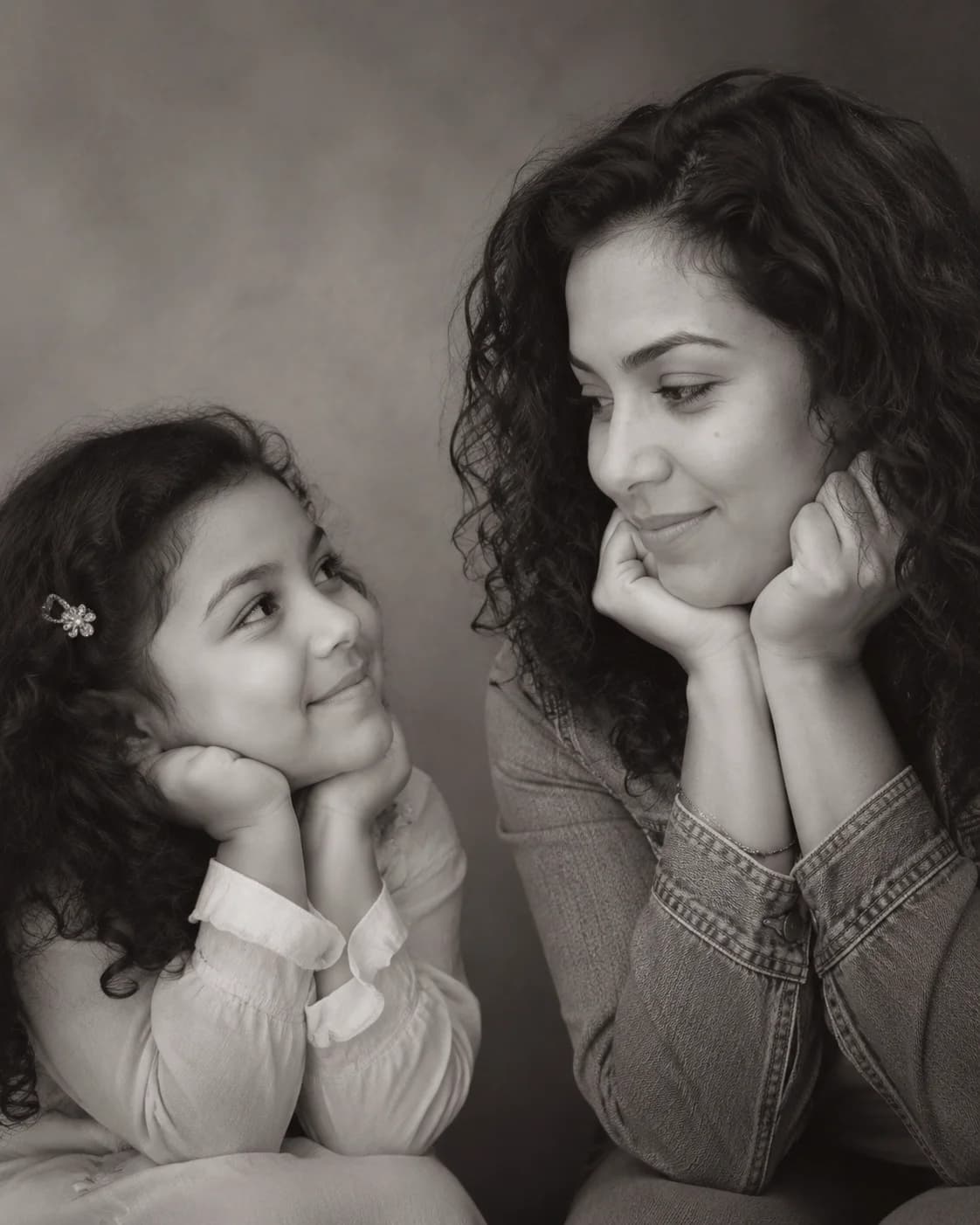
上傳一張清晰人像照,Image 2 會生成可信的小時候版本,並把現在的你和小時候的你放進同一張黑白攝影棚合照。
童年的你和現在的你放進同一張棚拍合照,畫面安靜又有故事感。
柔和黑白光線把目光留在兩個年紀的眼神交流上。
乾淨 4:5 構圖,發 IG 限動、Threads、Reels 短影音封面都順手。
預設的黑白情感提示詞最穩,也可以複製不同場景的變體微調。
Use the uploaded photo as the only identity reference. Create a realistic black-and-white 4:5 studio portrait with a believable younger version on the left looking right with an innocent smile, and the present-day person from the uploaded photo on the right resting hands under the chin while looking back with a calm smile. Plain soft studio background, warm cinematic monochrome lighting, professional minimal emotional photography, preserve the uploaded identity, no text or watermark.
Create a gentle color version of the childhood vs present portrait using one uploaded photo as the identity reference. Place a younger version on the left and the present-day version on the right, both in the same soft studio space, exchanging a warm eye line. Use muted cream and warm gray tones, realistic skin texture, shallow depth of field, natural expressions, emotional but not exaggerated, preserve the person's identity.
Build a nostalgic school-days vs now composition from one uploaded portrait. Left side: a believable childhood version with subtle school portrait cues, neat hair, innocent smile, looking toward the right. Right side: the present-day person in clean modern clothing, relaxed pose, calm smile, looking back. Keep one realistic studio photoshoot, soft monochrome grade, plain background, accurate facial identity, 4:5 portrait.
Create a social-ready childhood vs present AI photo for a reel cover using one uploaded photo as the identity reference. Vertical 4:5 framing, left child version and right adult version close enough to feel emotionally connected, clean negative space around faces, soft black-and-white contrast, cinematic catchlights, no text, no border, no collage seams, realistic studio photography, preserve the uploaded identity.
製作下一個版本前,可先挑選現成提示詞,或閱讀完整教學。
關於使用 童年 vs 現在 AI 照片 的常見問題
這是最近爆紅的「和小時候的自己合照」穿越合照。Image 2 會用一張上傳人像作為身分參考,生成可信的小時候版本,並和現在的你合成一張黑白攝影棚照。
上傳一張清晰的近照或自拍即可。正面或微側臉、五官完整、光線乾淨的照片,最容易生成像本人的小時候版本。
會。提示詞會盡量保留上傳照片裡的臉型、髮型、膚色和表情特徵,同時生成符合年齡的小時候自己。
可以。這個範本就是按單張上傳圖設計的。照片越清晰,Image 2 越容易保留現在的你,並推斷出可信的小時候版本。
預設是 4:5 黑白棚拍合照:背景簡潔,光線柔和有電影感,小時候的你和現在的你之間有一條安靜的眼神線。
每次生成消耗 2/2/6 (1K/2K/4K) 點數。新使用者可以用註冊贈送點數先試一下,之後可以透過方案、儲值、簽到或邀請獲得更多點數。
可以。生成的合照適合 IG 限動、Threads、Reels 短影音封面和個人故事頁。如果用於商業用途,請確認你對原始照片擁有使用權,並遵守 Image 2 條款。
還有問題嗎? 聯絡我們 [email protected]