Prompt
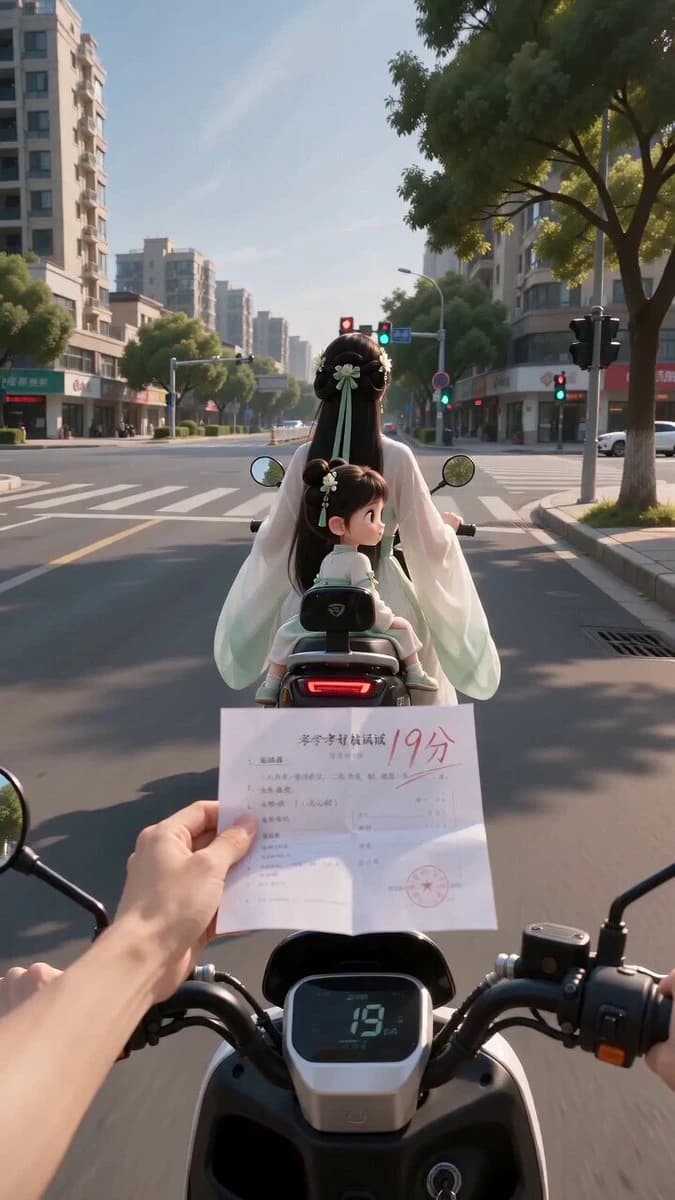
162 wordsStyle: Real city intersection POV + semi-realistic 3D ancient-style mother + Chibi 3D ancient-style girl. Real phone textures for roads, lights, and arms; mother is a semi-realistic 3D digital human in flowing Hanfu; girl is a Chibi 3D character with large eyes. 9:16 aspect ratio, wide angle, handheld jitter, sunny day. 10 seconds total. Scene: Daytime city crossroad, following a black electric scooter. The POV rider holds a white exam paper with a red '19' written on it. Shot 1 [0:00-0:02]: Approaching the pair, rider asks 'Kid, is this your paper?'. Girl realizes it's her failing grade and freezes. Shot 2 [0:02-0:04]: Girl points aggressively at the camera with dissatisfaction. Shot 3 [0:04-0:06]: Mother turns around and stops the scooter. Shot 4 [0:06-0:08]: Mother takes the paper. Girl looks guilty and avoids eye contact. Mother says 'Thank you'. Shot 5 [0:08-0:10]: Girl is forced to say 'Thank you' loudly and reluctantly. Audio: Mandarin Chinese with strict lip-sync, ambient wind and motor sounds.
About this prompt
POV interaction with 3D Anime Characters is a Anime Seedance 2.0 prompt with 162 words, structured around shot timing, camera direction, motion cues, and remixable scene details.
Use the visual preview, when available, to understand the composition, then treat the prompt text as a production brief you can adapt for your own subject, brand, or story.
Video prompt structure
Use it for Anime videos
Best for Seedance 2.0 generations that need Anime, Multi-Shot, Dialogue. Replace the subject, setting, product, dialogue, music, and timing before sending it to the generator.
Customize before generating
- Swap the subject. Keep the camera and timing structure, but change the character, product, or environment.
- Tighten the timeline. Shorten or expand shot blocks so they match the duration you want to render.
- Add reference media. Use first frames, last frames, images, video, or audio when the prompt depends on a specific look or rhythm.
More Seedance paths to explore
Browse adjacent styles and techniques from the same Seedance 2.0 prompt library.
How to use it
- Step 1
Copy or start from this prompt
Use the full prompt as a structured draft rather than rewriting the whole video brief.
- Step 2
Open Seedance 2.0
Send the text into the Seedance generator and choose text, image, or reference mode.
- Step 3
Adapt and render
Tune duration, aspect ratio, reference media, camera notes, and dialogue before generating.
Make it a Seedance video
Start from this prompt in the Seedance 2.0 generator, then adjust the scene, duration, aspect ratio, and reference media.