Prompt
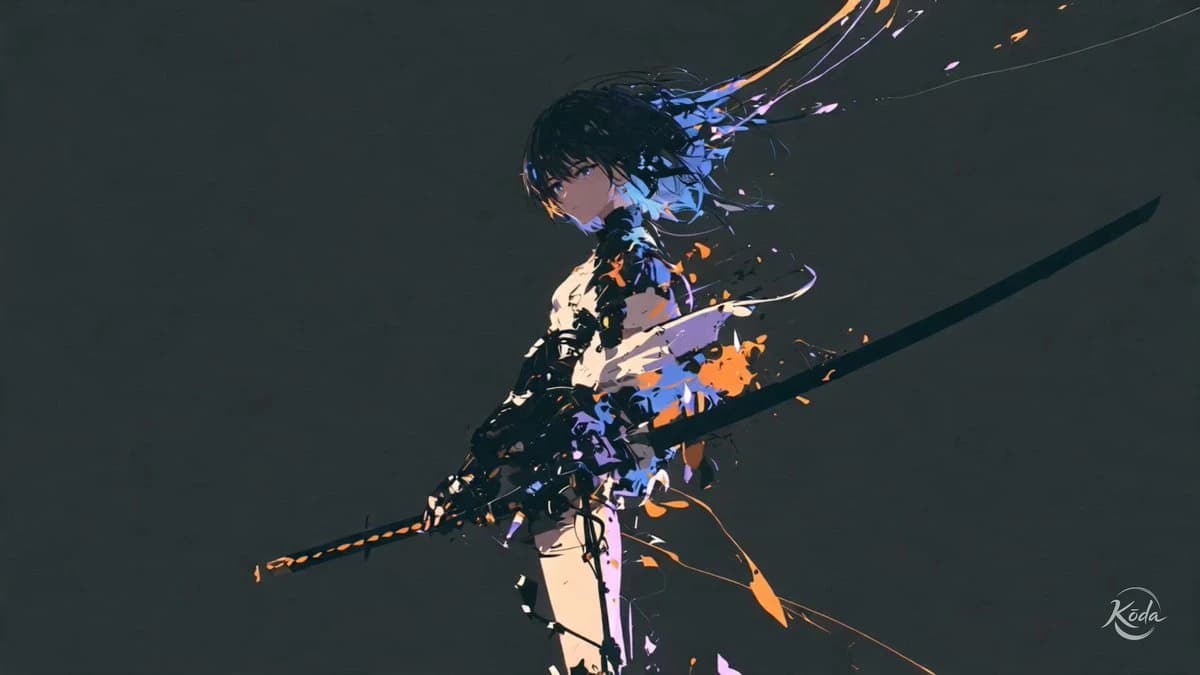
163 wordsThe swordswoman @[reference image] launches forward from complete stillness, crossing the space in a single compressed burst as blue and violet trails tear behind her body. Her blade cuts through the frame, triggering a circular shock explosion filled with orange pigment fragments, followed by several delayed color trails that reveal the full path of the strike. 16 cuts. No background music or score. High-end cinematic 3D realism fused with graphic painterly anime action. Hyper-fast sword choreography, compressed acceleration, chromatic motion trails, explosive shockwave bursts and fractured pigment splashes define every movement. Each strike releases expanding pressure rings, directional color ruptures and sharp ribbon-like trails that remain suspended for a split second before breaking into glowing fragments. Aggressive tracking shots, extreme perspective, rapid orbiting angles and sudden impact close-ups amplify speed while deep negative space, low-key lighting and controlled blue, violet and orange accents preserve strong silhouette readability. Realistic body weight, metallic materials and feature-film rendering ground the action beneath the abstract color physics.
About this prompt
Cinematic Swordswoman Action Sequence is a Anime Seedance 2.0 prompt with 163 words, structured around shot timing, camera direction, motion cues, and remixable scene details.
Use the visual preview, when available, to understand the composition, then treat the prompt text as a production brief you can adapt for your own subject, brand, or story.
Video prompt structure
Use it for Anime videos
Best for Seedance 2.0 generations that need Anime, Multi-Shot, Audio. Replace the subject, setting, product, dialogue, music, and timing before sending it to the generator.
Customize before generating
- Swap the subject. Keep the camera and timing structure, but change the character, product, or environment.
- Tighten the timeline. Shorten or expand shot blocks so they match the duration you want to render.
- Add reference media. Use first frames, last frames, images, video, or audio when the prompt depends on a specific look or rhythm.
More Seedance paths to explore
Browse adjacent styles and techniques from the same Seedance 2.0 prompt library.
How to use it
- Step 1
Copy or start from this prompt
Use the full prompt as a structured draft rather than rewriting the whole video brief.
- Step 2
Open Seedance 2.0
Send the text into the Seedance generator and choose text, image, or reference mode.
- Step 3
Adapt and render
Tune duration, aspect ratio, reference media, camera notes, and dialogue before generating.
Make it a Seedance video
Start from this prompt in the Seedance 2.0 generator, then adjust the scene, duration, aspect ratio, and reference media.