Prompt
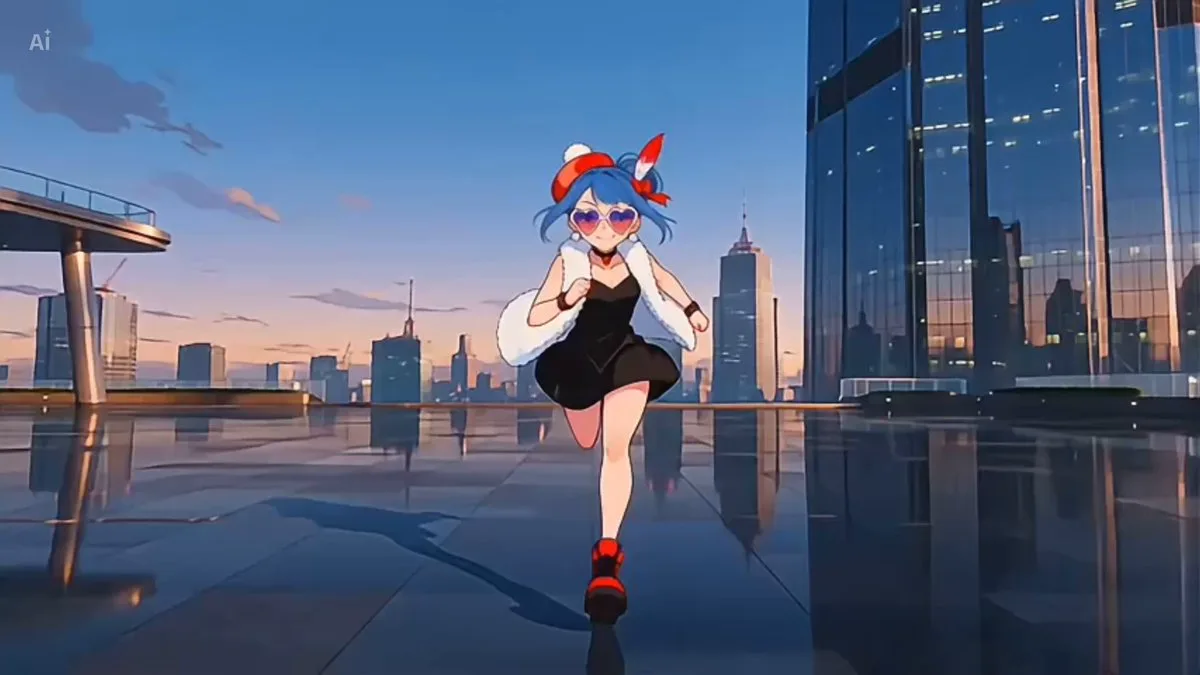
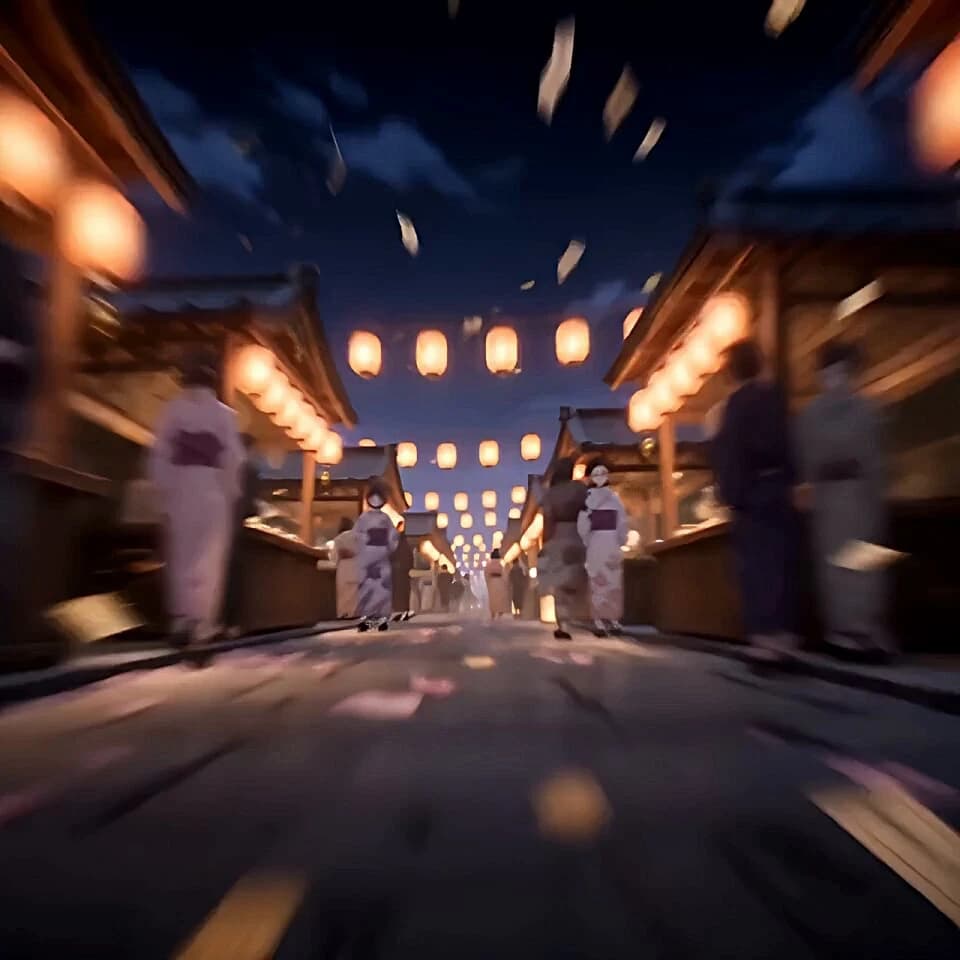
962 wordsReference @image1 1:1, 15 seconds, anime style, with BGM, with sound effects. Use one girl from the reference character sheet as the protagonist. Maintain her face, hairstyle, clothing, color scheme, charms, accessories, and footwear design. Do not change the protagonist into a different character. Do not change the costume. The background and stage production are newly created with the following content. [Basic Visual Direction] A high-density, gorgeous visual like a theatrical anime movie. Avoid cheap TV anime styles, flat colors, plain backgrounds, or simple running sequences. Prioritize anime-specific teleportation, color-plane wipes, impact frames, afterimages, confetti, foxfire, fireworks, and flashy scene transitions caused by drum impacts over physical movement consistency. Instead of running normally from point A to point B, the girl covers the screen with the movement of charms, foxfire, golden paper scraps, cherry blossom petals, and crimson sleeves, appearing in a different festival space the next moment. Do not explain the middle of the movement. The effect itself becomes the movement. [Stage] A Japanese fantasy night festival venue. Stall streets, rows of lanterns, a giant vermilion torii gate, a taiko drum stage, portable shrines, Japanese umbrellas, banners, fox mask decorations, paper streamers, gold decorations, cherry blossom petals, sealed charm confetti, foxfire, fireworks, and glowing particles fill the space. The torii gate is not a single path corridor but used as a massive stage device for the festival venue. Include silhouettes of anonymous festival-goers, passersby in yukata, stall silhouettes, and crowds in fox masks in the background. Do not clearly draw the faces of background characters. Do not make them stand out more than the protagonist. Do not give them the same hairstyle or costume as the protagonist. Crowds should be placed to blend into the lanterns, confetti, and back of the stalls. [Colors] Make the entire screen gorgeous. Based on a deep indigo and purple night sky, create strong contrasts with vermilion torii gates, orange lantern light, golden paper scraps, pink cherry blossom petals, white charms, pale blue foxfire, and black crowd silhouettes. Do not let it sink into darkness. Always include color changes and light density on the background side. [Sound] BGM is fast-paced, uplifting Japanese fantasy festival music. Mix taiko drums, flutes, bells, festival music, and low-frequency beats. Sound effects layer footsteps, fluttering cloth, rustling paper charms, bells, drum impacts, crowd cheers, lantern lighting sounds, sparks, and fireworks. [Time Structure] 0–3s: The camera rushes at high speed into the night festival stall street. It passes through lanterns, confetti, shadows of passersby, and stall lights. Simultaneously with a drum strike, the girl appears instantly from among the sealed charm confetti. Surrounding lanterns light up in sequence, and golden paper scraps, cherry blossoms, and pale blue foxfire fill the screen at once. Make it lively and high-density from the start. 3–6s: As the girl swings her crimson sleeves, the sleeves, charms, and golden paper scraps create a color-plane wipe across the entire screen. The next moment, the girl has landed in front of the taiko drum stage. In the background are anonymous festival guests, fox-masked figures, Japanese umbrellas, banners, and stall lights. Matching the heavy drum beat, white charms burst into the air like paper birds. 6–9s: The girl doesn't keep running; she instantly changes positions between the front of a portable shrine, a stall roof, and rows of lanterns, leaving a tail of foxfire and red-white-gold afterimages. The camera quickly cuts between foot-level jet cuts, side overtaking, looking up, and front-facing sudden approaches. Charms, cherry blossoms, golden paper, and foxfire create a vortex, with background crowd silhouettes and stall lights creating depth. 9–12s: A giant vermilion torii gate and portable shrine are visible in the center of the festival venue. The girl appears instantly in the center of the stage or on top of the torii gate with an explosion of confetti. Do not explain the consistency of movement. In time with the drums, flutes, and bells, lantern lights chain together, umbrellas rotate, and banners flutter wildly. Vermilion, gold, orange, pink, and pale blue spiritual light overlap across the entire screen, creating theatrical anime-grade flashiness. 12–15s: A finale of explosive visual beauty. The girl looks impressively at the center for a brief moment. Next, simultaneously with the loudest drum sound, sealed charms, golden paper, cherry blossoms, foxfire, lantern light, and fireworks explode across the sky. The camera rises sharply to show the entire festival venue. The giant torii, stall streets, shrines, umbrellas, crowd shadows, countless lanterns, and fireworks shine all at once. End with a luxurious shot like a theatrical anime movie where the entire space is filled with celebratory light. [Camera] No static camera. Do not use only normal tracking. Use low-altitude high-speed intrusion, color-plane wipes, foot-level jet cuts, side overtaking, looking up, front-facing sudden approaches, impact frames, afterimage movement, and a final sharp rising overhead view. Do not focus on slow motion. Emphasize anime-like instant movement and flashy scene transitions. [Visual Style] High-density theatrical anime style. Layer vivid colors, deep night shades, warm festival lights, luxurious particles, confetti, foxfire, fireworks, sequential lantern firing, crowd silhouettes, stall depth, and the flow of cloth and hair. Ensure there is information and beauty wherever you look on the screen. [Negative] Not just a girl running alone, not just running on a single path, not centered on magic circles, not centered on barriers, not a quiet shrine ritual, not a plain background, not a dark/dim screen, not flat colors, no lack of effects, no empty background, not cheap TV anime style, not monotonous slow motion, no modern city, no combat, no weapon battles, no horror elements, no multiple protagonists, no background characters with the same costume as the protagonist, no logos, no text, no subtitles, no watermarks, no 3D style, no realistic style, no chibi style, no facial distortion, no clothing distortion.
About this prompt
Japanese Fantasy Barrier Master Anime is a Anime Seedance 2.0 prompt with 962 words, structured around shot timing, camera direction, motion cues, and remixable scene details.
Use the visual preview, when available, to understand the composition, then treat the prompt text as a production brief you can adapt for your own subject, brand, or story.
Video prompt structure
Use it for Anime videos
Best for Seedance 2.0 generations that need Anime, Multi-Shot, Audio. Replace the subject, setting, product, dialogue, music, and timing before sending it to the generator.
Customize before generating
- Swap the subject. Keep the camera and timing structure, but change the character, product, or environment.
- Tighten the timeline. Shorten or expand shot blocks so they match the duration you want to render.
- Add reference media. Use first frames, last frames, images, video, or audio when the prompt depends on a specific look or rhythm.
More Seedance paths to explore
Browse adjacent styles and techniques from the same Seedance 2.0 prompt library.
How to use it
- Step 1
Copy or start from this prompt
Use the full prompt as a structured draft rather than rewriting the whole video brief.
- Step 2
Open Seedance 2.0
Send the text into the Seedance generator and choose text, image, or reference mode.
- Step 3
Adapt and render
Tune duration, aspect ratio, reference media, camera notes, and dialogue before generating.
Make it a Seedance video
Start from this prompt in the Seedance 2.0 generator, then adjust the scene, duration, aspect ratio, and reference media.