Prompt
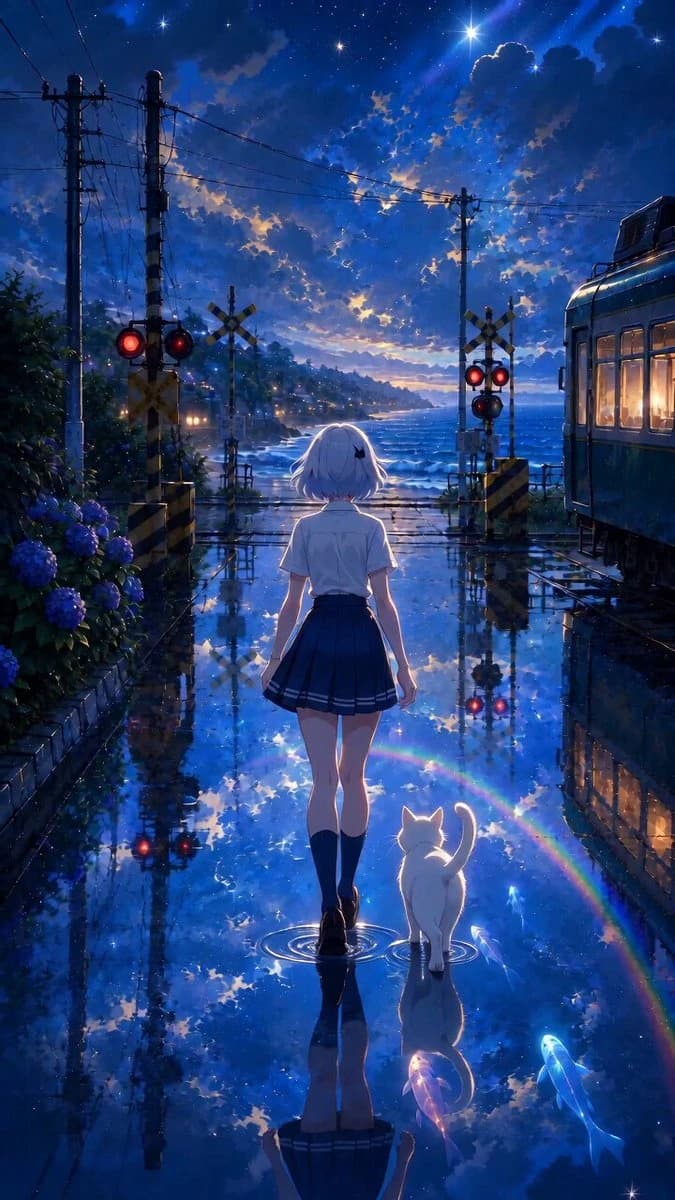
164 wordsA quiet seaside railroad crossing during the blue hour after rain. A dreamlike scene where wet asphalt perfectly reflects the sky, clouds, rainbow colors, and distant lights like a giant mirror. Hand-drawn anime background, watercolor touch, professional Japanese anime background art, visible brushstrokes, ultra-detailed 8K cinematic quality. A girl and a white cat seen from behind walk slowly and straight towards the sea. The girl walks naturally with relaxed shoulders, gently swinging her arms, and her hair fluttering softly. The white cat walks calmly beside her, wagging its tail naturally. Both never look back and there is no eye contact with the camera. Static camera, eye-level, wide shot, centered composition. Small ripples spread at their feet, and the reflected sky shimmers gently. Rainbow reflections sparkle, small glowing fish swim leisurely on the water surface, and floating particles shine. Hydrangeas sway lightly, and waves gently wash in and out. Volumetric lighting, blue hour, dreamy and nostalgic atmosphere, cinematic lighting. --stylize 750 --v 6 --q 2
About this prompt
Cinematic Rainy Seaside Anime Scene is a Anime Seedance 2.0 prompt with 164 words, structured around shot timing, camera direction, motion cues, and remixable scene details.
Use the visual preview, when available, to understand the composition, then treat the prompt text as a production brief you can adapt for your own subject, brand, or story.
Video prompt structure
Use it for Anime videos
Best for Seedance 2.0 generations that need Anime, Multi-Shot. Replace the subject, setting, product, dialogue, music, and timing before sending it to the generator.
Customize before generating
- Swap the subject. Keep the camera and timing structure, but change the character, product, or environment.
- Tighten the timeline. Shorten or expand shot blocks so they match the duration you want to render.
- Add reference media. Use first frames, last frames, images, video, or audio when the prompt depends on a specific look or rhythm.
More Seedance paths to explore
Browse adjacent styles and techniques from the same Seedance 2.0 prompt library.
How to use it
- Step 1
Copy or start from this prompt
Use the full prompt as a structured draft rather than rewriting the whole video brief.
- Step 2
Open Seedance 2.0
Send the text into the Seedance generator and choose text, image, or reference mode.
- Step 3
Adapt and render
Tune duration, aspect ratio, reference media, camera notes, and dialogue before generating.
Make it a Seedance video
Start from this prompt in the Seedance 2.0 generator, then adjust the scene, duration, aspect ratio, and reference media.