Lofi Dusk Filter Prompts: 12 Viral Instagram AI Looks (2026)
Free Lofi Dusk Filter prompts for ChatGPT, Gemini, and Image 2: moody dusk portraits, rim light, flash, film grain. Copy 12 ready-to-use prompt variants.
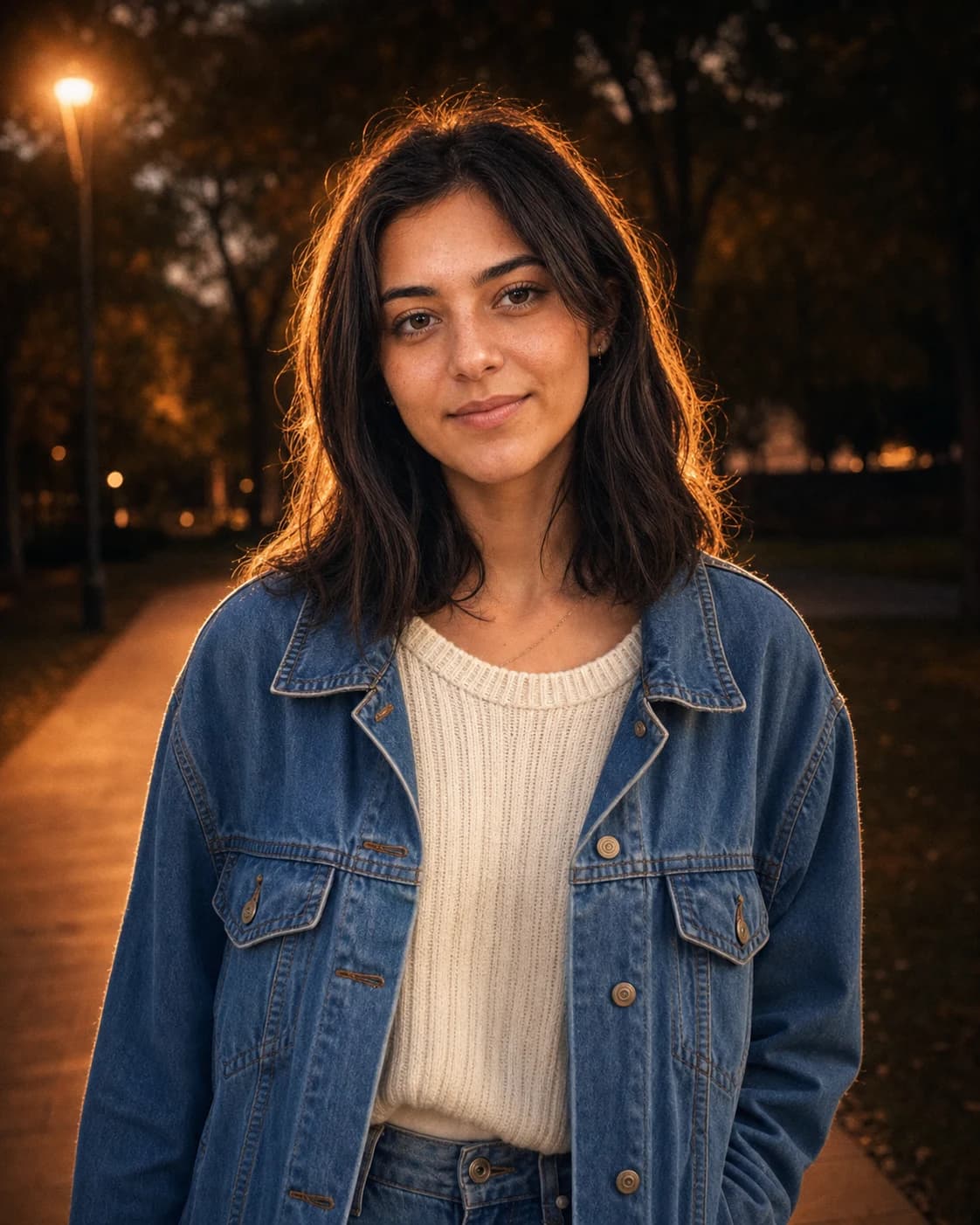
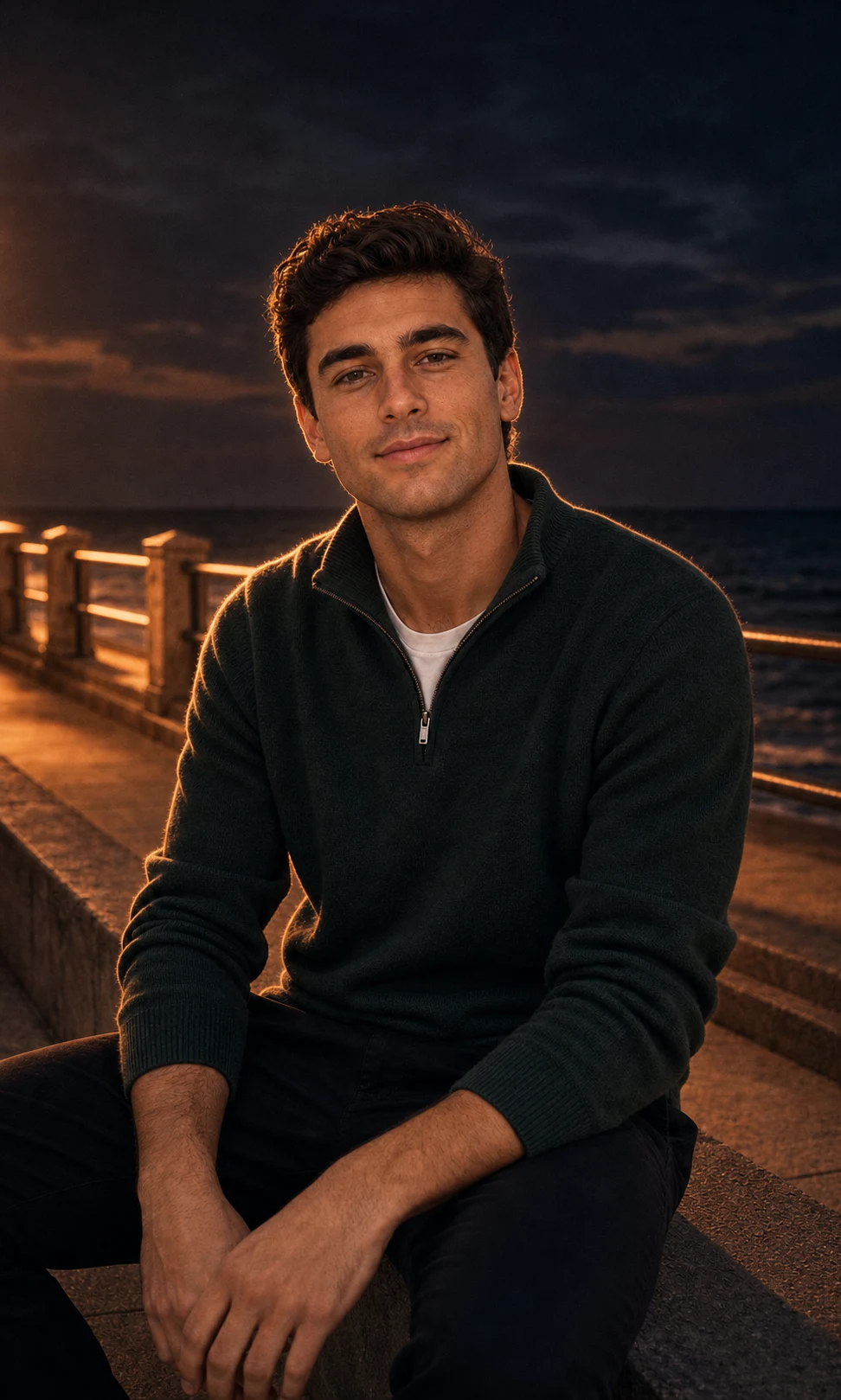
The Lofi Dusk Filter is everywhere on Instagram right now — moody dusk shadows, glowing rim light, a punchy front flash, and just enough film grain to make a phone selfie look like an 85mm DSLR portrait. Search interest for "lofi dusk filter prompt" is up 350% this month, and creators in the US, Australia, and the UK are using it for selfies, couple portraits, and night-out reels.
In this guide you'll get 12 ready-to-copy Lofi Dusk prompts, a step-by-step tutorial, and pro tips to nail the look on the first try.
Want the look without writing a single prompt? Skip straight to the one-click Lofi Dusk Filter generator on Image 2 — upload a photo, get a cinematic dusk portrait in about 30 seconds.
What Is the Lofi Dusk Filter?
The Lofi Dusk Filter is an AI photo effect that turns an ordinary selfie into a cinematic dusk or blue-hour portrait. The defining ingredients are:
- A dark, cinematic dusk or nighttime background with deep, moody shadows
- A warm or white backlight behind the subject and a glowing rim light wrapping hair, shoulders, and body edges
- A direct front flash that keeps the face readable, like an 85mm DSLR low-light portrait
- Warm peach skin tones, subtle bloom and halation
- Realistic film grain or CCD texture — never plastic-smooth beauty retouching
The point is intentional low light. Done well, the result reads as a real photograph taken at dusk with flash — not fantasy neon art and not a heavy filter.
Why it's trending in 2026: the look matches what creators are already chasing on Instagram Reels, TikTok, and Pinterest — moody portraits with a "this was the perfect night" energy. The hottest queries right now are lofi dusk filter prompt (+350%), lofi dusk prompt (+300%), lofi dusk filter (+250%), and lofi dusk filter instagram (+200%), per Google Trends.
Before
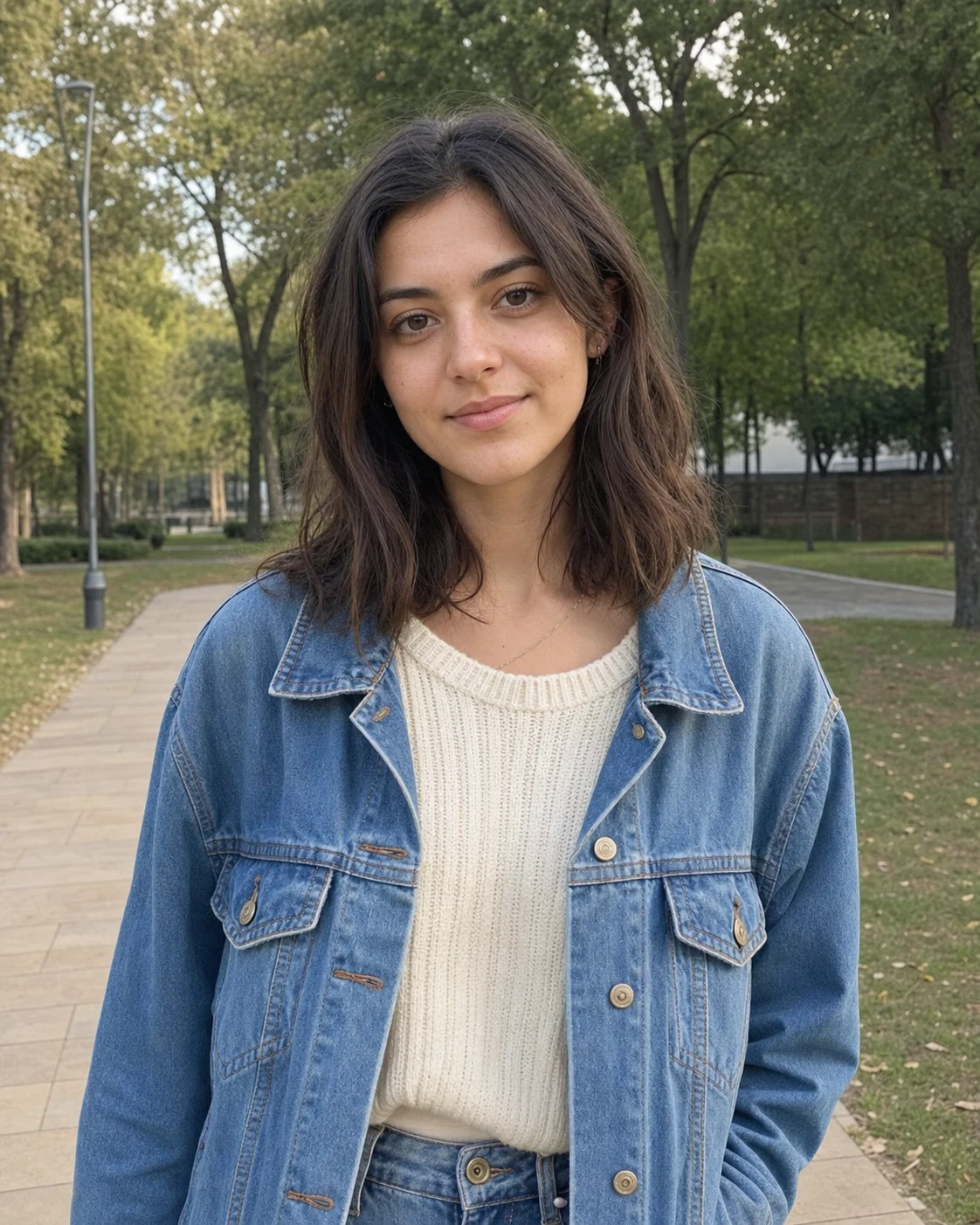
After
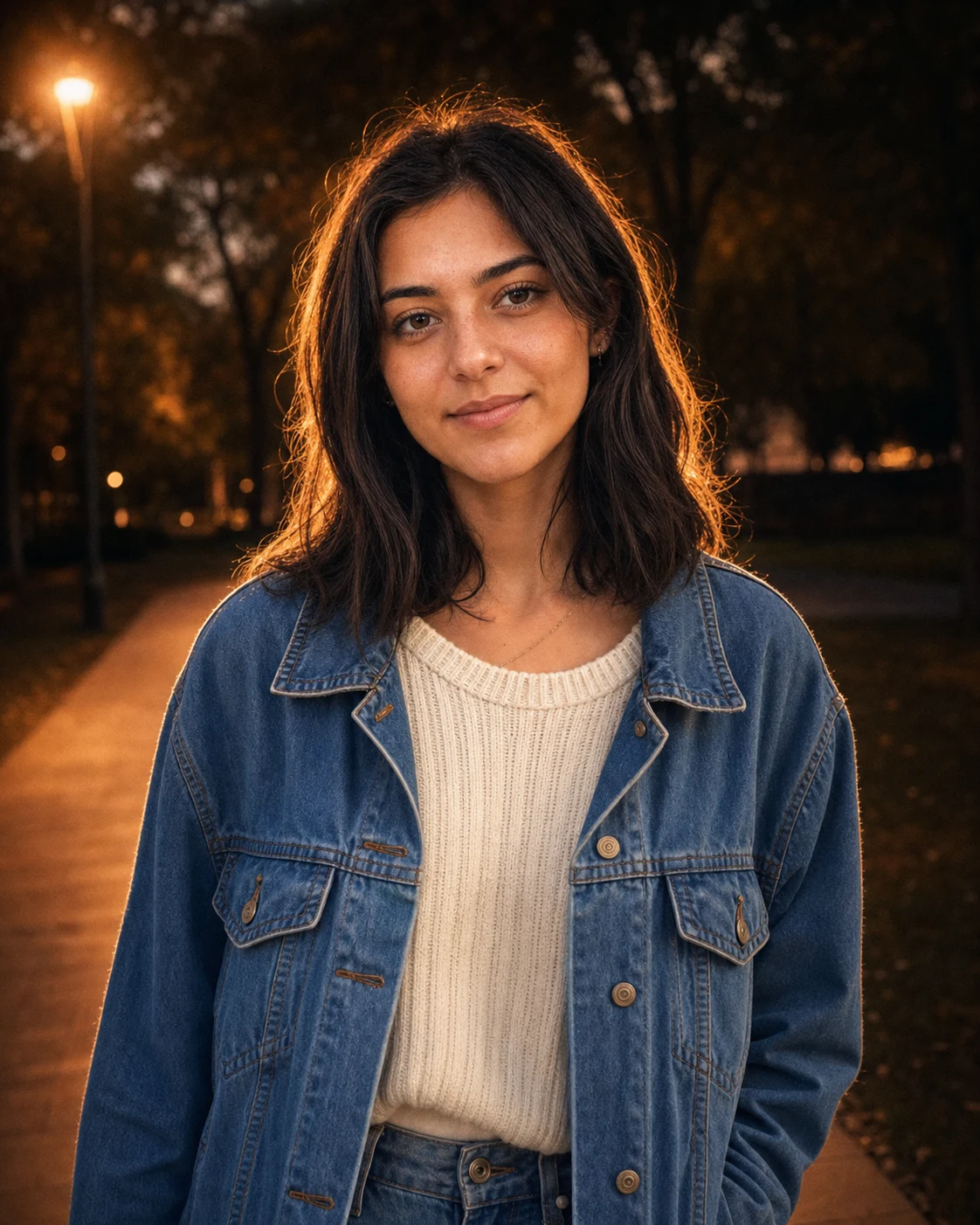
How to Use a Lofi Dusk Prompt (Step-by-Step)
Lofi Dusk prompts work in two ways: paste-into-ChatGPT/Gemini (good if you already pay for one of those), or one-click on Image 2 (faster, no prompt needed, identity preservation is tuned in).
The Image 2 way (recommended — 30 seconds)
- Open the Lofi Dusk Filter generator
- Upload a clear portrait — solo selfie, waist-up shot, or full body
- Click Generate — the dusk look, rim light, and flash are already baked in
- Download & post — files come out sized for Reels, TikTok, and IG posts
No prompt copy-paste, no per-message credit haggling. Each generation uses 2 credits, and new users get free signup credits to try it.
The ChatGPT / Gemini way
- Open a new chat with image input enabled
- Upload your portrait
- Copy one of the 12 prompts below and paste it as your message
- Wait for the render and download
Pro tip: ChatGPT and Gemini will sometimes drift on identity preservation. If the result doesn't look like you, regenerate and add the line
Preserve the person's face, facial structure, hairstyle, and outfit exactly as in the uploaded image.— that single sentence fixes 80% of identity drift.
12 Best Lofi Dusk Filter Prompts
Below are 12 prompts organized by scene. The first 4 are our core variants — battle-tested on Image 2's Lofi Dusk style and known to render cleanly across ChatGPT and Gemini too. The remaining 8 are scene variations for specific shoot ideas. Copy, paste, and generate.
Core Lofi Dusk Prompts
1. Instagram Dusk Glow (the default look)
Use the uploaded image as the identity reference. Preserve the person, face,
pose, outfit, and scene. Apply the viral Instagram Lofi Dusk Filter look:
dark cinematic dusk background, warm amber glow, strong rim light around
hair and shoulders, direct DSLR-style flash on the face, subtle bloom,
realistic film grain, shallow depth of field, premium social portrait
color grading, photorealistic, no text or watermark.
2. Blue-Hour Street Portrait
Turn this portrait into a blue-hour lofi dusk photo while keeping the same
person recognizable. Use a deep blue evening background, warm backlight
behind the subject, soft white rim light, gentle front flash, moody
high-contrast shadows, visible skin texture, low-light camera grain,
85mm portrait lens feeling, natural street-photo realism.
3. Warm Rim Light Selfie
Create a close-up selfie with the Lofi Dusk Filter aesthetic. Preserve
facial identity, hairstyle, expression, and clothing. Add warm golden rim
light on hair and shoulders, dark muted background, soft flash falloff,
peach skin tones, subtle halation, glossy highlights, realistic low-light
film grain, Instagram-ready portrait mood.
4. Moody Night Flash
Edit the uploaded photo into a moody night flash portrait. Keep identity
and composition unchanged. Add black-blue dusk shadows, direct camera
flash, warm backlight glow, cinematic contrast, soft bloom around
highlights, shallow depth of field, natural skin detail, slight CCD noise,
realistic DSLR low-light photography, no fantasy neon effects.
Before
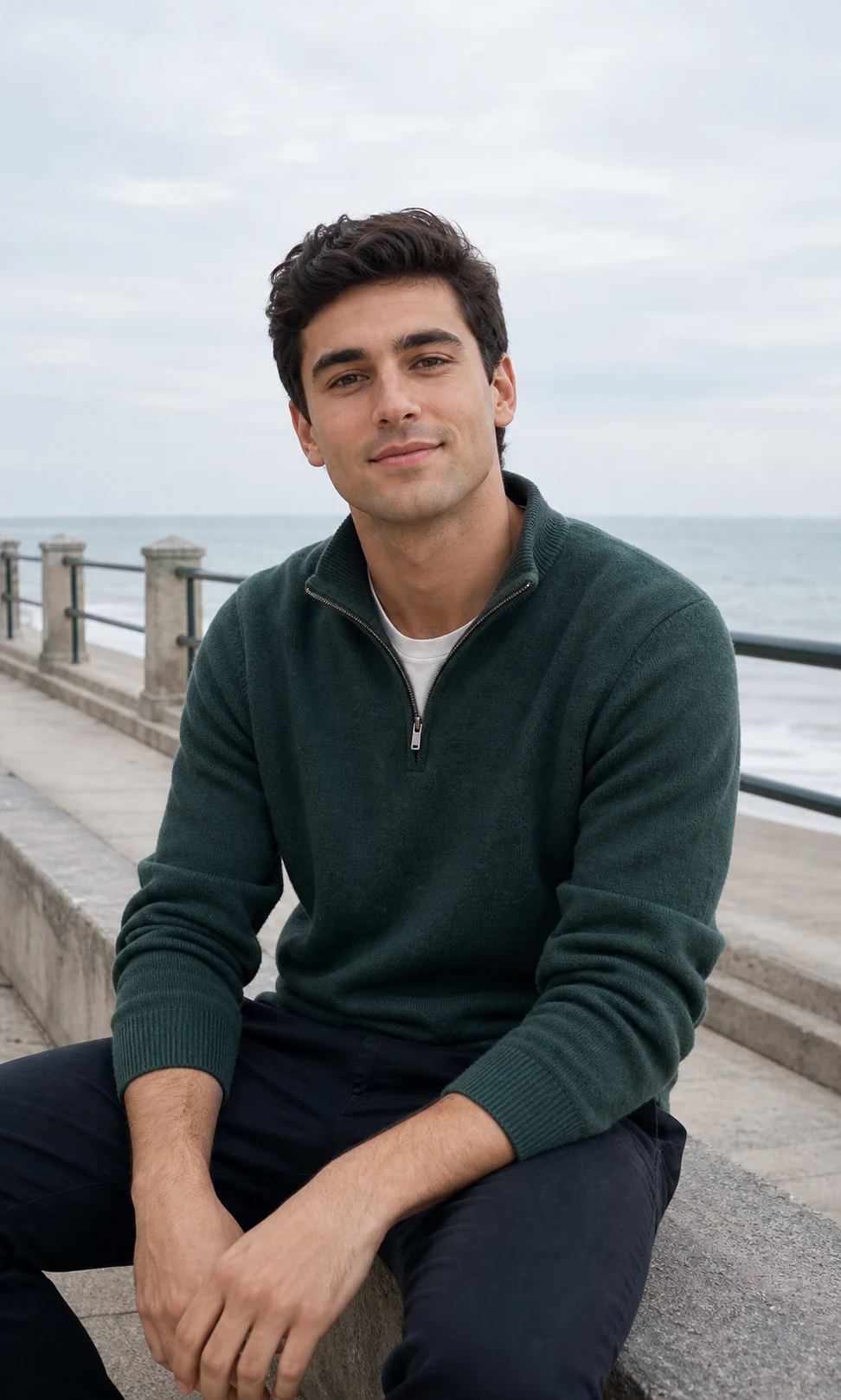
After
Scene Variations (8 more prompts)
5. Mirror Selfie Lofi Dusk
Recreate the uploaded mirror selfie as a Lofi Dusk Filter shot. Preserve
the person, outfit, phone, and mirror framing. Add a dark dimly lit
bedroom or bathroom background, direct phone flash bouncing off the
mirror, warm amber rim light on the shoulders, soft fall-off shadows on
the walls, subtle bloom around the flash highlight, realistic low-light
phone-camera grain, authentic Instagram mirror-selfie mood. Keep the
face clearly readable.
6. Couple Portrait at Dusk
Transform this couple photo into a cinematic Lofi Dusk portrait. Preserve
both people's faces, body language, outfits, and the pose between them
exactly. Place them against a deep dusk sky with a warm horizon glow
behind their silhouettes, soft rim light wrapping both subjects, a gentle
front flash keeping both faces equally lit, peach skin tones, subtle
film grain, shallow depth of field, 85mm lens look, premium editorial
couple-portrait color grading.
7. Café Window Lofi Dusk
Edit the uploaded photo into a Lofi Dusk café portrait. Preserve identity,
outfit, and pose. Place the subject by a café window at blue hour, with a
warm interior light source behind them creating a strong rim glow on hair
and shoulders, cooler dusk reflections in the window, gentle front flash
on the face, soft bokeh of streetlights outside, realistic film grain,
moody indoor-portrait mood.
8. Beach Lofi Dusk (golden-blue hour)
Turn the uploaded beach photo into a Lofi Dusk Filter image. Keep the
person, swimwear or outfit, and beach pose unchanged. Use a deep blue
post-sunset sky with the last warm orange band on the horizon, strong
amber rim light along hair and shoulders, gentle white front flash on the
face, subtle wind in the hair, soft bloom around water highlights,
shallow depth of field, low-light film grain, cinematic dusk beach
portrait.
9. Neon City Lofi Dusk
Create a Lofi Dusk street portrait of the person in the uploaded photo
against a nighttime city background. Preserve identity, outfit, and pose.
Use defocused neon signage and streetlights as the background bokeh, a
warm tungsten rim light from the side, direct flash on the face, deep
black shadows, slight CCD noise, warm peach skin tones, premium urban
street-photography mood. Avoid fantasy cyberpunk colors — stay
photorealistic.
10. Indoor Party Flash Dusk
Edit this uploaded party or club photo into a Lofi Dusk Filter shot.
Preserve the person, outfit, drink, and surrounding crowd outlines. Add a
nearly black background with warm tungsten and red gel highlights from
distant lights, a strong direct front flash on the face, soft bloom
around bright spots, motion blur on background figures, low-light grain,
authentic flash-portrait nightlife mood. Keep the face crisp and
readable.
11. Full-Body Editorial Dusk
Reimagine the uploaded full-body photo as an editorial Lofi Dusk portrait.
Preserve the person's face, body proportions, outfit, and pose. Place
them against a dark dusk environment — empty street, parking lot, or
balcony — with strong backlight creating a halo around the body, soft
warm fill from a front flash, peach skin tones, deep blue shadows, subtle
film grain, 4:5 vertical aspect ratio, premium fashion-editorial color
grading. Photorealistic, not stylized.
12. Golden-Hour to Dusk Transition
Transform the uploaded golden-hour photo into the moment right after
sunset — a Lofi Dusk Filter look. Keep identity, hair, outfit, and pose
intact. Push the sky into a gradient of deep magenta to navy, add a warm
rim light from where the sun just set, introduce a direct flash on the
face to compensate for the darkening scene, add gentle bloom on the
highlights, soft film grain, cinematic late-evening warmth. The mood
should feel like the last 10 minutes of light.
Prompt Engineering Tips for the Lofi Dusk Look
A few small changes will dramatically improve your results — these are the same techniques baked into the Image 2 generator.
1. Always lead with identity preservation
The single most important line in any Lofi Dusk prompt:
Use the uploaded image as the identity reference. Preserve the person's
face, facial structure, skin texture, body shape, pose, hairstyle, and
outfit as much as possible.
Without it, ChatGPT and Gemini drift toward generic faces. With it, the result reads as "you, at dusk".
2. Name the four lighting ingredients
Every Lofi Dusk prompt needs all four:
- Dark / moody background ("dusk", "blue hour", "nighttime")
- Rim light ("warm rim light around hair and shoulders")
- Direct front flash ("DSLR flash on the face", "keeps the face readable")
- Grain or texture ("film grain", "CCD noise", "low-light camera texture")
Drop any one and the look collapses into either a regular night photo or a soft beauty filter.
3. Add a negative prompt
The default Image 2 Lofi Dusk style ships with this negative prompt and you should add it to your ChatGPT/Gemini prompts too:
Negative prompt: changed identity, face swap, plastic skin, over-smoothed
beauty retouching, fantasy neon glow, cartoon, anime, illustration, extra
people, distorted hands, unreadable face, text, watermark, oversharpened
HDR.
4. Match aspect ratio to the platform
Add Aspect ratio 4:5 for Instagram feed, 9:16 for Reels/TikTok/Stories, 1:1 for profile pics. ChatGPT and Gemini both honor explicit ratios most of the time.
Photo Preparation: Get the Best Lofi Dusk Results
The Lofi Dusk look relies on edge light and flash, so the source photo matters more than for other AI filters.
Photos that work best:
- Solo portraits — the rim light needs a clear silhouette
- Visible hair outline and shoulders — that's where the rim glow lands
- Clear face — the front flash needs something to hit
- Decent resolution — grain looks great on top of detail, awful on top of blur
- Waist-up or full-body framing — close-up selfies also work, but lose the cinematic feel
Avoid: group shots where individual silhouettes blur together, heavily filtered selfies, harsh midday shadows on the face, low-resolution screenshots.
Frequently Asked Questions
Is the Lofi Dusk filter free?
You can copy any of the 12 prompts above into ChatGPT or Gemini for free (depending on your plan there). For one-click generation on Image 2, new users get free signup credits — each Lofi Dusk render costs 2 credits, so the free credits cover several tries.
What's the difference between Lofi Dusk and a regular night filter?
A regular night filter just darkens and color-grades the image. The Lofi Dusk look adds active lighting — a rim light behind the subject and a front flash on the face — so the photo reads as an intentional dusk portrait rather than a poorly-lit night shot.
How is "lofi dusk" different from golden-hour or blue-hour edits?
Golden-hour is before sunset (warm sun in frame, long shadows). Blue-hour is the cooler twilight after sunset. Lofi Dusk sits between them and adds film grain + flash — so it has blue-hour shadows, golden-hour warmth on the rim, and a phone-flash highlight on the face.
Will the prompts keep my face recognizable?
Yes — every prompt above includes an identity-preservation clause, which is the most important line in the whole prompt. If your result drifts, regenerate or use a higher-resolution source photo.
Can I post these on Instagram, TikTok, and Reels commercially?
Yes. The Lofi Dusk look is purpose-built for short-form social. You can use the results for creator content, sponsored posts, profile pics, and ads — as long as you have rights to the source photo and follow the Image 2 terms.
How many prompts should I try before settling?
Three is usually enough. Start with Instagram Dusk Glow (the safe default), then try Blue-Hour Street Portrait for a moodier take and Moody Night Flash for the punchiest flash look. Pick the one that flatters your source photo best.
Start Creating Your Lofi Dusk Portrait
Two paths to the look:
- Fastest: Open the Image 2 Lofi Dusk Filter generator →, upload, click generate — done in 30 seconds, no prompt copy-paste.
- DIY: Copy the Instagram Dusk Glow prompt above into ChatGPT or Gemini, attach your photo, and tweak from there.
Either way, you'll have a feed-ready Lofi Dusk portrait inside a minute. Share your favorite results — and if you want more viral AI looks, browse the full Image 2 style gallery.
Related Guides
Related Posts
Free World Cup 2026 AI Prompts: Football Posters | Image 2
Copy free World Cup 2026 AI prompts from Image 2 for football AI posters, soccer portrait AI, fan photos, player cards, and stadium edits.
Free World Cup 2026 Football Card Prompts | Image 2
Copy free World Cup 2026 football card prompts from Image 2 for AI player cards, soccer trading cards, fan cards, ratings, and printable cards.
Korean AI Baseball Trend Prompt: Best Crowd-Cam Prompts for 2026
Copy Korean AI baseball trend prompts for ChatGPT, Image 2, Seedance 2.0, and Veo 3.1. Create a realistic sports broadcast crowd-cam image and animate it.