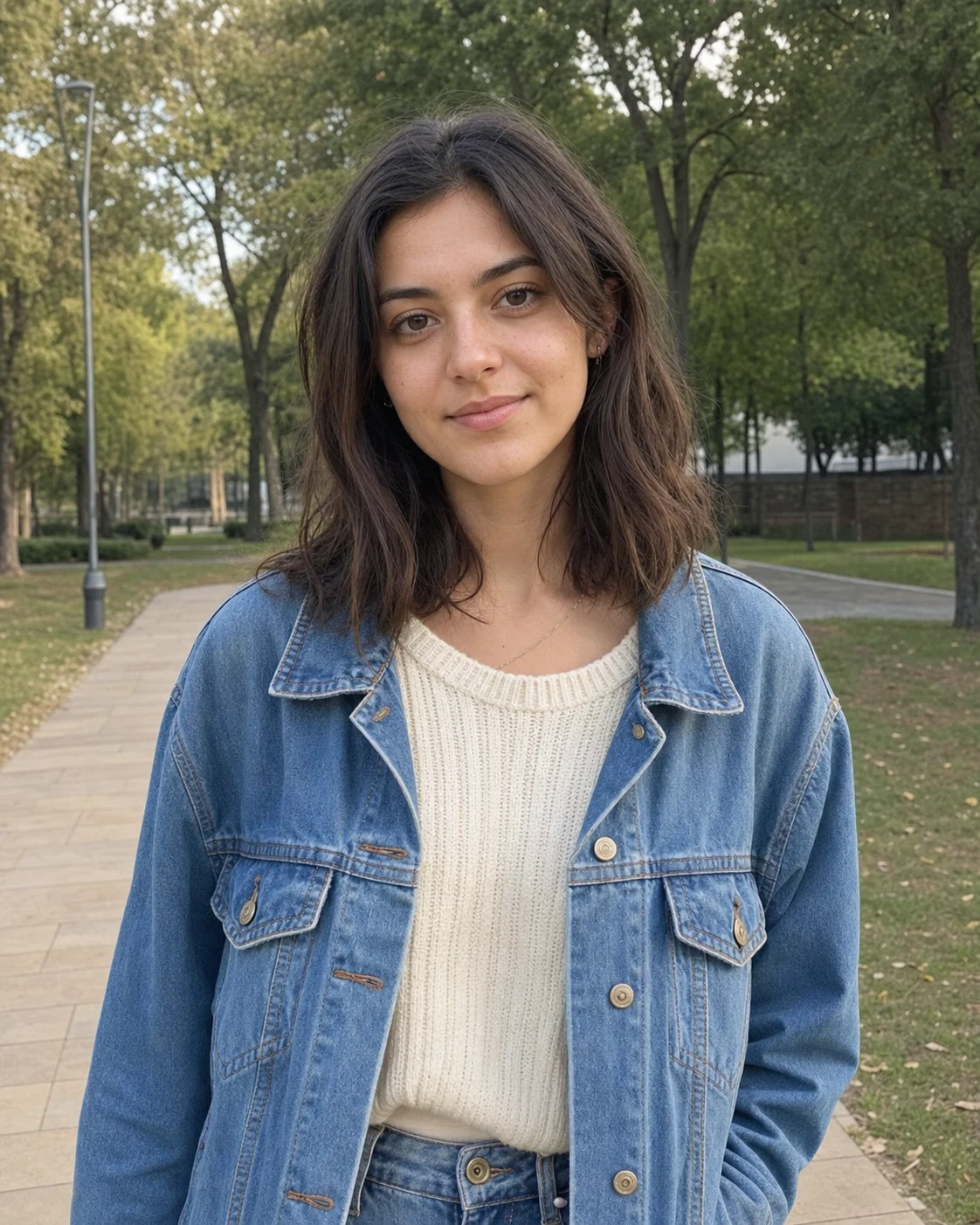
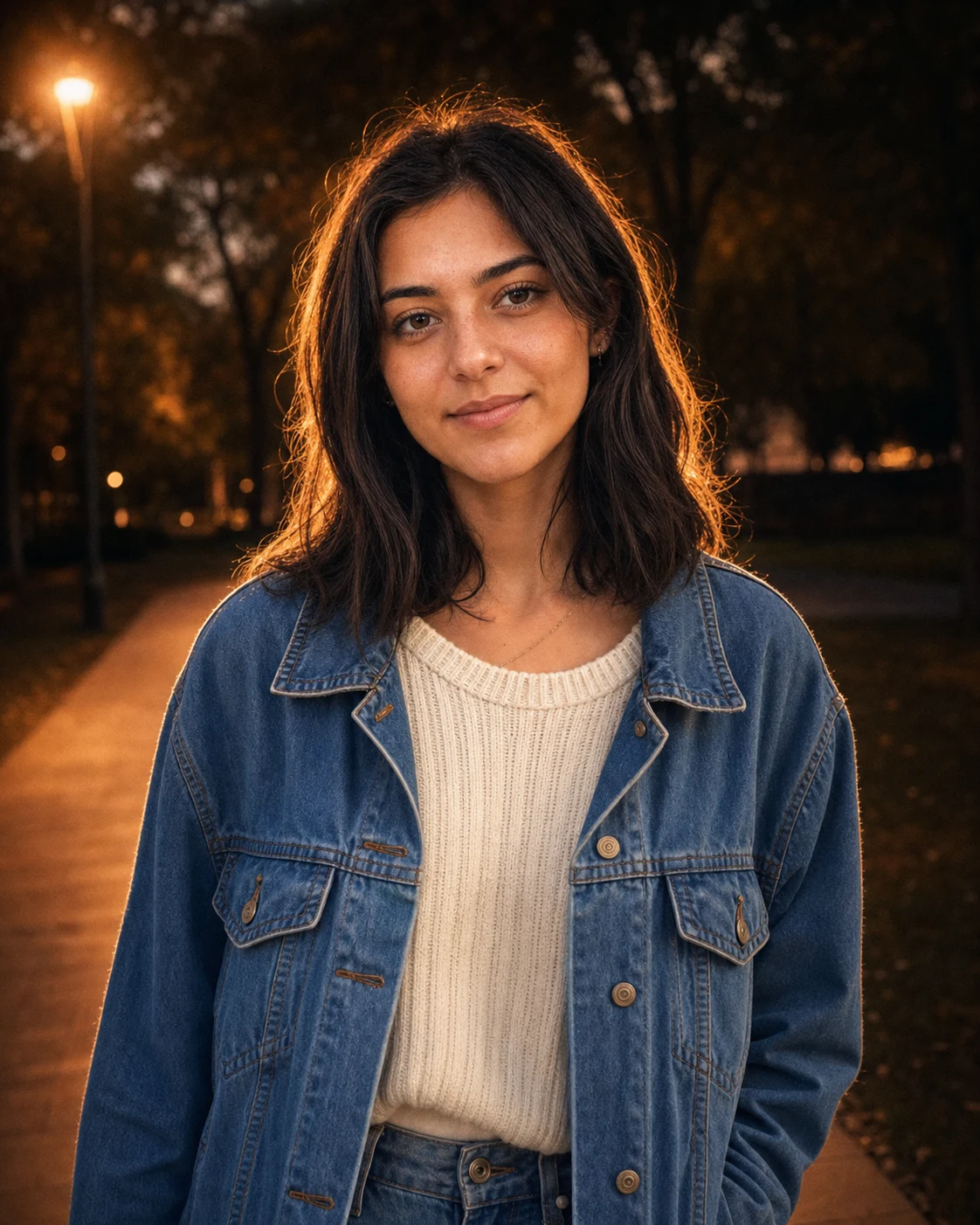
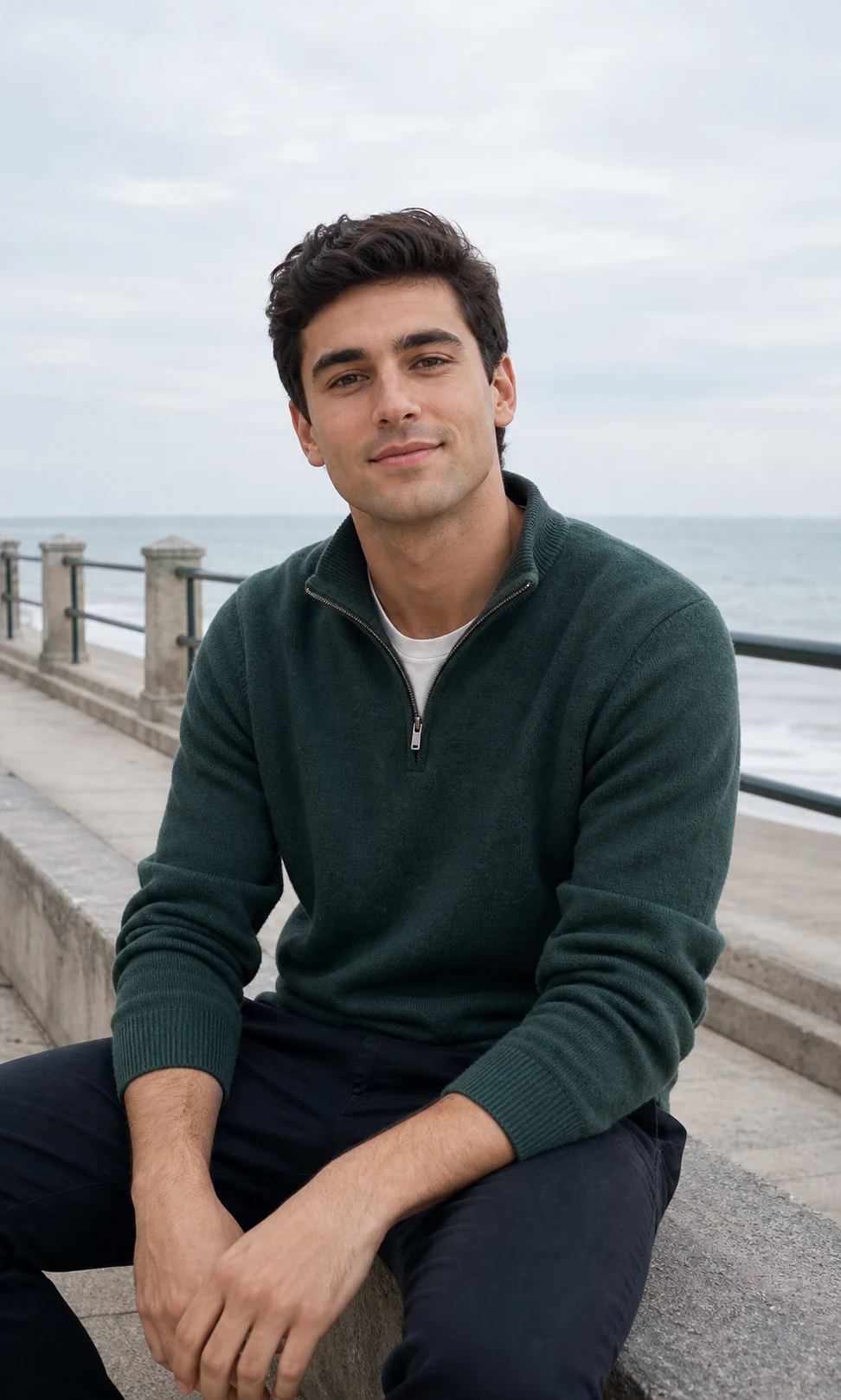
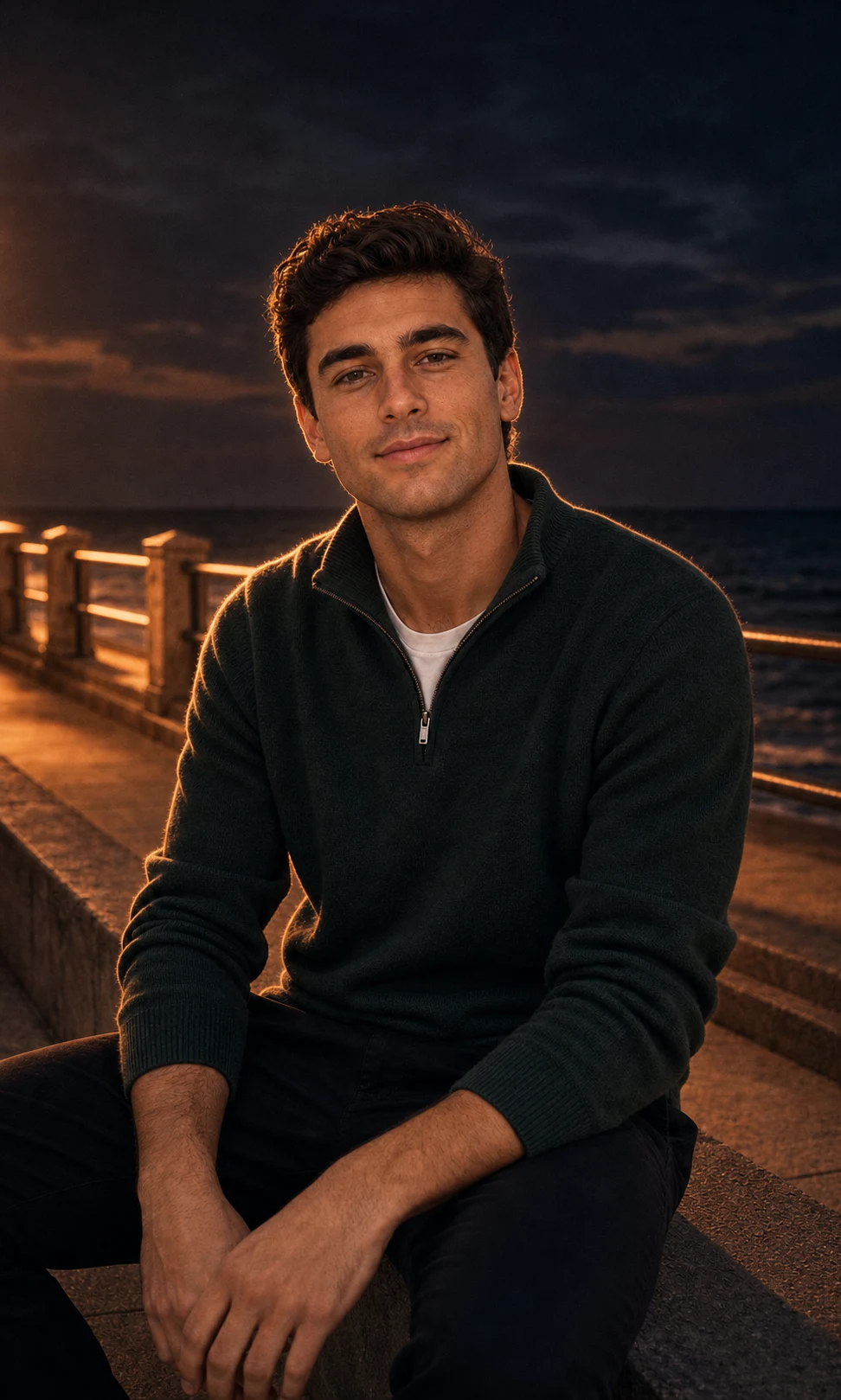
01Transformations
Dusk rim-light portrait
Darken the scene and wrap the subject with a warm glowing edge light for the viral lofi dusk look.
Create the viral Instagram Lofi Dusk Filter online with GPT Image 2. Upload a portrait and turn it into a cinematic dusk photo with a dark moody background, glowing rim light, DSLR flash, warm skin tone, soft bloom, and realistic film grain while keeping the person recognizable.
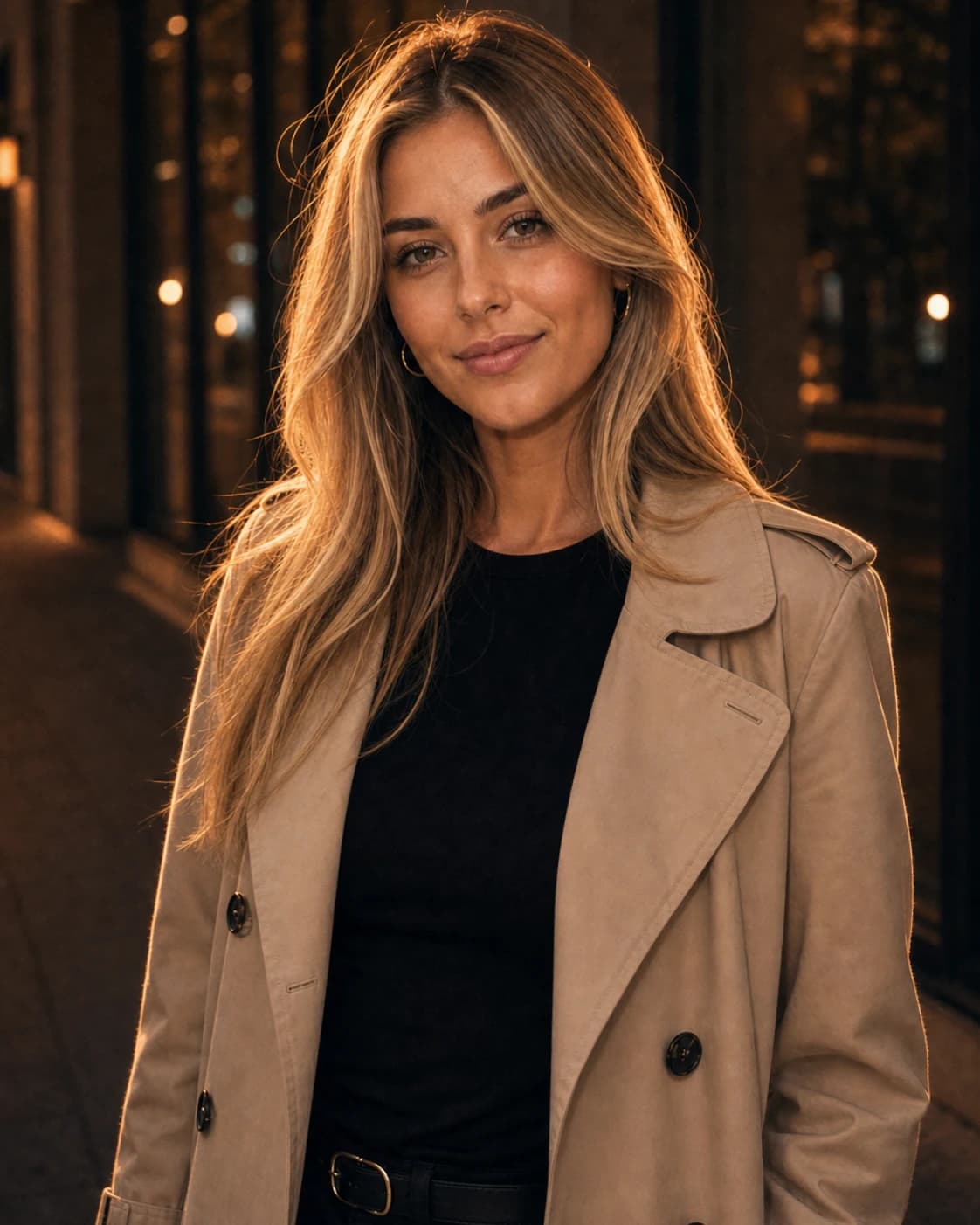
Create the viral Instagram Lofi Dusk Filter online with GPT Image 2.
Darken the scene and wrap the subject with a warm glowing edge light for the viral lofi dusk look.
Keep the face readable with direct flash while the background falls into cinematic blue-hour shadow.
Add grain, soft bloom, and warm color grading without changing the person’s identity.
Use the default prompt, or copy a variant for Instagram dusk glow, blue-hour street mood, warm rim light, or night flash portraits.
Use the uploaded image as the identity reference. Preserve the person, face, pose, outfit, and scene. Apply the viral Instagram Lofi Dusk Filter look: dark cinematic dusk background, warm amber glow, strong rim light around hair and shoulders, direct DSLR-style flash on the face, subtle bloom, realistic film grain, shallow depth of field, premium social portrait color grading, photorealistic, no text or watermark.
Turn this portrait into a blue-hour lofi dusk photo while keeping the same person recognizable. Use a deep blue evening background, warm backlight behind the subject, soft white rim light, gentle front flash, moody high-contrast shadows, visible skin texture, low-light camera grain, 85mm portrait lens feeling, natural street-photo realism.
Create a close-up selfie with the Lofi Dusk Filter aesthetic. Preserve facial identity, hairstyle, expression, and clothing. Add warm golden rim light on hair and shoulders, dark muted background, soft flash falloff, peach skin tones, subtle halation, glossy highlights, realistic low-light film grain, Instagram-ready portrait mood.
Edit the uploaded photo into a moody night flash portrait. Keep identity and composition unchanged. Add black-blue dusk shadows, direct camera flash, warm backlight glow, cinematic contrast, soft bloom around highlights, shallow depth of field, natural skin detail, slight CCD noise, realistic DSLR low-light photography, no fantasy neon effects.
Common questions about using GPT Image 2 Lofi Dusk Filter
Still have questions? Contact us at [email protected]