Prompt
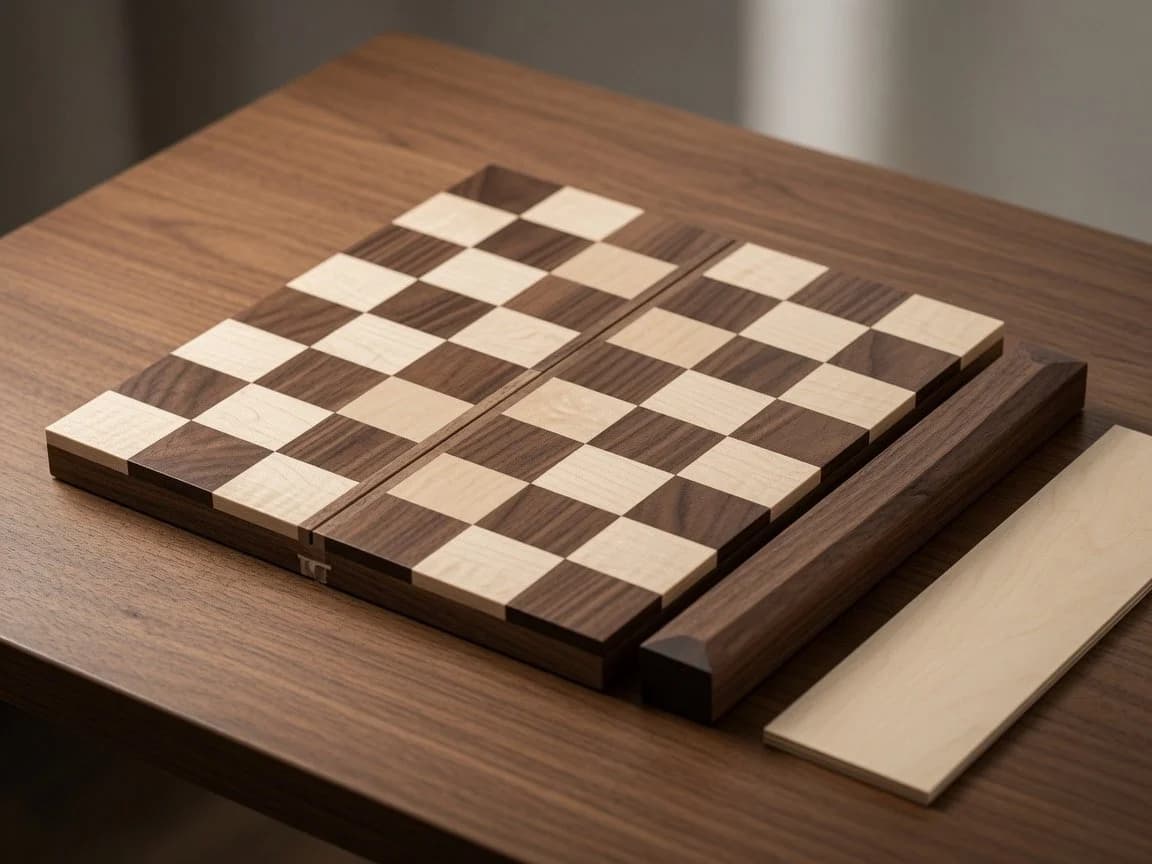
182 wordsCreate a photorealistic close-up product-style image of a handcrafted wooden travel chessboard on a walnut tabletop. The scene shows exactly 1 folding chessboard made from 2 rectangular wooden halves separated by a narrow central hinge groove, with a checker pattern of exactly 64 raised square tiles in alternating pale maple and dark walnut wood. Add exactly 2 loose accessory pieces beside it: 1 long dark walnut side rail resting parallel to the right edge of the board and 1 flat pale maple wooden strip lying farther right. Include exactly 1 small brass-colored latch or clasp visible on the near front edge of the board. Use warm natural window light from the upper left, shallow depth of field, realistic wood grain, beveled edges, soft shadows, and a cozy workshop or tabletop atmosphere. Camera angle: three-quarter overhead view, slightly tilted, focused on the board surface. Make the board appear like {argument name="product type" default="a foldable travel chessboard"} made of {argument name="dark wood" default="walnut"} and {argument name="light wood" default="maple"}, placed on {argument name="surface" default="a walnut table"}. No chess pieces, no people, no text, no watermark.About this prompt
Wooden Travel Chessboard is a ready-to-use ad creative prompt for GPT Image 2 on Image 2. Copy the 182 words below, paste them into the Create form, and you will get a result close to the preview above. Tweak the Product Ad, Ad Creative, Product tag if you want to push it somewhere new.
Use it as a starting point, then adjust the subject, lighting, or composition to suit your idea. The credit cost stays the same whether you use it as written or customize it.
Use case
A strong starting point for Ad Creative
Start here when you want a ad creative image inspired by Wooden Travel Chessboard. The prompt already sets the look and composition; replace the subject, product, colors, or scene details to match your project.
Easy places to tweak
- Subject Swap in your person, product, place, or object without changing the overall composition.
- Look and mood Tune the lighting, palette, camera angle, or materials so the image fits your brand.
- Final format Set the aspect ratio, background, text, or layout notes before you generate.
More prompt paths to explore
Find more GPT Image 2 prompts with a similar style, use case, or subject.
How to use it
- Step 1
Copy the prompt
Hit the Copy button above to grab the full text.
- Step 2
Open Image 2 Create
Head to the Create form and paste it in.
- Step 3
Generate
Hit Generate. Your version lands in seconds.
Make it yours
Load the prompt into the Create form with one click, then start tweaking.