Prompt
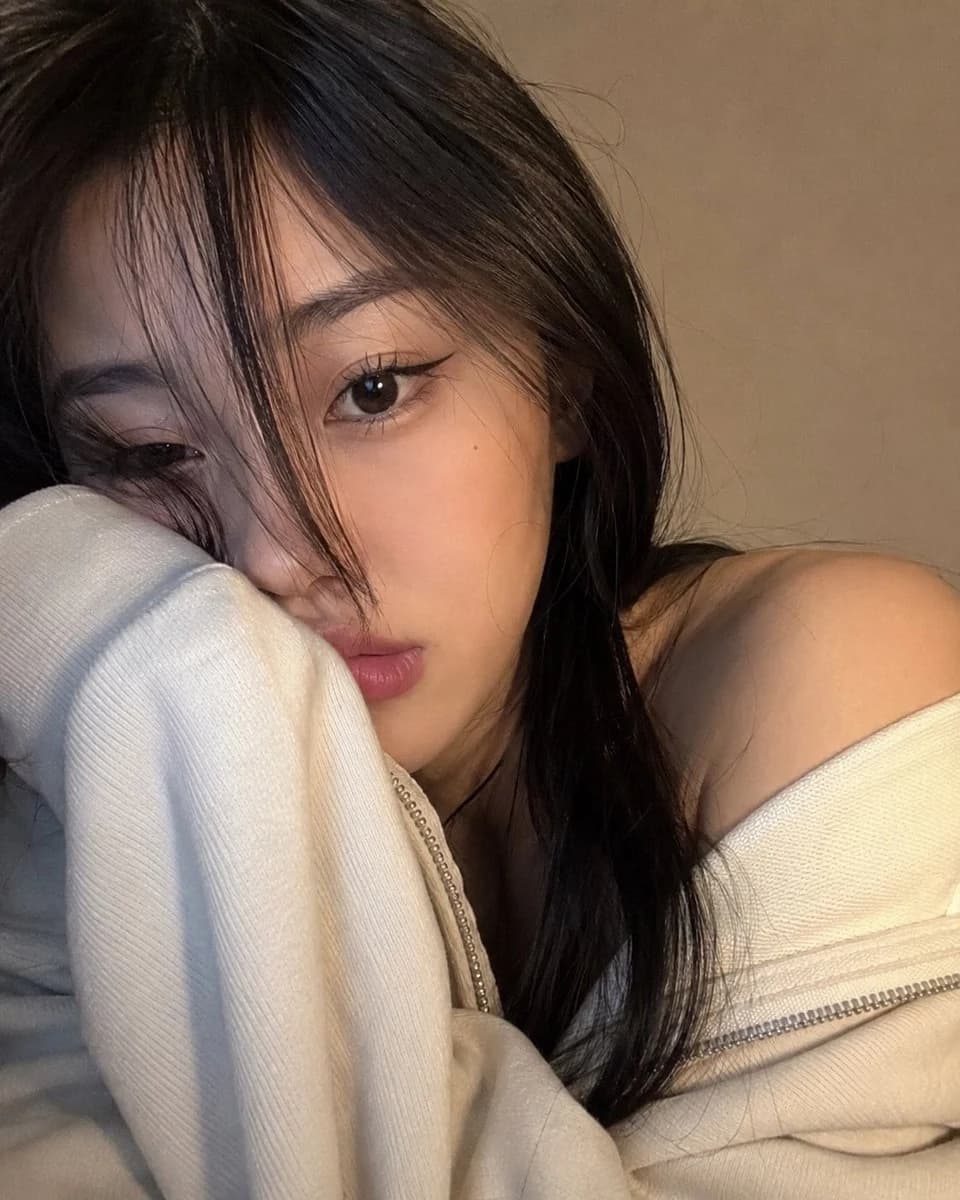
238 wordsA photorealistic, ultra-close selfie-style portrait of a {argument name="subject" default="young woman"} occupying nearly the entire frame, creating a cozy and personal atmosphere. She gently leans her head sideways, resting her face against her shoulder while part of her mouth and cheek disappear into the {argument name="clothing" default="oversized sleeve of a soft ivory zip-up hoodie"}. One side of the hoodie casually slips off her shoulder, adding a relaxed, effortless look. Her long, silky dark hair falls naturally across her face, with wispy curtain bangs and loose strands concealing one eye. The visible eye stares directly into the camera with a calm, slightly pouty expression. Makeup is subtle and polished, featuring brushed-up brows, elongated black cat-eye eyeliner, delicate lashes, and muted rose-pink matte lips. The image feels like an authentic webcam or front-camera snapshot taken from very close range with a slight angle rather than perfectly centered. Fine details such as skin texture, individual hair strands, eyelashes, and the thick knit texture of the hoodie sleeve remain crisp, while the background softly melts into blur. The setting is minimal, showing only a {argument name="background" default="plain warm taupe-beige wall"} without decorations. Soft warm indoor light mixed with subtle screen glow illuminates the face from the front-left, creating gentle highlights and natural shadows. The overall color grading is understated and cozy, dominated by cream, charcoal black, beige, and muted pink tones, preserving the spontaneous and realistic feeling of a genuine casual selfie.About this prompt
Cozy Close-Up Selfie Portrait is a ready-to-use portrait prompt for GPT Image 2 on Image 2. Copy the 238 words below, paste them into the Create form, and you will get a result close to the preview above. Tweak the Social Media, Portrait, Fashion tag if you want to push it somewhere new.
Use it as a starting point, then adjust the subject, lighting, or composition to suit your idea. The credit cost stays the same whether you use it as written or customize it.
Use case
A strong starting point for Portrait
Start here when you want a portrait image inspired by Cozy Close-Up Selfie Portrait. The prompt already sets the look and composition; replace the subject, product, colors, or scene details to match your project.
Easy places to tweak
- Subject Swap in your person, product, place, or object without changing the overall composition.
- Look and mood Tune the lighting, palette, camera angle, or materials so the image fits your brand.
- Final format Set the aspect ratio, background, text, or layout notes before you generate.
More prompt paths to explore
Find more GPT Image 2 prompts with a similar style, use case, or subject.
How to use it
- Step 1
Copy the prompt
Hit the Copy button above to grab the full text.
- Step 2
Open Image 2 Create
Head to the Create form and paste it in.
- Step 3
Generate
Hit Generate. Your version lands in seconds.
Make it yours
Load the prompt into the Create form with one click, then start tweaking.