Prompt
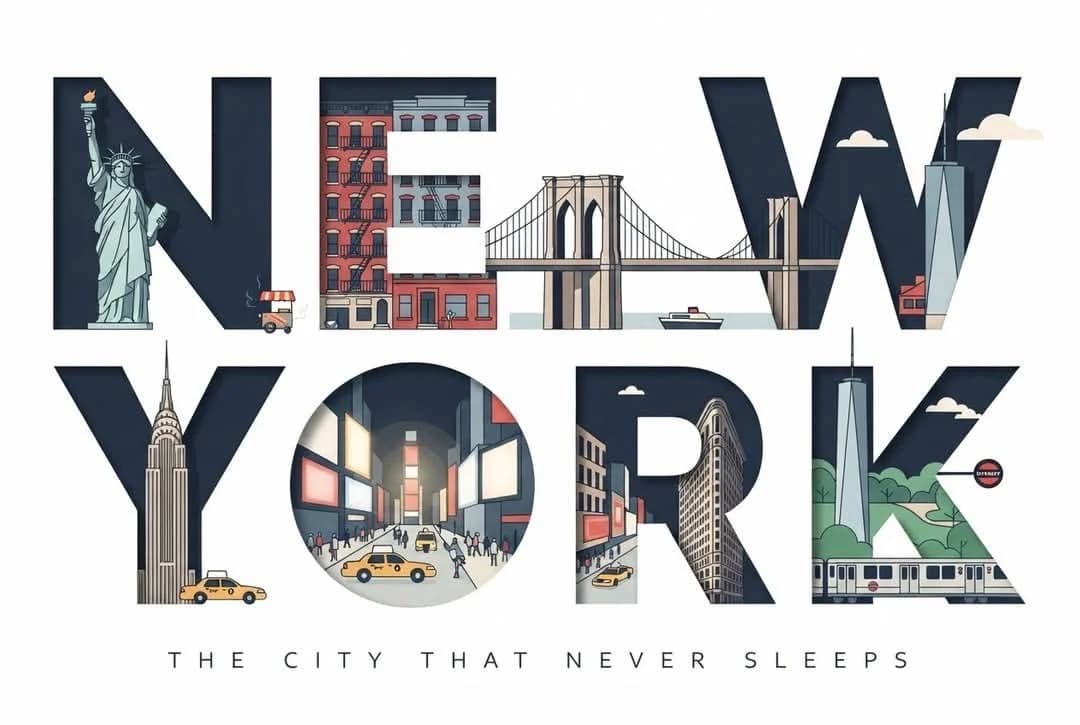
352 wordsClean, modern typographic travel poster in a 3:2 landscape format. The words "NEW YORK" — seven large, bold, uppercase geometric sans-serif letters set on a single line (or "NEW" stacked above "YORK" if better balanced) — span the full width and ARE the entire composition. Every illustrated element lives strictly INSIDE the letterforms, as if each letter is a window cut out of white paper revealing a scene; nothing spills outside the letter silhouettes. Outside the letters: pure, empty, flat white background — no objects, no cast shadows, no decoration. — WHAT FILLS EACH LETTER (NYC-accurate, clipped to the letter shape) — N : the Statue of Liberty — standing torch raised, following one vertical of the N. E : stacked Manhattan brownstone facades with fire escapes nested in the three horizontal bars. W : the Brooklyn Bridge — its two Gothic stone arches and suspension cables spanning the W's zig-zag, a small boat on the East River below. Y : the Empire State Building — the Art-Deco spire cradled in the fork of the Y. O : the ring frames Times Square — glowing billboards, a yellow taxi cab, a scramble of tiny pedestrians. R : the Flatiron Building's distinctive triangular wedge silhouette inside the R. K : Central Park greenery and the One World Trade Center spire slicing along the K's diagonals; a subway car along the base. Small city details (a yellow cab, a hot-dog cart with faint steam, a pigeon, a subway roundel, drifting clouds) appear ONLY where they fit within a letter's interior. Keep full legibility of "NEW YORK". — STYLE — Elegant flat vector illustration, crisp geometric shapes, minimal detail, clean outlines, subtle shadows contained inside the letters only. Limited palette: deep navy, warm cream, muted red, soft gray-blue — a restrained warm-yellow accent used ONLY on the taxis / Times Square glow. Optional minimal tagline beneath in wide-spaced small capitals: "THE CITY THAT NEVER SLEEPS", thin and understated. Perfectly balanced centered composition. premium flat vector, minimalist travel poster, geometric illustration, editorial tourism branding, clean typography, high contrast, ultra-sharp lines, museum-quality print, scalable SVG aesthetic, 8K.
About this prompt
Typographic Travel Poster with Inner Scenes is a ready-to-use infographic prompt for GPT Image 2 on Image 2. Copy the 352 words below, paste them into the Create form, and you will get a result close to the preview above. Tweak the Design, Infographic, Poster tag if you want to push it somewhere new.
Use it as a starting point, then adjust the subject, lighting, or composition to suit your idea. The credit cost stays the same whether you use it as written or customize it.
Use case
A strong starting point for Infographic
Start here when you want a infographic image inspired by Typographic Travel Poster with Inner Scenes. The prompt already sets the look and composition; replace the subject, product, colors, or scene details to match your project.
Easy places to tweak
- Subject Swap in your person, product, place, or object without changing the overall composition.
- Look and mood Tune the lighting, palette, camera angle, or materials so the image fits your brand.
- Final format Set the aspect ratio, background, text, or layout notes before you generate.
More prompt paths to explore
Find more GPT Image 2 prompts with a similar style, use case, or subject.
How to use it
- Step 1
Copy the prompt
Hit the Copy button above to grab the full text.
- Step 2
Open Image 2 Create
Head to the Create form and paste it in.
- Step 3
Generate
Hit Generate. Your version lands in seconds.
Make it yours
Load the prompt into the Create form with one click, then start tweaking.