Prompt
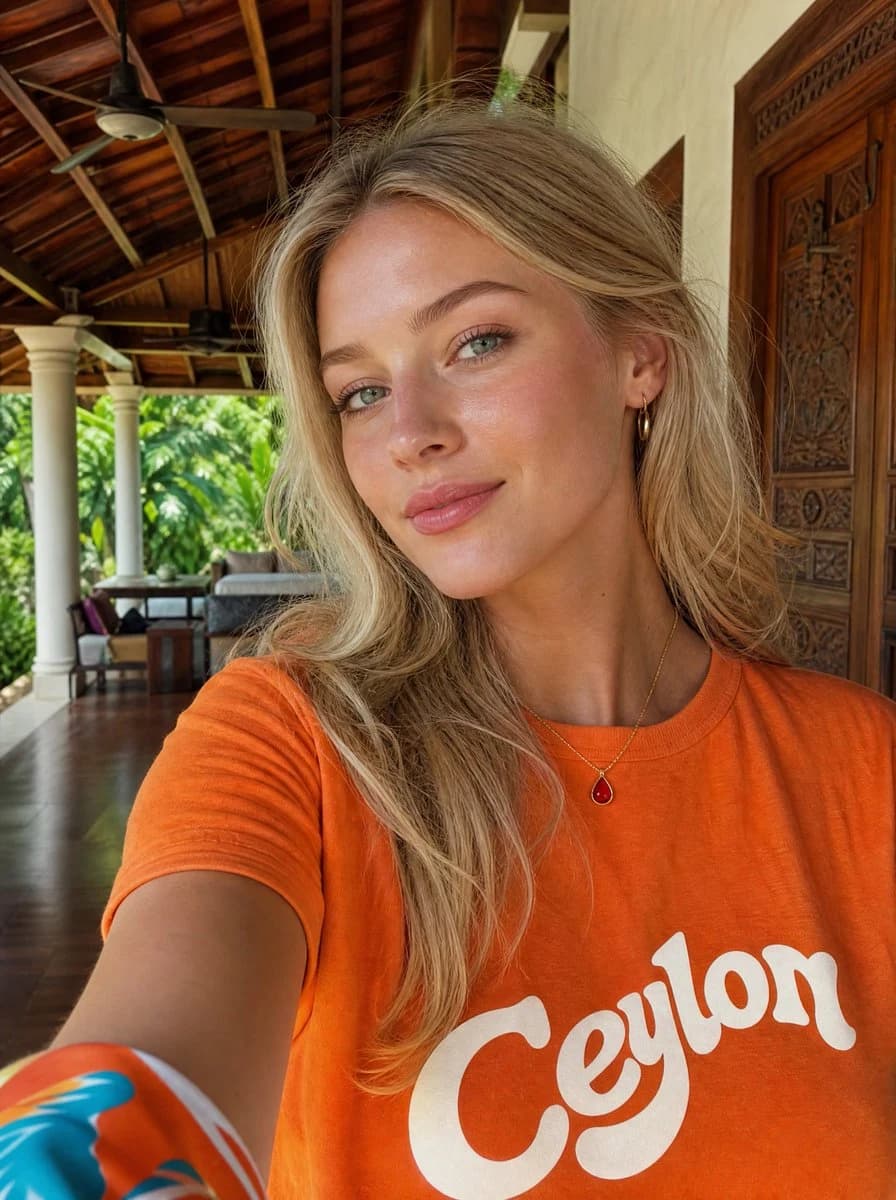
210 wordsCreate a realistic travel selfie photo of a woman at a tropical luxury villa. The camera is held at arm’s length in portrait orientation, close to the subject, with her upper torso filling the lower half of the frame. She has long tousled {argument name="hair color" default="blonde"} hair falling over one shoulder, a casual relaxed pose, small gold hoop earrings, a thin gold necklace with a red teardrop pendant, and a bright {argument name="shirt color" default="orange"} T-shirt with large retro white script text reading {argument name="shirt text" default="Ceylon"} across the chest. Her face is intentionally obscured by a centered flat square privacy block in a warm tan skin-tone color, covering the facial features from forehead to chin. Show one extended arm entering from the lower left with a colorful patterned sleeve or scarf edge visible. The background is an open-air villa veranda with a dark polished wooden floor, carved wooden double doors on the right, cream walls, white columns, tropical green foliage outside, lounge seating in the distance, and a high exposed timber roof with beams and two ceiling fans. Use natural daylight, warm tropical colors, realistic phone-camera perspective, shallow but still recognizable background detail, candid vacation aesthetic, no extra people, no watermark, no additional text besides the shirt lettering.About this prompt
Tropical Villa Ceylon Selfie is a ready-to-use social media prompt for GPT Image 2 on Image 2. Copy the 210 words below, paste them into the Create form, and you will get a result close to the preview above. Tweak the Social Media, Portrait, Travel tag if you want to push it somewhere new.
Use it as a starting point, then adjust the subject, lighting, or composition to suit your idea. The credit cost stays the same whether you use it as written or customize it.
Use case
A strong starting point for Social Media
Start here when you want a social media image inspired by Tropical Villa Ceylon Selfie. The prompt already sets the look and composition; replace the subject, product, colors, or scene details to match your project.
Easy places to tweak
- Subject Swap in your person, product, place, or object without changing the overall composition.
- Look and mood Tune the lighting, palette, camera angle, or materials so the image fits your brand.
- Final format Set the aspect ratio, background, text, or layout notes before you generate.
More prompt paths to explore
Find more GPT Image 2 prompts with a similar style, use case, or subject.
How to use it
- Step 1
Copy the prompt
Hit the Copy button above to grab the full text.
- Step 2
Open Image 2 Create
Head to the Create form and paste it in.
- Step 3
Generate
Hit Generate. Your version lands in seconds.
Make it yours
Load the prompt into the Create form with one click, then start tweaking.