Prompt
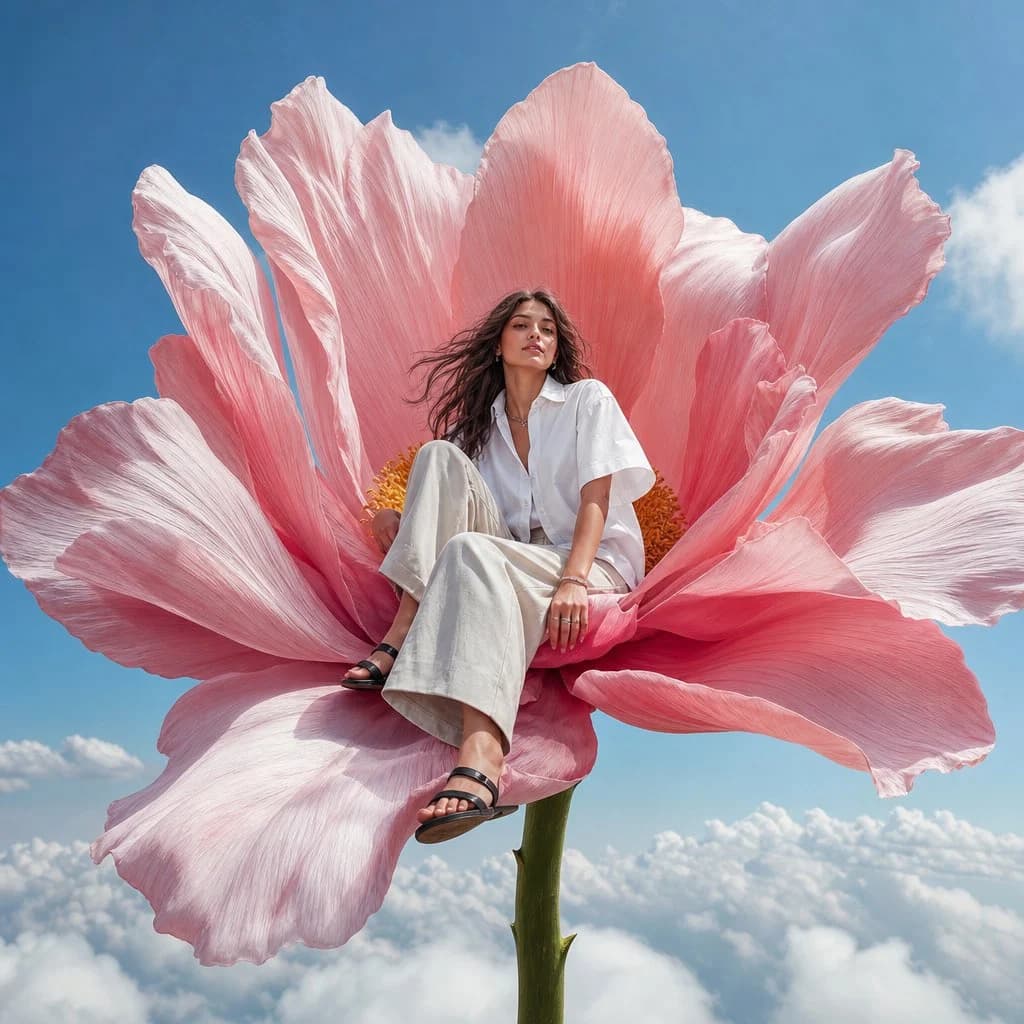
137 wordsphotorealistic high-fashion editorial image, vertical 4:5. A young adult fashion model sitting calmly on the center of one {argument name="flower type" default="enormous pink flower"} growing above the clouds, the flower stem rising from below and disappearing into soft white clouds. Low-angle perspective from slightly below, the flower framing the image, making the flower feel monumental and surreal. The model wears a {argument name="clothing" default="short sleeve crisp oversized white shirt"}, loose light trousers, silver jewelry, and black minimal sandals. Natural open brown hair moving softly in the wind, composed expression, slight soft smile. Clean vivid blue sky, a few soft white clouds, huge detailed flower petals, bright natural daylight, crisp vivid color, playful surreal fashion campaign mood, realistic anatomy, natural hands, sharp editorial photography, no text, no logos --ar 4:5 --raw --profile glu65pn --stylize 60 --weird 4 --hdAbout this prompt
Surreal High Fashion Editorial is a ready-to-use social media prompt for GPT Image 2 on Image 2. Copy the 137 words below, paste them into the Create form, and you will get a result close to the preview above. Tweak the Product Ad, Social Media, Portrait tag if you want to push it somewhere new.
Use it as a starting point, then adjust the subject, lighting, or composition to suit your idea. The credit cost stays the same whether you use it as written or customize it.
Use case
A strong starting point for Social Media
Start here when you want a social media image inspired by Surreal High Fashion Editorial. The prompt already sets the look and composition; replace the subject, product, colors, or scene details to match your project.
Easy places to tweak
- Subject Swap in your person, product, place, or object without changing the overall composition.
- Look and mood Tune the lighting, palette, camera angle, or materials so the image fits your brand.
- Final format Set the aspect ratio, background, text, or layout notes before you generate.
More prompt paths to explore
Find more GPT Image 2 prompts with a similar style, use case, or subject.
How to use it
- Step 1
Copy the prompt
Hit the Copy button above to grab the full text.
- Step 2
Open Image 2 Create
Head to the Create form and paste it in.
- Step 3
Generate
Hit Generate. Your version lands in seconds.
Make it yours
Load the prompt into the Create form with one click, then start tweaking.