Prompt
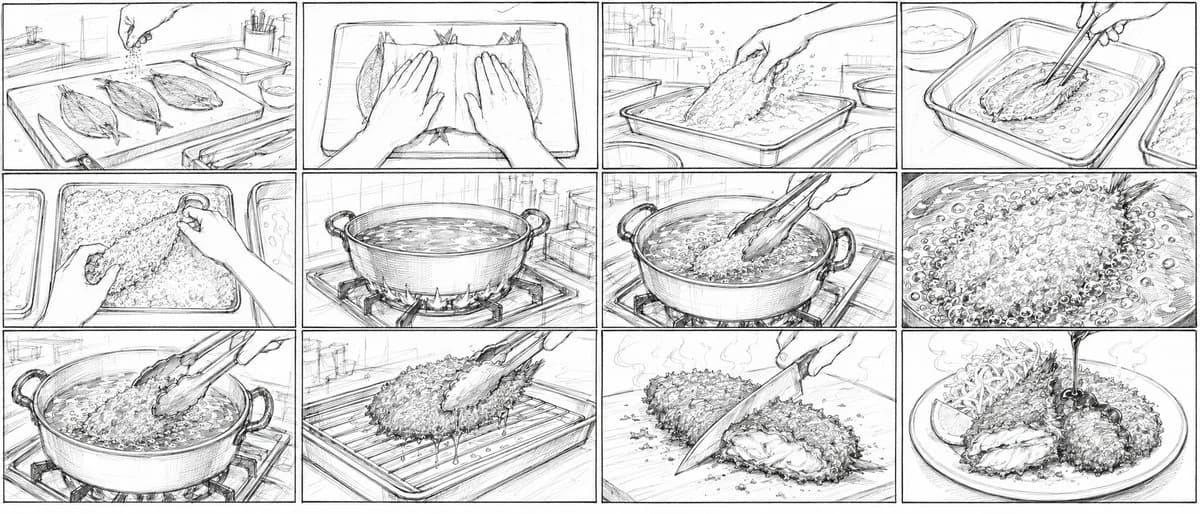
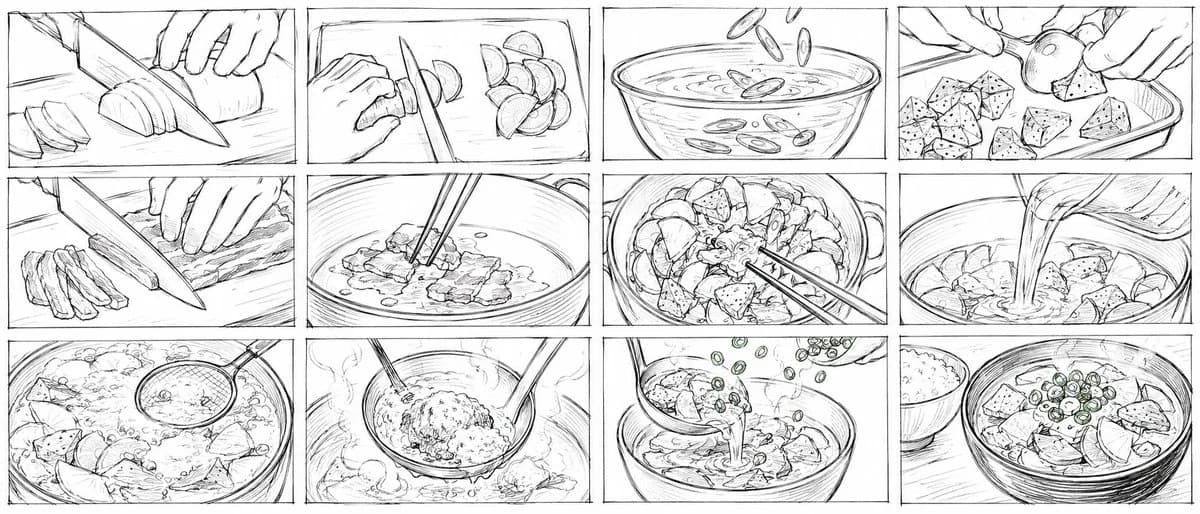
453 wordsGoal: Create a wide 21:9 storyboard image for a 15-second Japanese 2D anime cooking short about making {argument name="dish name" default="tonjiru set meal"}. The image should look like a very rough pencil storyboard drawn quickly by hand, messy and unfinished, with black graphite lines on a white background, no color, no clean inking, no shading beyond loose scribbles, and visible sketch construction marks.
Canvas: Ultra-wide horizontal 21:9 composition, divided into exactly 12 rectangular storyboard panels arranged in a 3-row by 4-column grid. Use thin hand-drawn panel borders with slight wobble. Keep the whole sheet monochrome and rough.
Layout and panel count: Show exactly 12 discrete cooking shots, left to right, top to bottom:
1. Close-up of hands slicing a daikon radish or large white root vegetable on a cutting board with a chef knife; several round slices on the left.
2. Close-up of a hand and knife cutting small crescent slices of another vegetable, with chopped pieces piled to the right.
3. Bowl of water or stock seen from the side/top, with sliced green onions or vegetable rings falling into the liquid.
4. Hands placing irregular cubes of konjac or tofu-like ingredients into a rectangular tray; one round vegetable piece held above the tray.
5. Close-up of thin pork strips being sliced on a cutting board with a large knife; cut strips stacked on the left.
6. Pot or pan close-up with pork being stirred by chopsticks in a shallow layer of liquid or oil.
7. Top view of a handled pot filled with chunky vegetables and meat, chopsticks stirring through the mixture.
8. Close-up of liquid broth being poured from a pitcher into a pot full of ingredients.
9. Simmering pot with visible bubbles, steam, root vegetables and tofu/konjac chunks; a ladle or skimmer enters from the upper right.
10. Ladle lifting a mound of miso paste or seasoning over the steaming pot while chopsticks or a spoon help dissolve it.
11. Soup being ladled into a bowl, with chopped green onions falling from above as garnish.
12. Final serving shot: a bowl of finished tonjiru topped with green onion rings and chunky ingredients, with a small bowl of white rice placed to the left rear.
Visual style: Extremely rough Japanese animation storyboard pencil sketch, rushed human drawing, dirty construction lines, uneven perspective, loose energetic strokes, simple anatomy for hands, minimal background, no polished illustration. Use cinematic close-ups and cooking-action framing. The overall feeling should be like production storyboard thumbnails for an anime food scene.
Constraints: No captions, no speech bubbles, no printed text, no color, no photorealism, no clean line art, no watercolor, no 3D render. Keep all 12 panels clearly separated and preserve the exact 3 by 4 storyboard grid.About this prompt
Rough Tonjiru Cooking Storyboard is a ready-to-use poster prompt for GPT Image 2 on Image 2. Copy the 453 words below, paste them into the Create form, and you will get a result close to the preview above. Tweak the Poster, Comic, Storyboard tag if you want to push it somewhere new.
Use it as a starting point, then adjust the subject, lighting, or composition to suit your idea. The credit cost stays the same whether you use it as written or customize it.
Use case
A strong starting point for Poster
Start here when you want a poster image inspired by Rough Tonjiru Cooking Storyboard. The prompt already sets the look and composition; replace the subject, product, colors, or scene details to match your project.
Easy places to tweak
- Subject Swap in your person, product, place, or object without changing the overall composition.
- Look and mood Tune the lighting, palette, camera angle, or materials so the image fits your brand.
- Final format Set the aspect ratio, background, text, or layout notes before you generate.
More prompt paths to explore
Find more GPT Image 2 prompts with a similar style, use case, or subject.
How to use it
- Step 1
Copy the prompt
Hit the Copy button above to grab the full text.
- Step 2
Open Image 2 Create
Head to the Create form and paste it in.
- Step 3
Generate
Hit Generate. Your version lands in seconds.
Make it yours
Load the prompt into the Create form with one click, then start tweaking.