Prompt
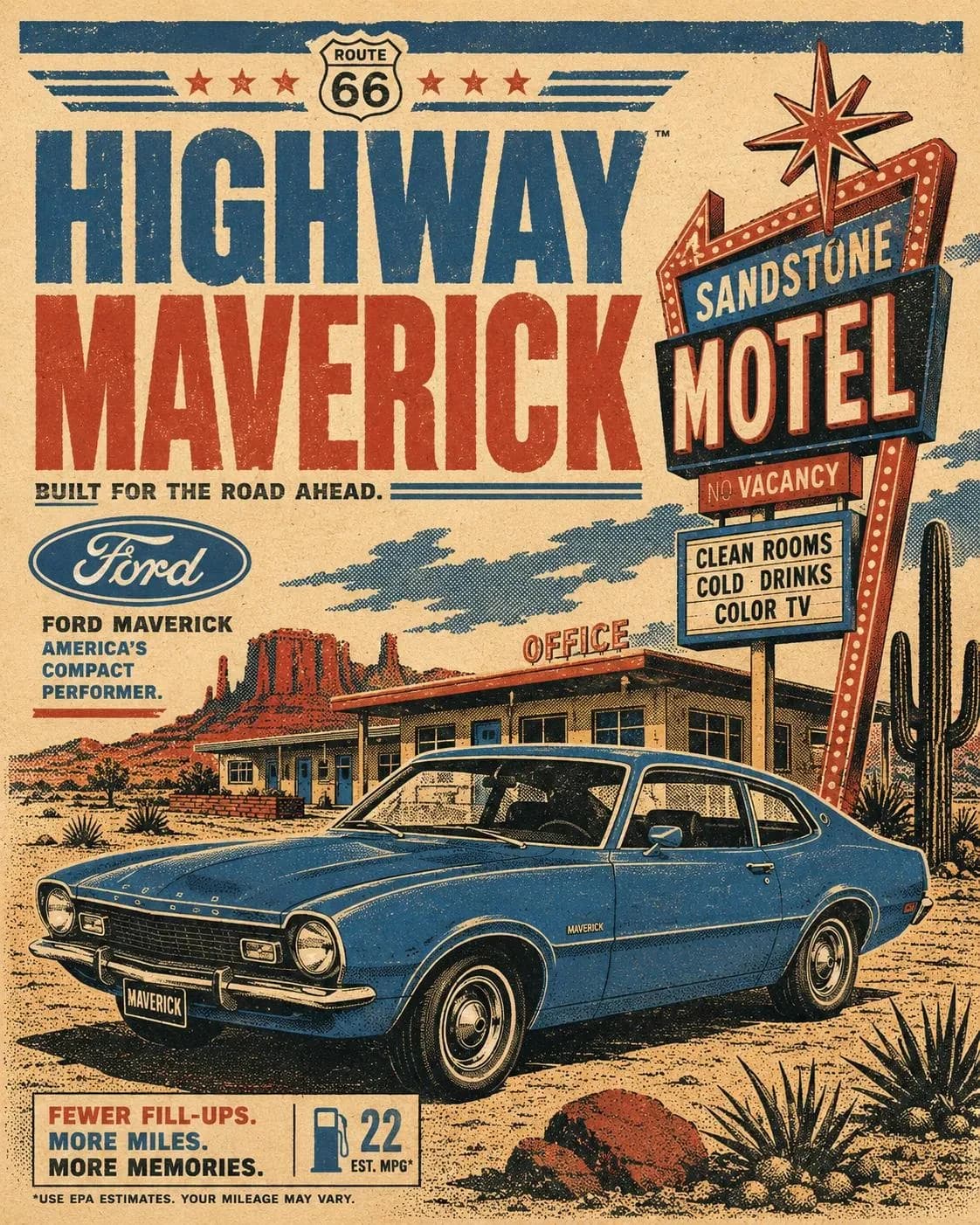
149 wordsCreate a vertical retro automotive travel poster featuring [CAR MODEL] either parked or driving through [SCENERY]. Use a bold 1970s printmaking style with a strict 4-color palette only: [COLORS]. Build the image with flat silkscreen-style color blocking, strong contrast shadows, simplified geometric reflections, slight ink misregistration, subtle paper grain, distressed print texture, and graphic halftone shading. Avoid gradients, photorealism, glossy 3D rendering, and modern digital polish. The car should feel iconic and graphic, with thick simplified contour shapes and a warm nostalgic travel-ad atmosphere. Include vintage advertisement typography that reads "[TITLE]" and integrate an authentic [BRAND LOGO] naturally into the layout. Add stylized trees, buildings, road signs, landscape shapes, or location details in the background so the setting clearly supports the travel-poster story. The composition should feel like a strong mid-century tourism poster: balanced, editorial, poster-ready, and visually bold. Keep the design clean and intentional, with no stamp border.
About this prompt
Retro Automotive Travel Poster Template is a ready-to-use ad creative prompt for GPT Image 2 on Image 2. Copy the 149 words below, paste them into the Create form, and you will get a result close to the preview above. Tweak the Product Ad, Ad Creative, Travel tag if you want to push it somewhere new.
Use it as a starting point, then adjust the subject, lighting, or composition to suit your idea. The credit cost stays the same whether you use it as written or customize it.
Use case
A strong starting point for Ad Creative
Start here when you want a ad creative image inspired by Retro Automotive Travel Poster Template. The prompt already sets the look and composition; replace the subject, product, colors, or scene details to match your project.
Easy places to tweak
- Subject Swap in your person, product, place, or object without changing the overall composition.
- Look and mood Tune the lighting, palette, camera angle, or materials so the image fits your brand.
- Final format Set the aspect ratio, background, text, or layout notes before you generate.
More prompt paths to explore
Find more GPT Image 2 prompts with a similar style, use case, or subject.
How to use it
- Step 1
Copy the prompt
Hit the Copy button above to grab the full text.
- Step 2
Open Image 2 Create
Head to the Create form and paste it in.
- Step 3
Generate
Hit Generate. Your version lands in seconds.
Make it yours
Load the prompt into the Create form with one click, then start tweaking.