Prompt
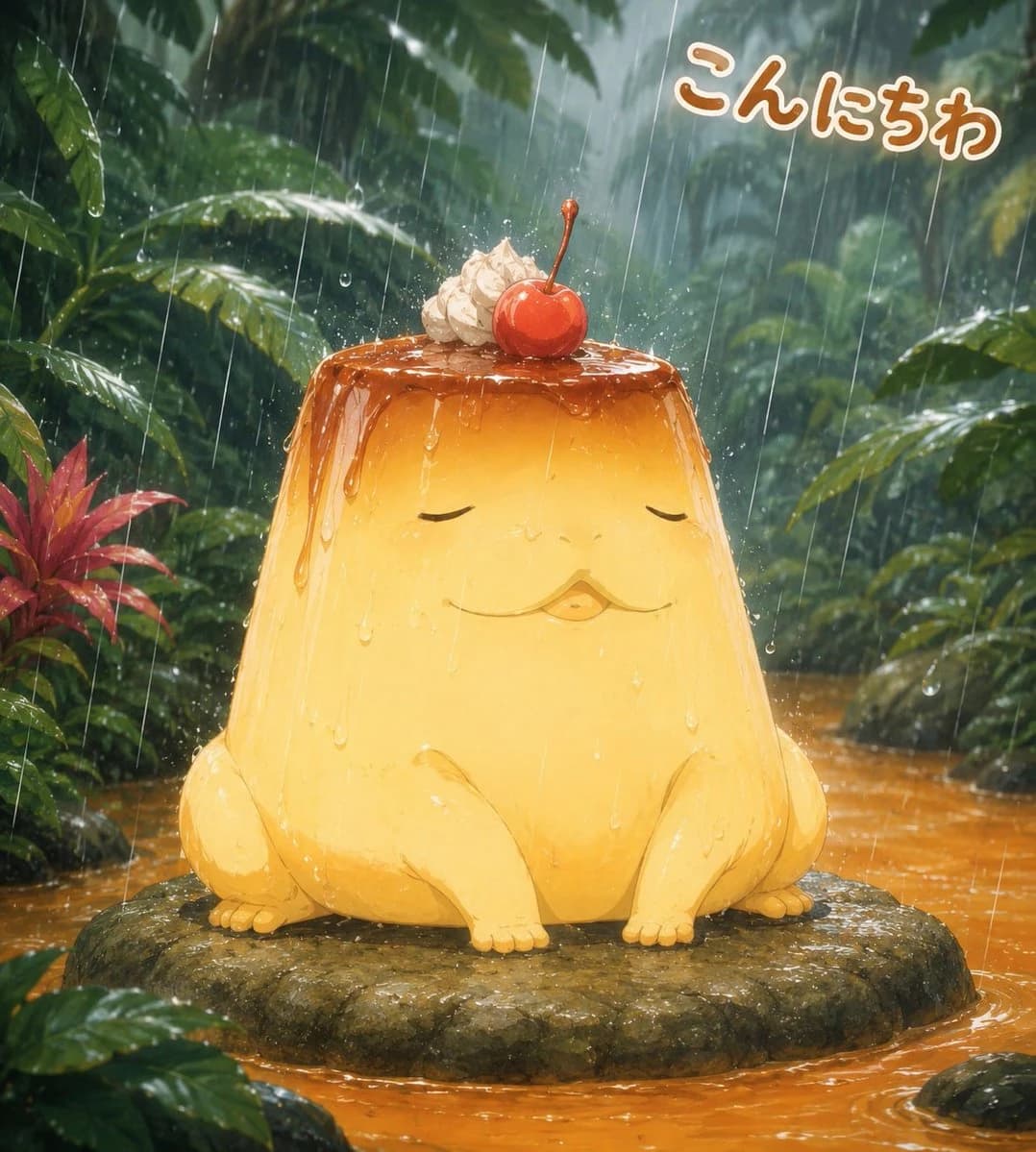
213 wordsCreate a whimsical square anime-style illustration of a cute pudding mascot creature sitting calmly on a flat mossy rock in a lush tropical jungle during heavy rain. The main subject is a large golden custard pudding shaped like a squat frog, with a glossy caramel top dripping down its sides, closed relaxed eyes, a tiny puckered mouth, soft rounded front legs, side haunches, and small toe details. On top of the pudding are exactly 2 dessert toppings: one swirl of whipped cream and one bright red cherry with a stem. The scene is soaked with rain: long diagonal rain streaks, splashes on the caramel top, droplets running down the pudding body, wet reflective leaves, and ripples in the shallow orange-brown water around the rock. Background: dense green rainforest foliage with large banana-like leaves, misty depth, dark wet shadows, and a small red tropical plant on the left. Add friendly Japanese greeting text in the upper right reading {argument name="greeting text" default="こんにちは"}, styled as thick rounded hiragana with a warm brown-orange fill and white outline, slightly tilted and floating over the foliage. Use a soft painterly digital art style, high detail, warm golden subject against cool green jungle, adorable character design, cinematic rainy atmosphere, square composition, no watermark, no extra characters, no extra text.About this prompt
Rainy Jungle Pudding Frog is a ready-to-use character design prompt for GPT Image 2 on Image 2. Copy the 213 words below, paste them into the Create form, and you will get a result close to the preview above. Tweak the Character, Character Design, Food tag if you want to push it somewhere new.
Use it as a starting point, then adjust the subject, lighting, or composition to suit your idea. The credit cost stays the same whether you use it as written or customize it.
Use case
A strong starting point for Character Design
Start here when you want a character design image inspired by Rainy Jungle Pudding Frog. The prompt already sets the look and composition; replace the subject, product, colors, or scene details to match your project.
Easy places to tweak
- Subject Swap in your person, product, place, or object without changing the overall composition.
- Look and mood Tune the lighting, palette, camera angle, or materials so the image fits your brand.
- Final format Set the aspect ratio, background, text, or layout notes before you generate.
More prompt paths to explore
Find more GPT Image 2 prompts with a similar style, use case, or subject.
How to use it
- Step 1
Copy the prompt
Hit the Copy button above to grab the full text.
- Step 2
Open Image 2 Create
Head to the Create form and paste it in.
- Step 3
Generate
Hit Generate. Your version lands in seconds.
Make it yours
Load the prompt into the Create form with one click, then start tweaking.