Prompt
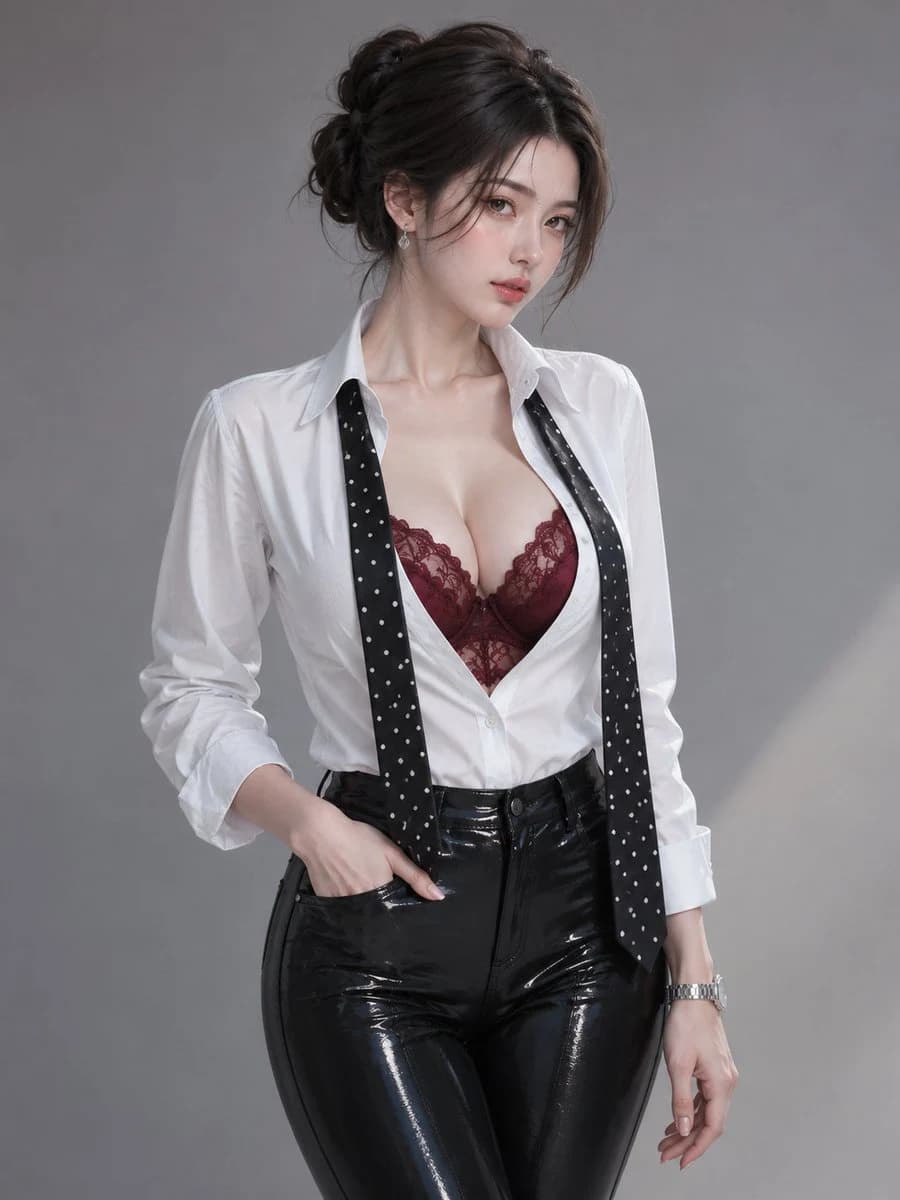
112 wordsShe wears a {argument name="shirt color" default="crisp white"} long-sleeve button shirt with a structured collar, stylish overall and suitable for office wear. The top buttons of the shirt are undone, revealing a {argument name="inner wear color" default="burgundy"} lace camisole underneath. She has a well-proportioned figure. A black tie {argument name="tie pattern" default="dotted with evenly spaced white polka dots"} hangs loosely around her neck and drapes down the front of her shirt. She sports a silver wristwatch on her wrist and delicate earrings that catch and reflect the ambient light. The textures of the clothing are extremely realistic, including the smooth cotton fabric of the shirt, intricate lace details and the patterned tieAbout this prompt
Professional Office Wear Portrait is a ready-to-use ad creative prompt for GPT Image 2 on Image 2. Copy the 112 words below, paste them into the Create form, and you will get a result close to the preview above. Tweak the Product Ad, Ad Creative, Fashion tag if you want to push it somewhere new.
Use it as a starting point, then adjust the subject, lighting, or composition to suit your idea. The credit cost stays the same whether you use it as written or customize it.
Use case
A strong starting point for Ad Creative
Start here when you want a ad creative image inspired by Professional Office Wear Portrait. The prompt already sets the look and composition; replace the subject, product, colors, or scene details to match your project.
Easy places to tweak
- Subject Swap in your person, product, place, or object without changing the overall composition.
- Look and mood Tune the lighting, palette, camera angle, or materials so the image fits your brand.
- Final format Set the aspect ratio, background, text, or layout notes before you generate.
More prompt paths to explore
Find more GPT Image 2 prompts with a similar style, use case, or subject.
How to use it
- Step 1
Copy the prompt
Hit the Copy button above to grab the full text.
- Step 2
Open Image 2 Create
Head to the Create form and paste it in.
- Step 3
Generate
Hit Generate. Your version lands in seconds.
Make it yours
Load the prompt into the Create form with one click, then start tweaking.