Prompt
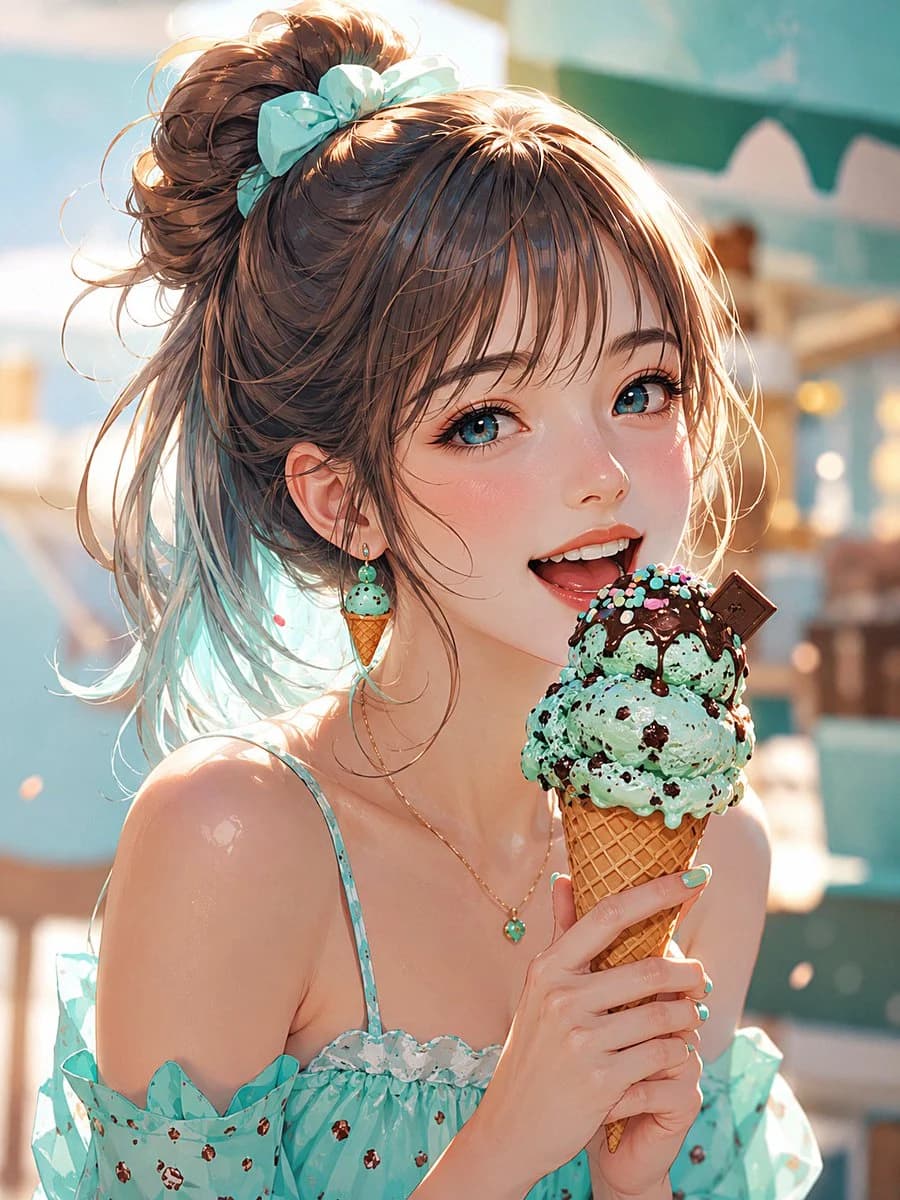
213 wordsCreate a polished anime-style close-up portrait of a cheerful young woman at a sunny seaside ice cream shop, holding a large mint chocolate chip waffle cone near her mouth as if about to taste it. She has {argument name="hair color" default="warm chestnut brown"} hair tied in a messy high bun with loose wispy strands and a pastel aqua bow, bright blue-green eyes, soft flushed cheeks, glossy lips, and a delighted open smile. Her outfit is a mint-aqua summer camisole dress with thin straps, ruffled neckline, translucent off-shoulder sleeves, and tiny chocolate-chip-like dot accents, paired with matching turquoise nail polish. Include exactly 3 visible accessories: one mint ice-cream-cone dangling earring, one delicate gold necklace with a small turquoise pendant, and one aqua hair bow. The ice cream cone should have exactly 3 stacked scoops of mint chip ice cream, dark chocolate drizzle, colorful sprinkles, and one small square chocolate piece stuck into the top scoop. Set the scene in warm golden-hour light with a soft turquoise-and-cream beach café background, blurred umbrellas and shop details, shallow depth of field, sparkling highlights, dreamy bokeh, and a fresh summer atmosphere. Use high-detail digital illustration, semi-realistic anime rendering, luminous skin, detailed hair strands, crisp eyes, vibrant pastel color palette, portrait orientation, no text, no watermark, no extra characters.About this prompt
Mint Chip Summer Anime Portrait is a ready-to-use portrait prompt for GPT Image 2 on Image 2. Copy the 213 words below, paste them into the Create form, and you will get a result close to the preview above. Tweak the Portrait, Food, Fashion tag if you want to push it somewhere new.
Use it as a starting point, then adjust the subject, lighting, or composition to suit your idea. The credit cost stays the same whether you use it as written or customize it.
Use case
A strong starting point for Portrait
Start here when you want a portrait image inspired by Mint Chip Summer Anime Portrait. The prompt already sets the look and composition; replace the subject, product, colors, or scene details to match your project.
Easy places to tweak
- Subject Swap in your person, product, place, or object without changing the overall composition.
- Look and mood Tune the lighting, palette, camera angle, or materials so the image fits your brand.
- Final format Set the aspect ratio, background, text, or layout notes before you generate.
More prompt paths to explore
Find more GPT Image 2 prompts with a similar style, use case, or subject.
How to use it
- Step 1
Copy the prompt
Hit the Copy button above to grab the full text.
- Step 2
Open Image 2 Create
Head to the Create form and paste it in.
- Step 3
Generate
Hit Generate. Your version lands in seconds.
Make it yours
Load the prompt into the Create form with one click, then start tweaking.