Prompt
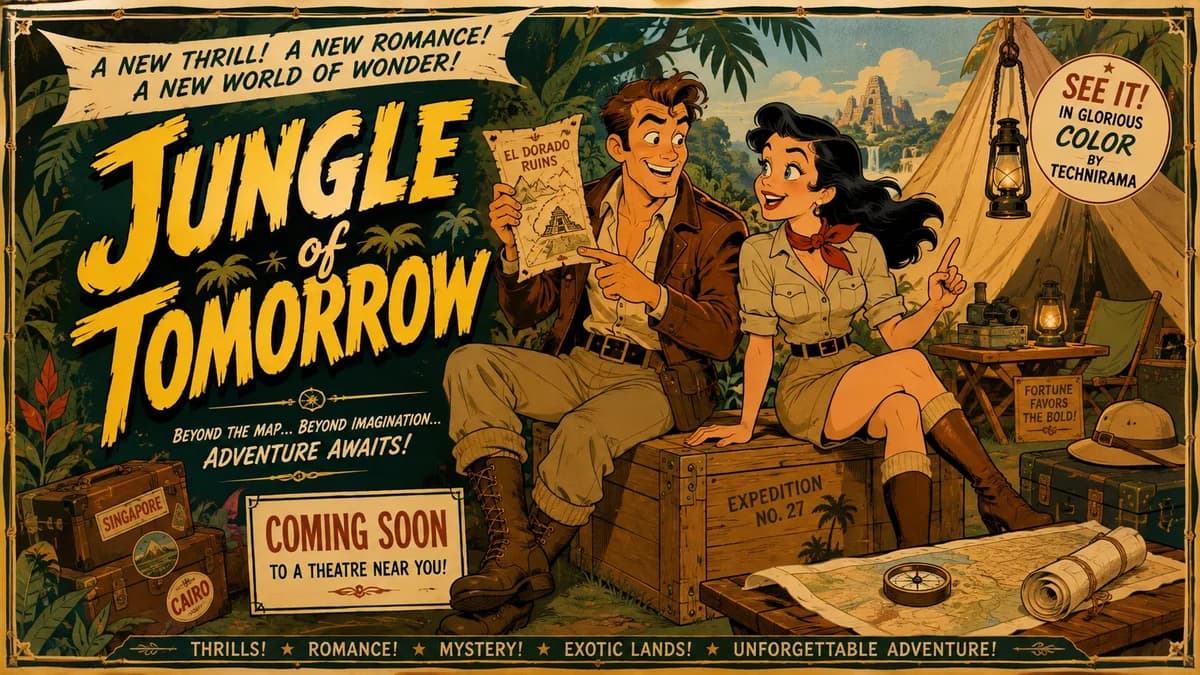
181 wordsMid-century theatrical cartoon still promotional Hollywood movie trailer banner featuring a {argument name="adventurer" default="daring adventurer with tousled brown hair"} and a confident smile, wearing an open safari shirt and leather jacket, and a {argument name="heroine" default="spirited heroine with wind-swept dark hair"} and bright eyes, wearing a practical yet stylish khaki outfit, seated together on a weathered crate inside a {argument name="setting" default="exotic jungle camp"}. Stage them in a lighthearted, adventurous, good-humored interaction, with both characters fully visible, relaxed, and clearly reacting to each other with shared excitement. Design the figures with exaggerated early-1950s animation caricature: clean black contour lines, sharply simplified anatomy, elegant angular silhouettes, expressive eyebrows, stylized facial shapes, graceful hand gestures, and cheerful readable expressions. Render the entire image in a unified traditional cel-animation aesthetic, with the background following the same stylized visual language as the characters, using flat opaque colors, minimal hard-edged shading, simplified furniture and décor, subtle hand-painted texture, controlled perspective, and crisp theatrical staging. Use a bold adventure palette of warm khaki, deep green, soft gold, and cream and maintain a witty, charming, visually snappy mood.About this prompt
Mid-Century Theatrical Cartoon Banner is a ready-to-use social media prompt for GPT Image 2 on Image 2. Copy the 181 words below, paste them into the Create form, and you will get a result close to the preview above. Tweak the Social Media, Fashion, 3D tag if you want to push it somewhere new.
Use it as a starting point, then adjust the subject, lighting, or composition to suit your idea. The credit cost stays the same whether you use it as written or customize it.
Use case
A strong starting point for Social Media
Start here when you want a social media image inspired by Mid-Century Theatrical Cartoon Banner. The prompt already sets the look and composition; replace the subject, product, colors, or scene details to match your project.
Easy places to tweak
- Subject Swap in your person, product, place, or object without changing the overall composition.
- Look and mood Tune the lighting, palette, camera angle, or materials so the image fits your brand.
- Final format Set the aspect ratio, background, text, or layout notes before you generate.
More prompt paths to explore
Find more GPT Image 2 prompts with a similar style, use case, or subject.
How to use it
- Step 1
Copy the prompt
Hit the Copy button above to grab the full text.
- Step 2
Open Image 2 Create
Head to the Create form and paste it in.
- Step 3
Generate
Hit Generate. Your version lands in seconds.
Make it yours
Load the prompt into the Create form with one click, then start tweaking.