Prompt
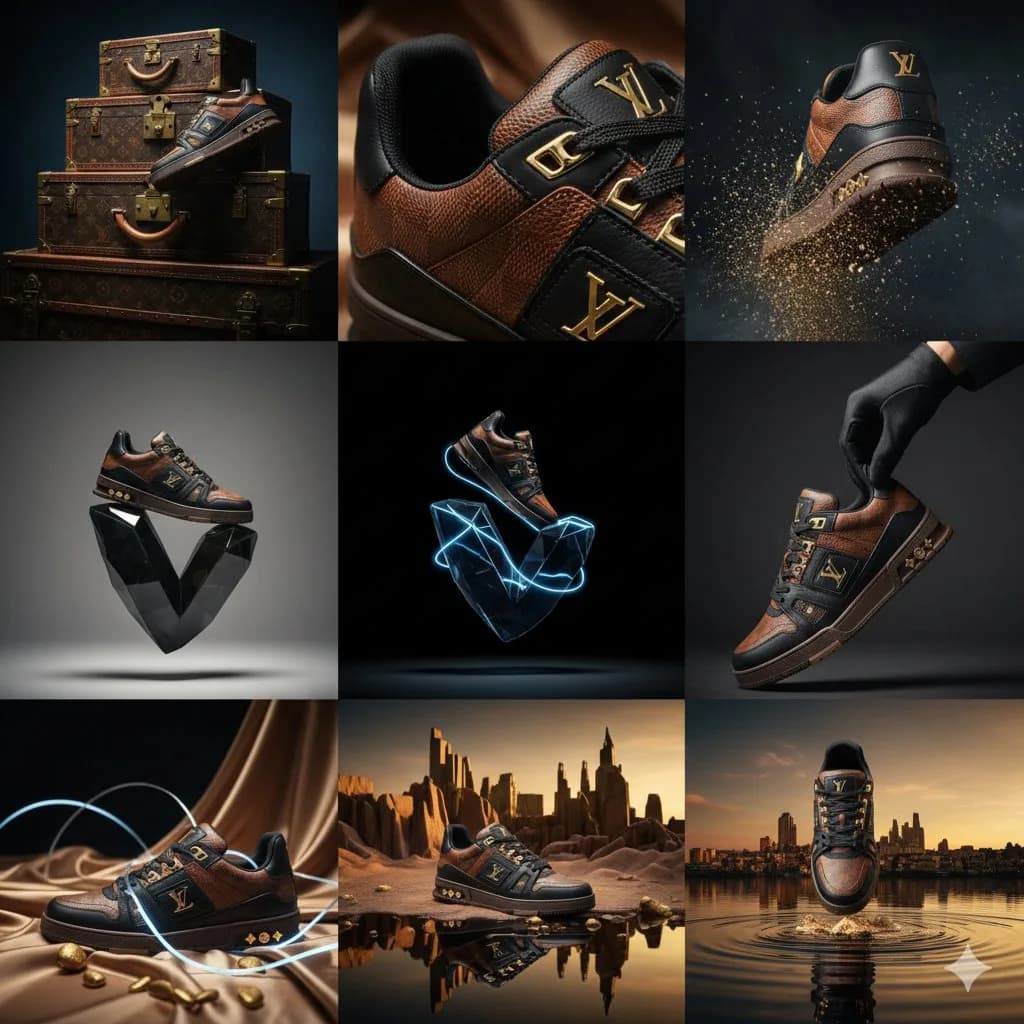
168 wordsLouis Vuitton luxury leather sneaker campaign. High-fashion editorial, avant-garde aesthetic. Aspect ratio 3:4. Materials: Full-grain calf leather, Monogram Embossed Canvas, Polished Gold Hardware. Color palette: Cognac Brown, Deep Obsidian, Champagne Gold. Lighting: High-contrast Chiaroscuro with soft-box key lighting. 9-cell editorial grid: Row 1, Heritage: - Hero side-profile: sneaker resting on a vintage LV trunk, side-lit to reveal the leather grain texture. - Extreme macro close-up: gold-tone "LV" lace aglets and precision stitching detail. - Dynamic shot: gold dust particles swirling around the sole as the shoe steps into frame. Row 2, Innovation: - Minimalist: sneaker balanced on top of an abstract, floating glass "V" sculpture. - Floating deconstructed view: sole and upper suspended in a void. - Sensory: a gloved hand adjusting the tongue, highlighting the softness of the leather. Row 3, Surrealism: - Monochromatic scene in LV Havane brown with liquid silk drapes. - Abstract: rubber sole pattern reimagined as a geometric desert landscape. - Fusion: sneaker walking on a mirror-still lake reflecting a Parisian sunset skyline.
About this prompt
Luxury Sneaker Editorial Grid is a ready-to-use ad creative prompt for GPT Image 2 on Image 2. Copy the 168 words below, paste them into the Create form, and you will get a result close to the preview above. Tweak the Product Ad, Ad Creative, Product tag if you want to push it somewhere new.
Use it as a starting point, then adjust the subject, lighting, or composition to suit your idea. The credit cost stays the same whether you use it as written or customize it.
Use case
A strong starting point for Ad Creative
Start here when you want a ad creative image inspired by Luxury Sneaker Editorial Grid. The prompt already sets the look and composition; replace the subject, product, colors, or scene details to match your project.
Easy places to tweak
- Subject Swap in your person, product, place, or object without changing the overall composition.
- Look and mood Tune the lighting, palette, camera angle, or materials so the image fits your brand.
- Final format Set the aspect ratio, background, text, or layout notes before you generate.
More prompt paths to explore
Find more GPT Image 2 prompts with a similar style, use case, or subject.
How to use it
- Step 1
Copy the prompt
Hit the Copy button above to grab the full text.
- Step 2
Open Image 2 Create
Head to the Create form and paste it in.
- Step 3
Generate
Hit Generate. Your version lands in seconds.
Make it yours
Load the prompt into the Create form with one click, then start tweaking.