Prompt
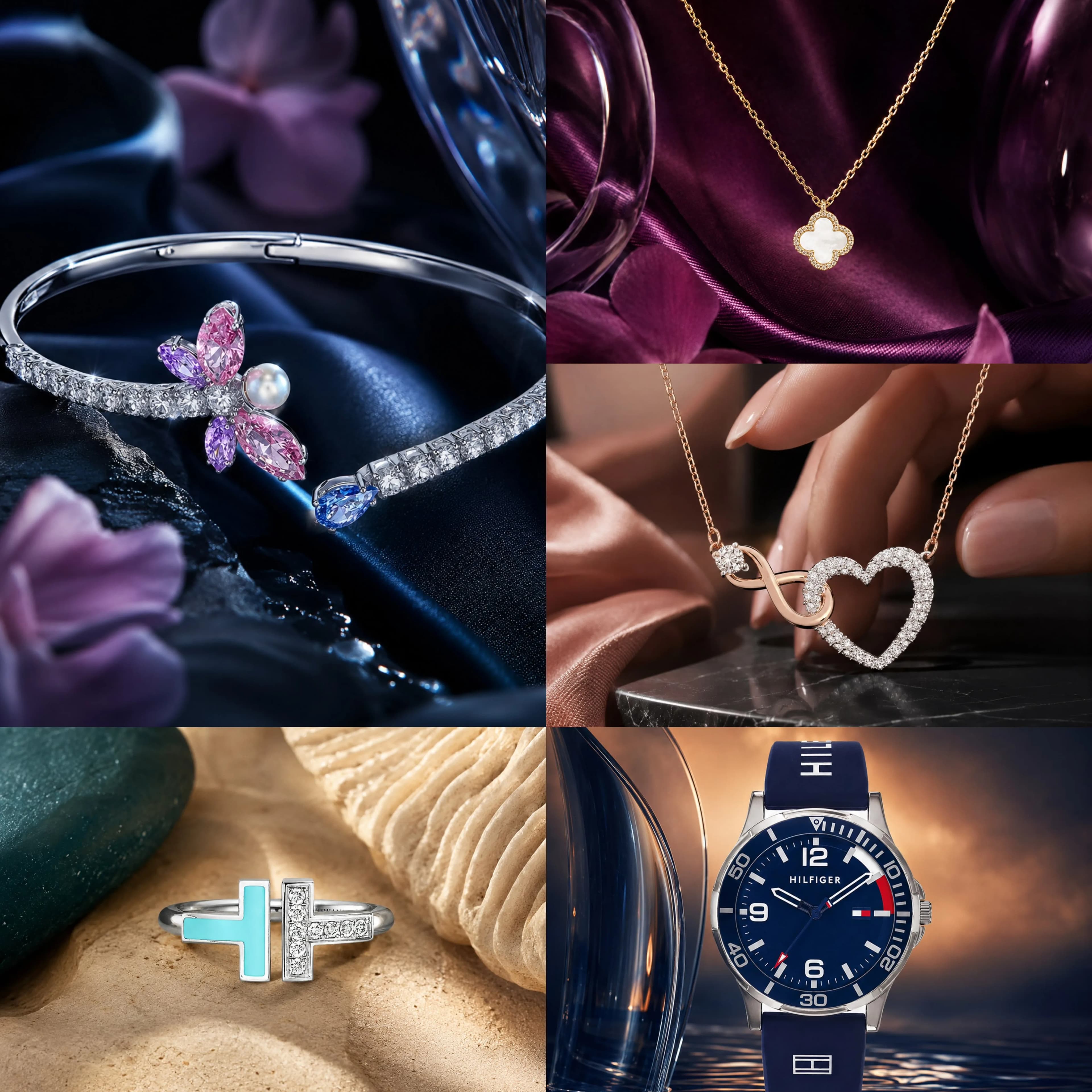
413 wordsUse the uploaded image as the one and only product reference. Preserve the jewelry exactly as it is, with high fidelity to its original design, shape, proportions, gemstone arrangement, metal tone, craftsmanship, setting, texture, and identity. Do not redesign, simplify, or alter the jewelry itself in any way. Keep the product accurate, luxurious, and instantly recognizable. Create an extraordinary luxury jewelry campaign image where the product is the absolute visual hero. Build a bold, artistic, and premium scene around it that feels cinematic, elegant, and visually unforgettable. The result must never feel like a basic catalog shot or a repetitive product render. For every generation, create a different visual concept so the outputs do not look similar to one another. Vary the composition, environment, supporting element, texture, background structure, framing, angle, and styling approach each time. Each image should feel unique, fresh, and creatively elevated while still maintaining a refined luxury identity. Include one or more strong supporting natural or tactile elements that help frame and enhance the jewelry, such as a branch, hand, leaf, stone, bark, flower petal, sand texture, silk fold, glass reflection, water ripple, smoke, shell, or sculptural organic form. These elements should not distract from the product, but should artistically support it and make it feel more premium, emotional, and visually magnetic. Use color contrast intelligently. Place the jewelry within a scene that uses an opposite or contrasting color tone to make the piece stand out strongly, while still keeping the palette harmonious, tasteful, and luxurious. The contrast should feel intentional and sophisticated, never random or harsh. The product must pop clearly from the scene through contrast in color, texture, light, or material. Use strong visual hierarchy, elegant negative space, and a striking focal composition that makes the jewelry dominate the frame. The product should feel iconic, powerful, and highly desirable. Emphasize macro-level detail, realistic sparkle, gemstone brilliance, polished metal reflections, fine craftsmanship, prongs, edges, texture, and premium material depth. Lighting should be cinematic and refined, with soft directional light, controlled highlights, elegant shadows, subtle rim light, atmospheric glow, and beautiful depth. Use shallow depth of field and macro product-photography aesthetics to keep the jewelry crisp and visually commanding. The final image should feel like a world-class luxury editorial ad from a top creative studio: visually bold, highly refined, emotionally captivating, and far beyond ordinary product photography. Avoid repeated concepts, repeated props, repeated backgrounds, flat lighting, weak framing, visual clutter, cheap styling, generic catalog presentation, text, watermark, and logos.
About this prompt
Luxury Jewelry Contrast Campaign is a ready-to-use e-commerce prompt for GPT Image 2 on Image 2. Copy the 413 words below, paste them into the Create form, and you will get a result close to the preview above. Tweak the Product Ad, E-commerce, Product tag if you want to push it somewhere new.
Use it as a starting point, then adjust the subject, lighting, or composition to suit your idea. The credit cost stays the same whether you use it as written or customize it.
Use case
A strong starting point for E-commerce
Start here when you want a e-commerce image inspired by Luxury Jewelry Contrast Campaign. The prompt already sets the look and composition; replace the subject, product, colors, or scene details to match your project.
Easy places to tweak
- Subject Swap in your person, product, place, or object without changing the overall composition.
- Look and mood Tune the lighting, palette, camera angle, or materials so the image fits your brand.
- Final format Set the aspect ratio, background, text, or layout notes before you generate.
More prompt paths to explore
Find more GPT Image 2 prompts with a similar style, use case, or subject.
How to use it
- Step 1
Copy the prompt
Hit the Copy button above to grab the full text.
- Step 2
Open Image 2 Create
Head to the Create form and paste it in.
- Step 3
Generate
Hit Generate. Your version lands in seconds.
Make it yours
Load the prompt into the Create form with one click, then start tweaking.