Prompt
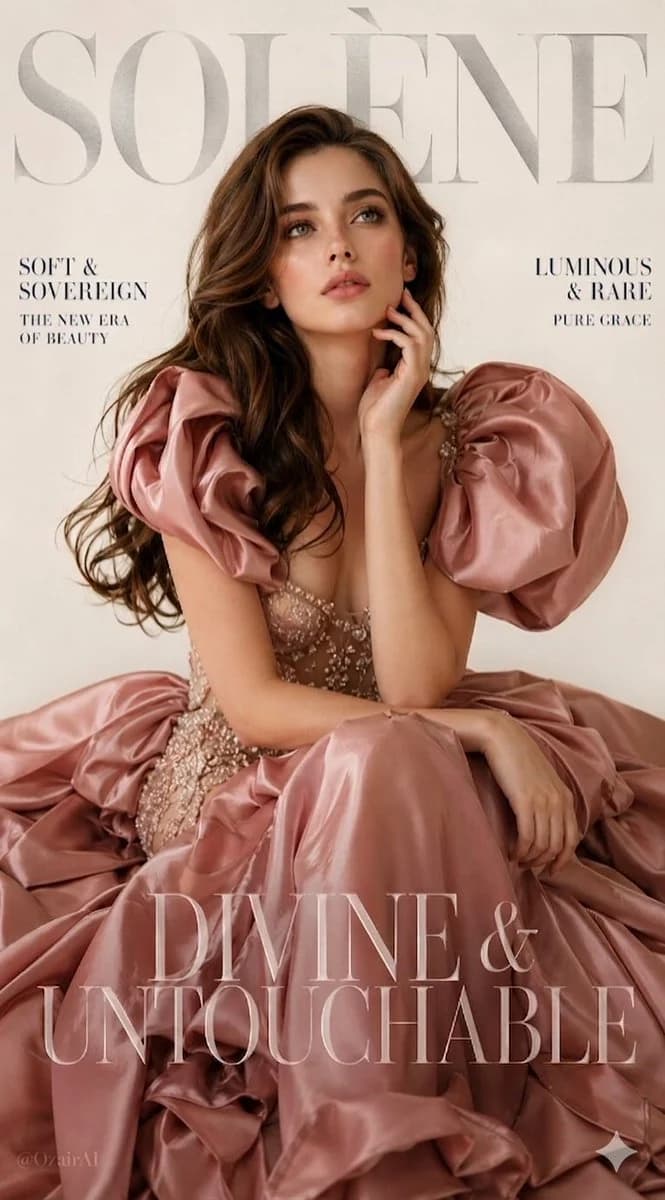
139 wordsLuxury fashion magazine cover. Bold silver serif {argument name="brand name" default="brand name \"SOLÈNE\""} at the very top, slightly transparent, overlapping the model's hair — high-end masthead style. Cream-white seamless studio background, soft warm-toned lighting.
{argument name="model features" default="Young woman with angelic features, full lips, big dreamy green eyes, long silky chocolate brown wavy hair"}. Seated gracefully, one hand touching her jaw, gaze soft and mysterious.
{argument name="gown style" default="Dramatic floor-length dusty rose blush satin ballgown with sculptural puff shoulders that billow like rose petals, sheer champagne silk mesh bodice embroidered with pearls and crystals, enormous tiered skirt pooling around her"}.
Magazine text overlaid in serif: "SOFT & SOVEREIGN / THE NEW ERA OF BEAUTY" — "LUMINOUS & RARE / PURE GRACE" — large transparent display font at bottom: "DIVINE & UNTOUCHABLE"
Vertical 9:13, ultra photorealistic, 8K, cinematic color grading.About this prompt
Luxury Fashion Magazine Cover is a ready-to-use ad creative prompt for GPT Image 2 on Image 2. Copy the 139 words below, paste them into the Create form, and you will get a result close to the preview above. Tweak the Product Ad, Ad Creative, Poster tag if you want to push it somewhere new.
Use it as a starting point, then adjust the subject, lighting, or composition to suit your idea. The credit cost stays the same whether you use it as written or customize it.
Use case
A strong starting point for Ad Creative
Start here when you want a ad creative image inspired by Luxury Fashion Magazine Cover. The prompt already sets the look and composition; replace the subject, product, colors, or scene details to match your project.
Easy places to tweak
- Subject Swap in your person, product, place, or object without changing the overall composition.
- Look and mood Tune the lighting, palette, camera angle, or materials so the image fits your brand.
- Final format Set the aspect ratio, background, text, or layout notes before you generate.
More prompt paths to explore
Find more GPT Image 2 prompts with a similar style, use case, or subject.
How to use it
- Step 1
Copy the prompt
Hit the Copy button above to grab the full text.
- Step 2
Open Image 2 Create
Head to the Create form and paste it in.
- Step 3
Generate
Hit Generate. Your version lands in seconds.
Make it yours
Load the prompt into the Create form with one click, then start tweaking.