Prompt
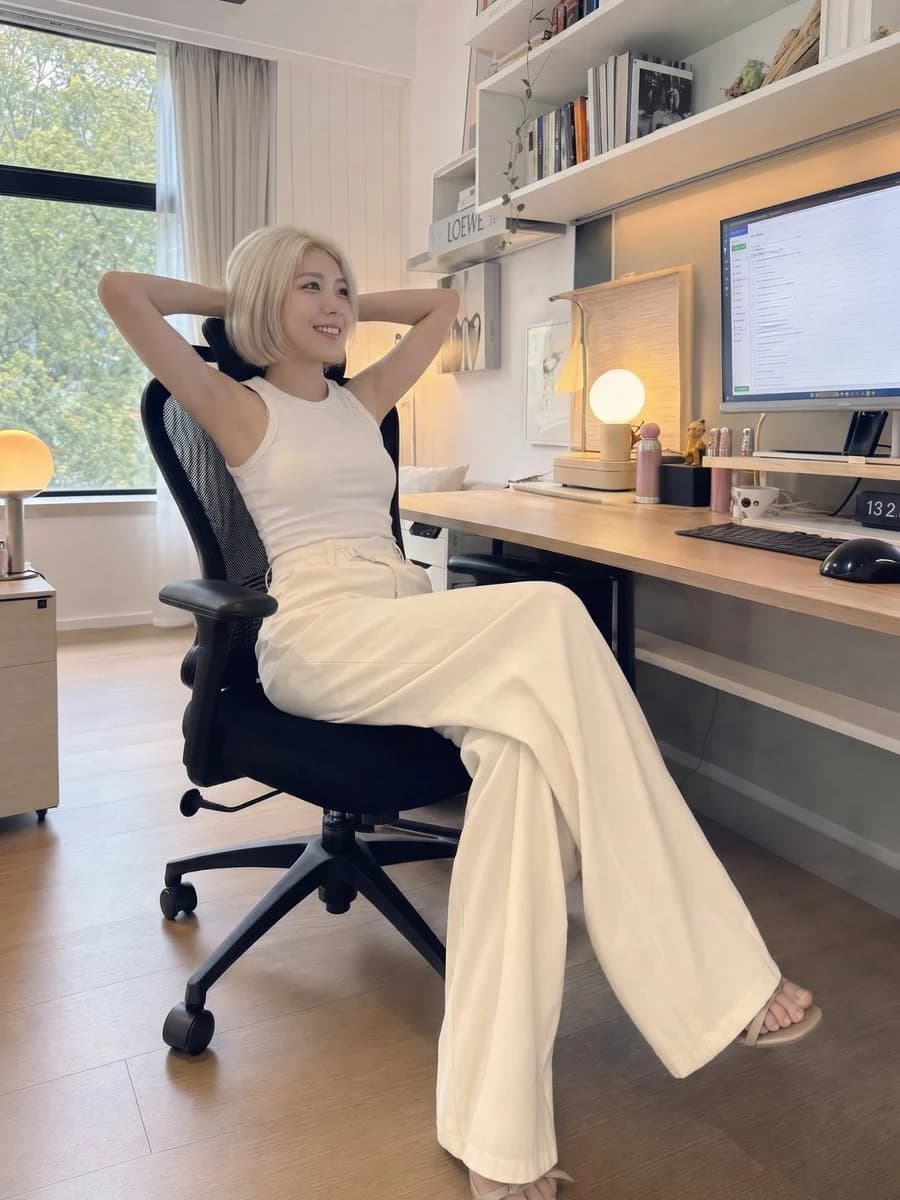
169 wordsA beautiful young {argument name="ethnicity and gender" default="East Asian woman"} with a {argument name="hair style" default="short platinum blonde bob haircut"}, fair porcelain skin, soft natural makeup, and delicate facial features, sitting in a {argument name="location" default="modern minimalist home office"} at a wooden desk. She is wearing a fitted white sleeveless top with elegant high-waisted cream wide-leg trousers that completely cover both legs, creating a modest yet stylish look. One hand rests on the keyboard while the other points toward the computer monitor as she looks slightly upward with a calm, thoughtful expression. A black ergonomic office chair, desktop computer, white shelves, books, small decorations, and soft wall art decorate the cozy workspace. Natural daylight streams through the window, mixed with warm indoor ambient lighting. Authentic handheld iPhone 16 Pro camera photo, casual smartphone photography, slightly wide-angle lens, subtle perspective distortion, realistic skin texture, unposed candid moment, full-body shot, vertical 3:4 composition, ultra-realistic, high detail, no AI look, no excessive beauty filter, DSLR-quality realism but unmistakably captured on an iPhone.About this prompt
iPhone Style Minimalist Office Portrait is a ready-to-use portrait prompt for GPT Image 2 on Image 2. Copy the 169 words below, paste them into the Create form, and you will get a result close to the preview above. Tweak the Social Media, Portrait, Fashion tag if you want to push it somewhere new.
Use it as a starting point, then adjust the subject, lighting, or composition to suit your idea. The credit cost stays the same whether you use it as written or customize it.
Use case
A strong starting point for Portrait
Start here when you want a portrait image inspired by iPhone Style Minimalist Office Portrait. The prompt already sets the look and composition; replace the subject, product, colors, or scene details to match your project.
Easy places to tweak
- Subject Swap in your person, product, place, or object without changing the overall composition.
- Look and mood Tune the lighting, palette, camera angle, or materials so the image fits your brand.
- Final format Set the aspect ratio, background, text, or layout notes before you generate.
More prompt paths to explore
Find more GPT Image 2 prompts with a similar style, use case, or subject.
How to use it
- Step 1
Copy the prompt
Hit the Copy button above to grab the full text.
- Step 2
Open Image 2 Create
Head to the Create form and paste it in.
- Step 3
Generate
Hit Generate. Your version lands in seconds.
Make it yours
Load the prompt into the Create form with one click, then start tweaking.