Prompt
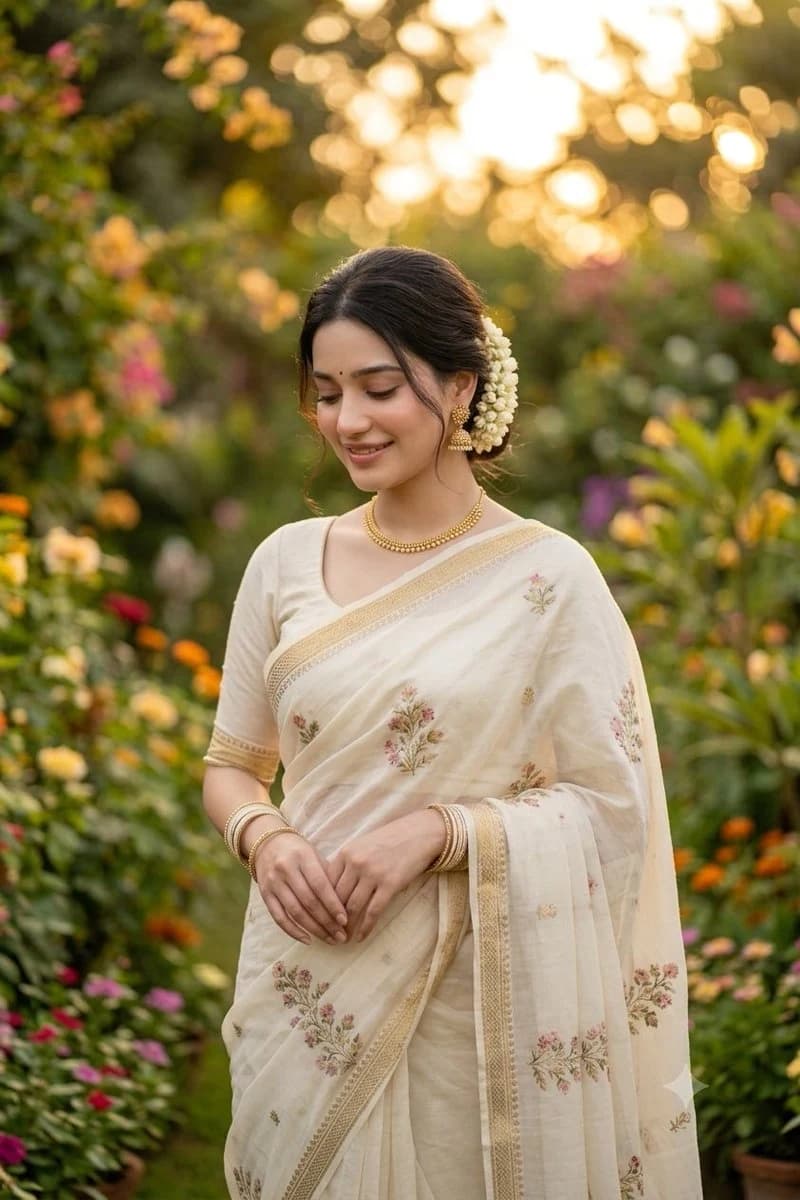
187 wordsCreate a high-quality professional portrait photograph of a young {argument name="nationality" default="Indian"} woman standing in a lush flowering garden at golden hour, framed vertically from mid-thigh upward. She wears a classic {argument name="saree color" default="cream-colored"} saree with elegant gold borders and delicate pink-and-green floral embroidery scattered across the fabric, paired with a short-sleeved matching blouse. Her dark hair is parted and tied into a low elegant bun decorated with a thick garland of fresh white jasmine flowers on one side. Add traditional gold jewelry: one necklace, one pair of ornate dangling earrings, and multiple slim bangles on both wrists. Her hands rest gently together at her waist in a graceful pose. Place a plain medium-brown rectangular privacy block over the entire face area, centered vertically from forehead to chin, with no facial features visible. The background should be a richly blurred garden path with abundant green foliage and colorful flowers in pink, orange, yellow, and purple, with warm sunset bokeh glowing behind her. Use soft natural light, shallow depth of field, realistic skin and fabric texture, refined editorial photography, warm romantic color grading, no text, no watermark.About this prompt
Indian Saree Garden Portrait is a ready-to-use social media prompt for GPT Image 2 on Image 2. Copy the 187 words below, paste them into the Create form, and you will get a result close to the preview above. Tweak the Social Media, Portrait, Fashion tag if you want to push it somewhere new.
Use it as a starting point, then adjust the subject, lighting, or composition to suit your idea. The credit cost stays the same whether you use it as written or customize it.
Use case
A strong starting point for Social Media
Start here when you want a social media image inspired by Indian Saree Garden Portrait. The prompt already sets the look and composition; replace the subject, product, colors, or scene details to match your project.
Easy places to tweak
- Subject Swap in your person, product, place, or object without changing the overall composition.
- Look and mood Tune the lighting, palette, camera angle, or materials so the image fits your brand.
- Final format Set the aspect ratio, background, text, or layout notes before you generate.
More prompt paths to explore
Find more GPT Image 2 prompts with a similar style, use case, or subject.
How to use it
- Step 1
Copy the prompt
Hit the Copy button above to grab the full text.
- Step 2
Open Image 2 Create
Head to the Create form and paste it in.
- Step 3
Generate
Hit Generate. Your version lands in seconds.
Make it yours
Load the prompt into the Create form with one click, then start tweaking.