Prompt
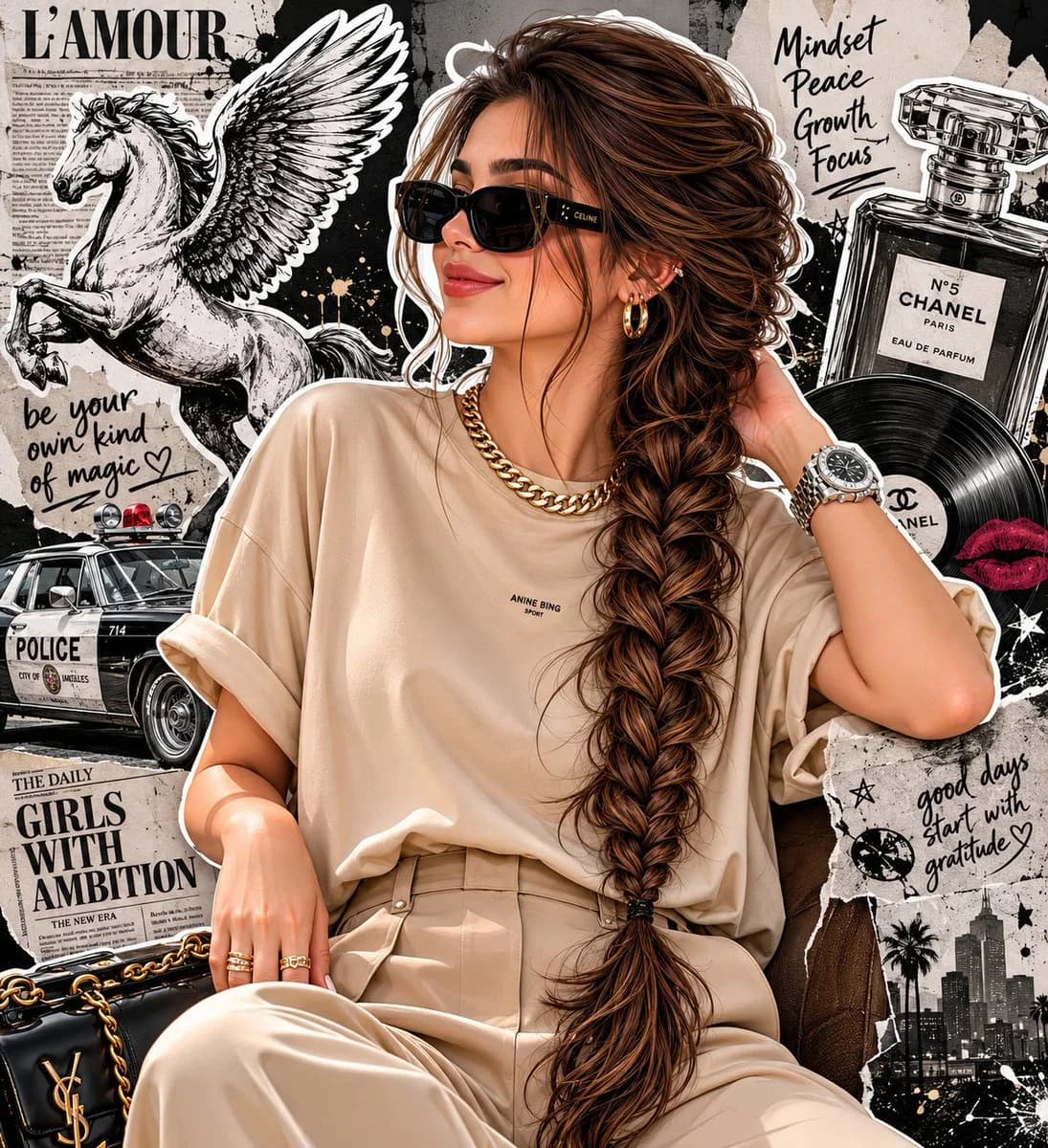
104 wordsA high-fashion editorial portrait of a stylish woman with a long, thick French side-braid hair, wearing sleek black designer sunglasses, a premium oversized beige t-shirt tucked into tailored beige trousers. She is wearing a minimalist thick gold chain necklace and a luxury silver watch, posing elegantly with one hand gently touching the back of her neck and looking away with a confident smile.The background is a creative grunge black-and-white collage art featuring a Pegasus illustration, a vintage police car, a classic Chanel perfume bottle, newspaper textures, and vinyl records with white sticker cutout borders. Cinematic studio lighting, sharp focus, magazine cover aesthetic, 8K resolution.
About this prompt
Grunge Fashion Editorial Collage is a ready-to-use portrait prompt for GPT Image 2 on Image 2. Copy the 104 words below, paste them into the Create form, and you will get a result close to the preview above. Tweak the Portrait, Product, Fashion tag if you want to push it somewhere new.
Use it as a starting point, then adjust the subject, lighting, or composition to suit your idea. The credit cost stays the same whether you use it as written or customize it.
Use case
A strong starting point for Portrait
Start here when you want a portrait image inspired by Grunge Fashion Editorial Collage. The prompt already sets the look and composition; replace the subject, product, colors, or scene details to match your project.
Easy places to tweak
- Subject Swap in your person, product, place, or object without changing the overall composition.
- Look and mood Tune the lighting, palette, camera angle, or materials so the image fits your brand.
- Final format Set the aspect ratio, background, text, or layout notes before you generate.
More prompt paths to explore
Find more GPT Image 2 prompts with a similar style, use case, or subject.
How to use it
- Step 1
Copy the prompt
Hit the Copy button above to grab the full text.
- Step 2
Open Image 2 Create
Head to the Create form and paste it in.
- Step 3
Generate
Hit Generate. Your version lands in seconds.
Make it yours
Load the prompt into the Create form with one click, then start tweaking.