Prompt
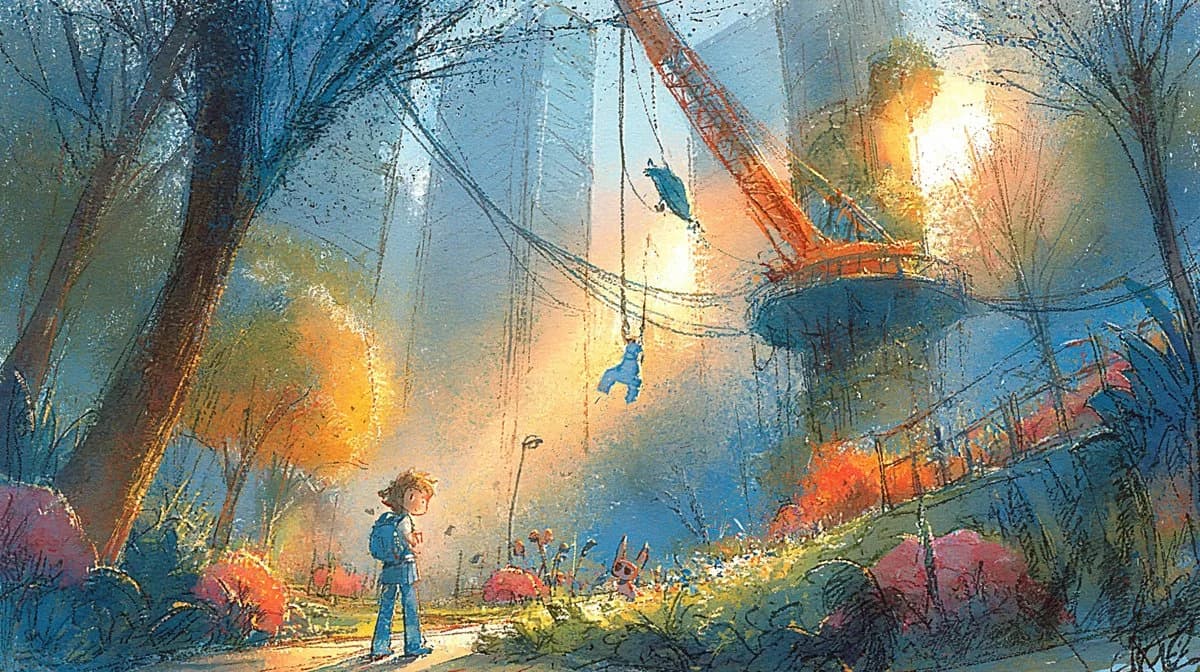
100 wordsUsing the provided reference image, isolate and regenerate only the central park illustration as a full-bleed wide cinematic artwork. Remove all presentation-board elements, typography, swatches, maps, thumbnails, labels, margins, and paper background. Expand the central scene to fill a {argument name="aspect ratio" default="16:9 landscape"} canvas while preserving the same painterly concept-art style, dusk blue-and-gold lighting, crane-park environment, child figure, swing/crane landmark, flowers, trees, and atmospheric urban skyline. Increase clarity and detail without making it look photorealistic; keep the textured gouache/pastel brushwork and hand-painted grain. Make it suitable as a clean environment key art image with no text or UI elements.About this prompt
Full-Bleed Crane Park Key Art is a ready-to-use game asset prompt for GPT Image 2 on Image 2. Copy the 100 words below, paste them into the Create form, and you will get a result close to the preview above. Tweak the Architecture, 3D, Watercolor tag if you want to push it somewhere new.
Use it as a starting point, then adjust the subject, lighting, or composition to suit your idea. The credit cost stays the same whether you use it as written or customize it.
Use case
A strong starting point for Game Asset
Start here when you want a game asset image inspired by Full-Bleed Crane Park Key Art. The prompt already sets the look and composition; replace the subject, product, colors, or scene details to match your project.
Easy places to tweak
- Subject Swap in your person, product, place, or object without changing the overall composition.
- Look and mood Tune the lighting, palette, camera angle, or materials so the image fits your brand.
- Final format Set the aspect ratio, background, text, or layout notes before you generate.
More prompt paths to explore
Find more GPT Image 2 prompts with a similar style, use case, or subject.
How to use it
- Step 1
Copy the prompt
Hit the Copy button above to grab the full text.
- Step 2
Open Image 2 Create
Head to the Create form and paste it in.
- Step 3
Generate
Hit Generate. Your version lands in seconds.
Make it yours
Load the prompt into the Create form with one click, then start tweaking.