Prompt
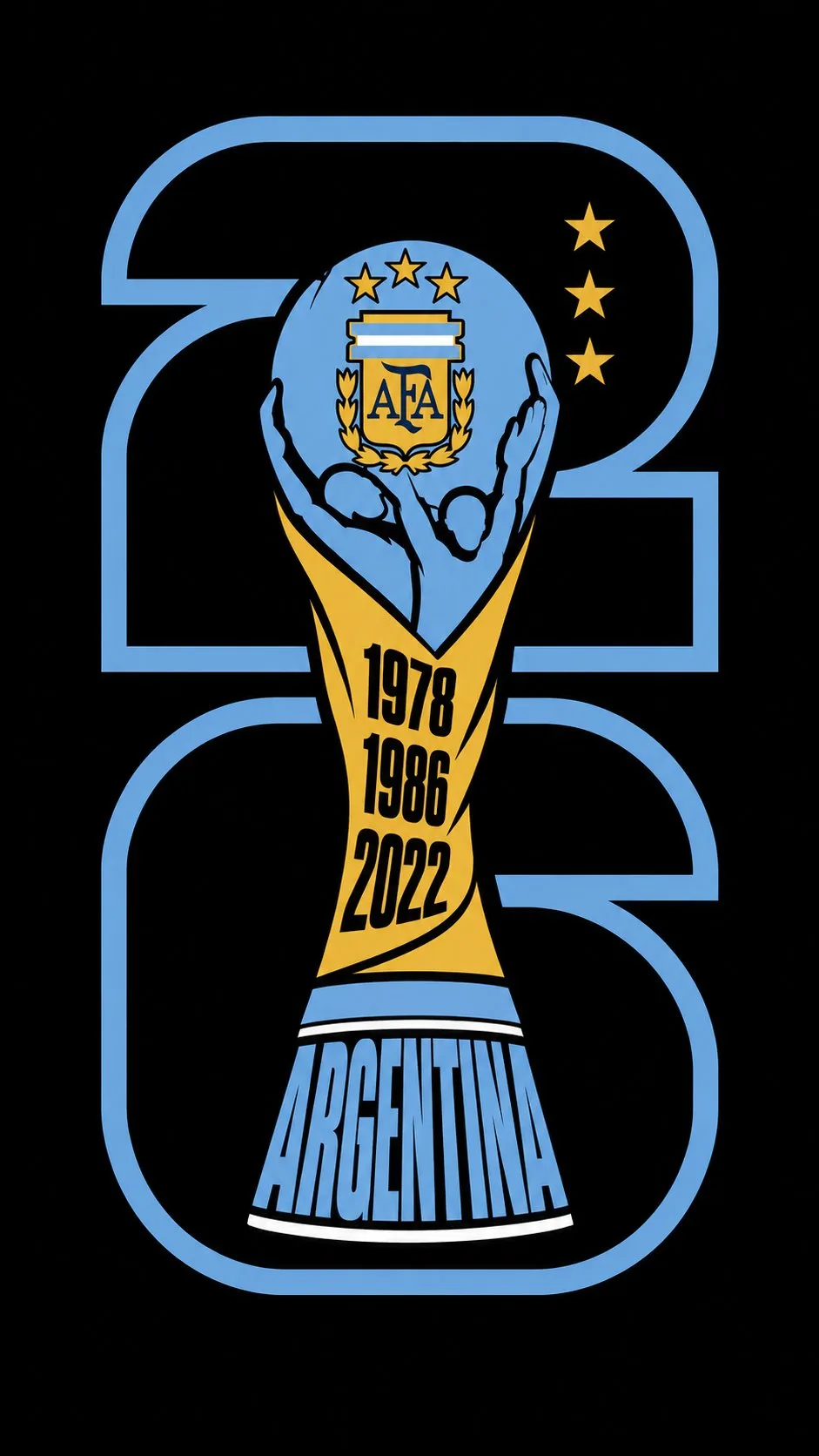
435 wordsCreate a FIFA World Cup 2026 country variant emblem in a bold, flat, typographic illustration style. Preserve the official FIFA World Cup 2026 stacked identity exactly: the digit “2” occupies the upper half and the digit “6” occupies the lower half, both center-aligned and forming one unified vertical portrait block, with the FIFA World Cup Trophy integrated through the center in the same arrangement as the official emblem. The numerals must be outline-only, never filled, rendered with thick bold strokes in a single color taken from the national flag palette of [COUNTRY NAME], with fully transparent interiors so the trophy remains visible. STRICTLY use a 9:16 vertical aspect ratio. Do not alter the composition, proportions, or visual hierarchy. The result must closely resemble the official stacked 26 emblem and maintain the same graphic balance seen in premium country adaptations. The FIFA World Cup Trophy must follow the real trophy silhouette exactly and remain instantly recognizable, with two human figures lifting a faceted globe, a twisting narrow body, and a flared banded base. Render it as a flat vector illustration with zero gradients, zero textures, and no painterly effects, resembling an enamel badge or screen-print poster. Divide the trophy into clean flat sections following its natural contours. The globe and raised figures should use the darkest color from the national flag palette, with the official football federation crest of [COUNTRY NAME] placed prominently on the globe face. Add one floating star for each FIFA World Cup title won by [COUNTRY NAME], positioned to the right of the globe and colored with a flag accent color. ([NUMBER OF WORLD CUP TITLES WON]). Countries with zero World Cup titles must have no stars and no winning years. The central body section should use a contrasting flag color and contain the country's FIFA World Cup winning years stacked vertically in large ultra-bold condensed numerals. If [COUNTRY NAME] has never won the FIFA World Cup, leave this section blank with no years. The lower neck and flared base should use the primary flag color, with “[COUNTRY NAME]” written in massive ultra-bold condensed capital letters naturally fitted to the tapering base shape. Use thick black outlines throughout to separate every section and define the entire trophy silhouette. Maintain a highly graphic, iconic, and immediately country-identifiable appearance. Use a pure black background with no gradients or textures. The final result should feel exactly like a premium enamel pin, screen-print poster, or modern sports identity mark while preserving the official FIFA World Cup 2026 stacked emblem structure and central trophy integration, with no unnecessary stylistic deviations and no changes to the established layout.
About this prompt
FIFA World Cup Country Emblem Badge is a ready-to-use poster prompt for GPT Image 2 on Image 2. Copy the 435 words below, paste them into the Create form, and you will get a result close to the preview above. Tweak the Poster, Sports, World Cup 2026 AI tag if you want to push it somewhere new.
Use it as a starting point, then adjust the subject, lighting, or composition to suit your idea. The credit cost stays the same whether you use it as written or customize it.
Use case
A strong starting point for Poster
Start here when you want a poster image inspired by FIFA World Cup Country Emblem Badge. The prompt already sets the look and composition; replace the subject, product, colors, or scene details to match your project.
Easy places to tweak
- Subject Swap in your person, product, place, or object without changing the overall composition.
- Look and mood Tune the lighting, palette, camera angle, or materials so the image fits your brand.
- Final format Set the aspect ratio, background, text, or layout notes before you generate.
More prompt paths to explore
Find more GPT Image 2 prompts with a similar style, use case, or subject.
How to use it
- Step 1
Copy the prompt
Hit the Copy button above to grab the full text.
- Step 2
Open Image 2 Create
Head to the Create form and paste it in.
- Step 3
Generate
Hit Generate. Your version lands in seconds.
Make it yours
Load the prompt into the Create form with one click, then start tweaking.