Prompt
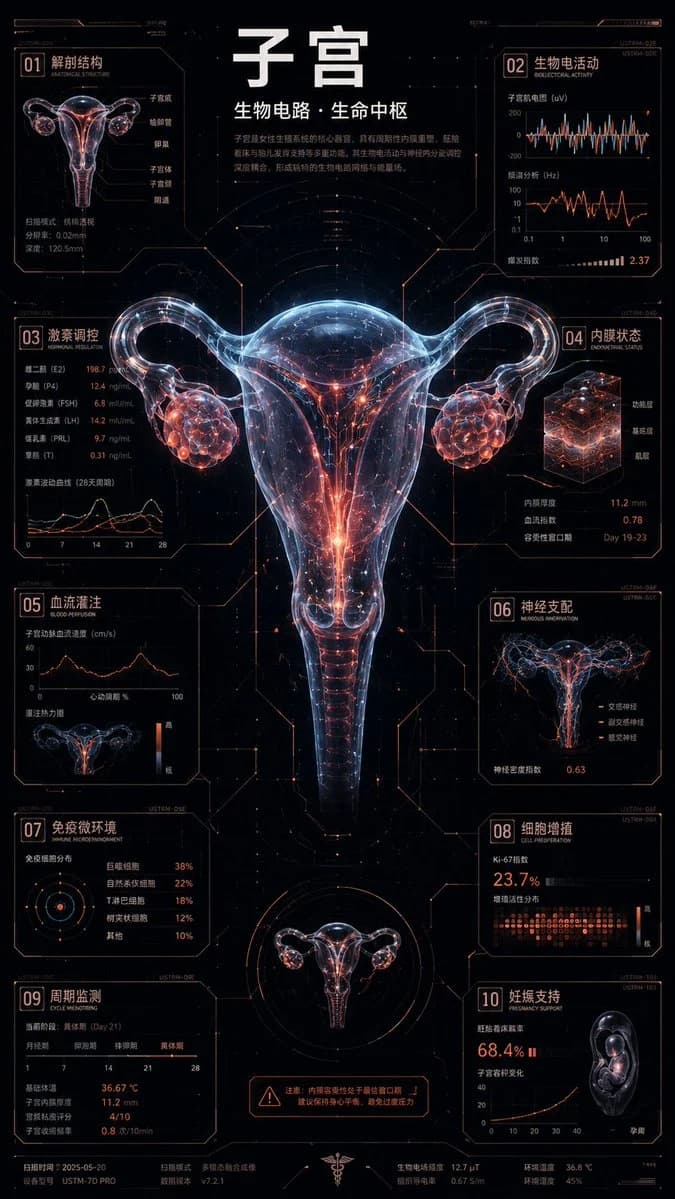
446 wordsCybernetic translucent bioluminescent flower concept infographic, 9:16 vertical version. In the center is a hyper-realistic 3D cyber-flower, suspended in a cold black futuristic laboratory void. Petals and leaves have a translucent frosted glass texture, with subsurface scattering, X-ray transparency, thin-film refraction, and microscopic water droplets; internal plant veins are transformed into PCB circuits, optical fibers, luminescent capillaries, and energy fluids. Maintain a real plant structure: 65% organic lifeform, 35% digital circuitry. Adopt a "star-satellite" composition: the central 3D flower occupies about 30%, while the periphery 70% is a high-density 2D HUD information system. 10 independent data modules are accurately arranged at the edge of the screen, strictly aligned to a hidden grid, connected to petals, leaf veins, stems, stamens, and circuit nodes with 0.5pt ultra-fine straight lines and 90-degree mechanical folded lines. Modules embed miniature bar charts, waveforms, spectral curves, contour profiles, topological nodes, and dot matrix scales. Visual style: Hyper-realistic biological X-ray rendering × cold orthogonal HUD interface × futuristic plant experimental archives. Background is an infinite void close to black, with extremely weak digital grain, scan lines, dot matrix grids, and volumetric fog. The subject integrates naturally into the background without a frame, and the peripheral UI adopts hard-edged modular cutting. Avoid ordinary game interfaces, cheap cyberpunk, cartoon textures, and random mechanical parts collage. **Color Theme: {argument name="theme name" default="Tulip"}*** Background Base: {argument name="dark background" default="cold black"}* Translucent Structural Color: {low saturation glass color}* Main Bio-fluorescence: {main color}* Auxiliary Fluorescence: {auxiliary color}* Single Accent Color: {accent color}* Technical Text Color: {text color}Color rules: Background and structural color occupy about 60%, main and auxiliary fluorescence occupy about 30%, and the accent color occupies only 5%-10%. A maximum of two fluorescent colors and one accent color per screen. The accent color is strictly used for stamen energy cores, circuit nodes, key arrows, danger parameters, and data peaks; large-area use and random rainbow gradients are prohibited. Font adopts condensed technical document typography. A super-large pure Chinese bold title is set at the top, about 64px; Pinyin, English, and mixed Chinese-English are prohibited. 10 modules use monospaced subtitles, technical sans-serif body text, and high-density micro-text. Text becomes denser from the center to the edges, does not block the subject, and no garbled characters appear. Subject color mapping: Petals use transparent structural colors, petal edges and leaf veins use the main fluorescent color, internal fine veins and optical fibers use the auxiliary fluorescent color, and PCB intersection nodes and stamen cores only use the accent color. Peripheral HUD brightness must not exceed the central flower. High detail, cinematic lighting, real refraction, volumetric glow, sharp edges, precision layout, print-grade quality, unified composition, extremely high information density. Subject: {argument name="subject" default="tulip"}About this prompt
Cybernetic Bioluminescent Flower Infographic is a ready-to-use infographic prompt for GPT Image 2 on Image 2. Copy the 446 words below, paste them into the Create form, and you will get a result close to the preview above. Tweak the Infographic, Mockup, Poster tag if you want to push it somewhere new.
Use it as a starting point, then adjust the subject, lighting, or composition to suit your idea. The credit cost stays the same whether you use it as written or customize it.
Use case
A strong starting point for Infographic
Start here when you want a infographic image inspired by Cybernetic Bioluminescent Flower Infographic. The prompt already sets the look and composition; replace the subject, product, colors, or scene details to match your project.
Easy places to tweak
- Subject Swap in your person, product, place, or object without changing the overall composition.
- Look and mood Tune the lighting, palette, camera angle, or materials so the image fits your brand.
- Final format Set the aspect ratio, background, text, or layout notes before you generate.
More prompt paths to explore
Find more GPT Image 2 prompts with a similar style, use case, or subject.
How to use it
- Step 1
Copy the prompt
Hit the Copy button above to grab the full text.
- Step 2
Open Image 2 Create
Head to the Create form and paste it in.
- Step 3
Generate
Hit Generate. Your version lands in seconds.
Make it yours
Load the prompt into the Create form with one click, then start tweaking.