Prompt
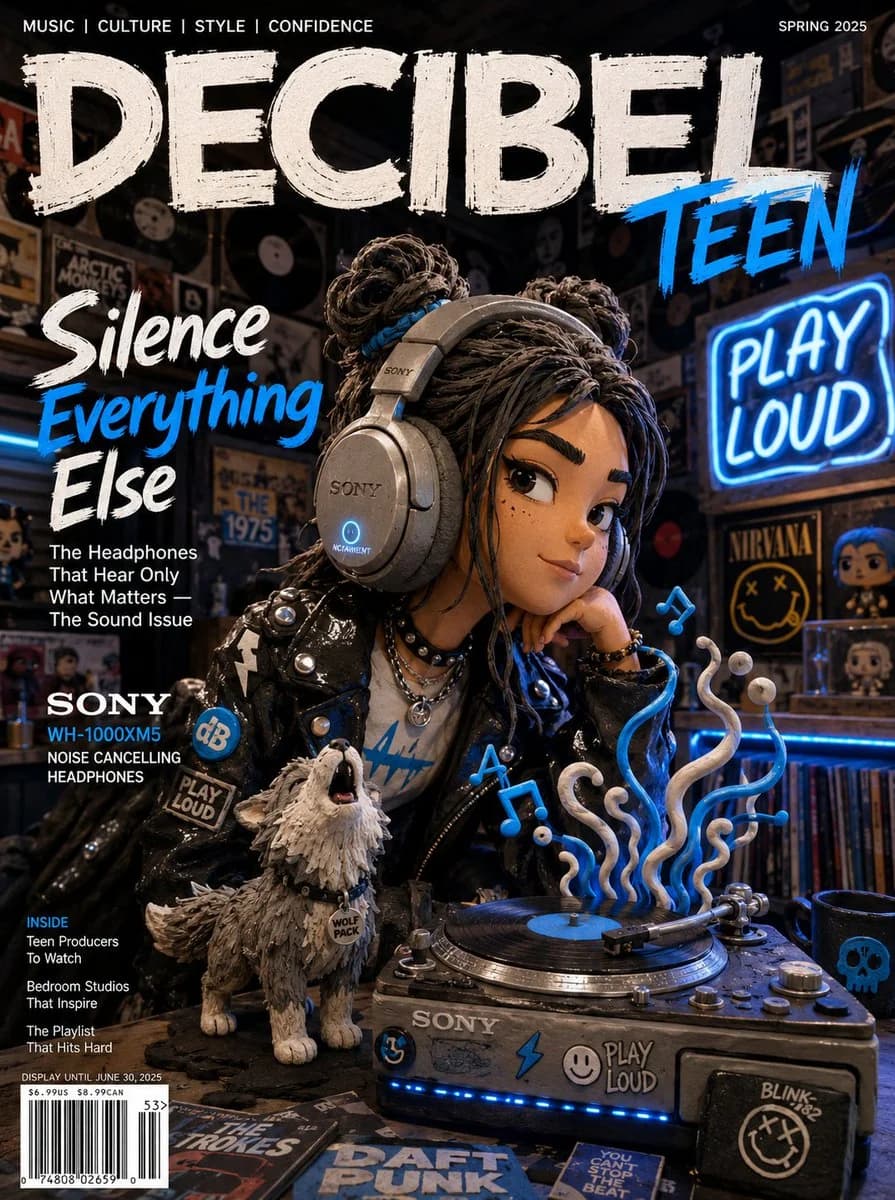
172 words[SUBJECT]: A bold claymation teenage girl with clay space buns and a vinyl clay jacket, wearing oversized Sony WH-1000XM5 headphones in clay form, a tiny baby wolf pup made of grey clay howling beside her clay record player [COLORS]: Sony black, brushed silver clay, neon electric blue, warm white [KEY PROP]: Oversized clay Sony WH-1000XM5 headphones with NC button glowing blue, a clay vinyl record spinning on a miniature clay turntable with clay sound waves rising from it [BACKGROUND]: Claymation music bedroom with clay vinyl records covering every wall, a clay neon sign reading PLAY LOUD, LED strips baked into clay shelves [MOOD]: Bold, rebellious and music-obsessed — Sony claymation teen campaign editorial, bedroom DJ aesthetic [MAGAZINE NAME]: DECIBEL TEEN [HEADLINE]: "Silence Everything Else" [TAGLINE]: The Headphones That Hear Only What Matters — The Sound Issue [BRAND NAME]: SONY — WH-1000XM5 Noise Cancelling Headphones [STYLE NOTES]: Clay headphone ear cups with embossed Sony logo, sound waves as curling clay ribbons, neon sign as glowing colored clay tubing, Aardman Studios meets streetwear aesthetic
About this prompt
Claymation Teen Girl with Headphones is a ready-to-use poster prompt for GPT Image 2 on Image 2. Copy the 172 words below, paste them into the Create form, and you will get a result close to the preview above. Tweak the Product Ad, Poster, Character Design tag if you want to push it somewhere new.
Use it as a starting point, then adjust the subject, lighting, or composition to suit your idea. The credit cost stays the same whether you use it as written or customize it.
Use case
A strong starting point for Poster
Start here when you want a poster image inspired by Claymation Teen Girl with Headphones. The prompt already sets the look and composition; replace the subject, product, colors, or scene details to match your project.
Easy places to tweak
- Subject Swap in your person, product, place, or object without changing the overall composition.
- Look and mood Tune the lighting, palette, camera angle, or materials so the image fits your brand.
- Final format Set the aspect ratio, background, text, or layout notes before you generate.
More prompt paths to explore
Find more GPT Image 2 prompts with a similar style, use case, or subject.
How to use it
- Step 1
Copy the prompt
Hit the Copy button above to grab the full text.
- Step 2
Open Image 2 Create
Head to the Create form and paste it in.
- Step 3
Generate
Hit Generate. Your version lands in seconds.
Make it yours
Load the prompt into the Create form with one click, then start tweaking.