Prompt
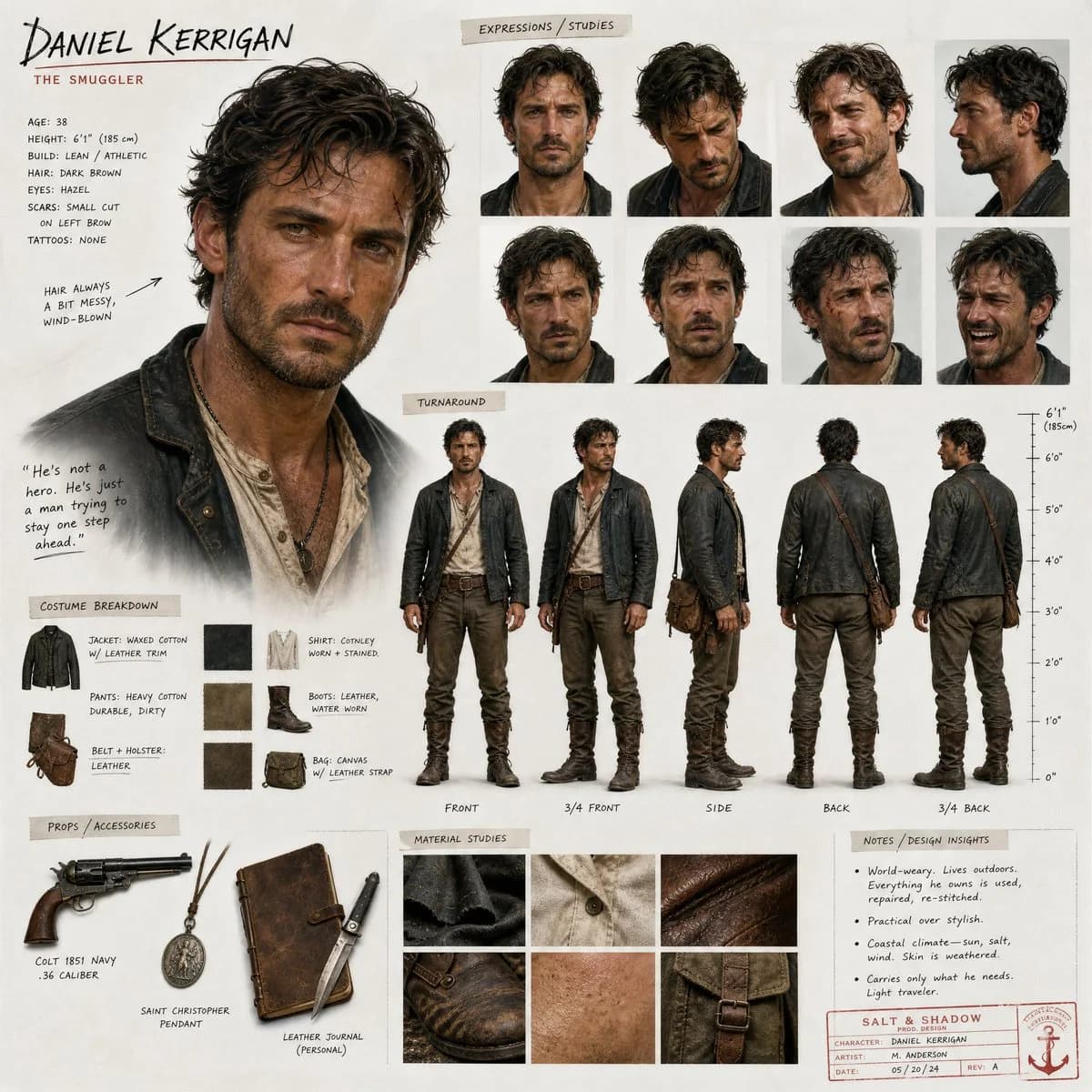
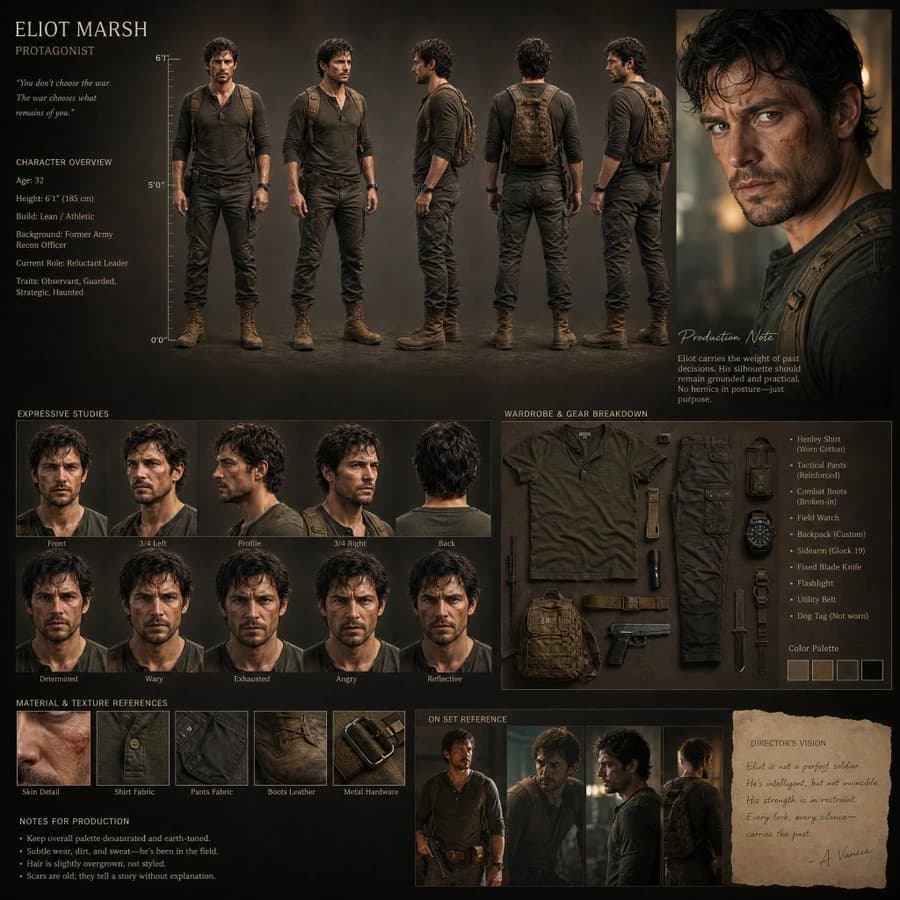
133 wordsCreate a cinematic realistic character design board for a high-budget film production.\n\nAvoid generic grids, perfect symmetry, or template-style layouts.\nThe composition should feel art-directed, slightly asymmetrical, and visually intentional like a premium movie pitch presentation.\n\nDesign a realistic human character with grounded proportions, believable anatomy, natural imperfections, and expressive acting energy.\n\nInclude:\n\n* Full-body turnaround (front, 3/4, side, back, 3/4 back)\n* Expressive head studies from multiple angles\n* Cinematic portrait shot\n* Wardrobe and prop breakdown\n* Fabric, skin, and material texture realism\n* Annotation callouts and production notes\n* Height reference scale\n\nCharacter should feel like a real actor captured mid-moment, not a posed model sheet.\n\nStyle:\nSemi-realistic cinematic character design, film-production quality, soft natural lighting, emotional readability, subtle exaggeration, realistic materials, shallow depth of field, premium studio presentation aesthetic.\n\nImportant:\nMaintain strict consistency in face, proportions, hairstyle, outfit, and details across every angle and section.
About this prompt
Cinematic Film Character Design Board is a ready-to-use character design prompt for GPT Image 2 on Image 2. Copy the 133 words below, paste them into the Create form, and you will get a result close to the preview above. Tweak the Character, Character Design, Fashion tag if you want to push it somewhere new.
Use it as a starting point, then adjust the subject, lighting, or composition to suit your idea. The credit cost stays the same whether you use it as written or customize it.
Use case
A strong starting point for Character Design
Start here when you want a character design image inspired by Cinematic Film Character Design Board. The prompt already sets the look and composition; replace the subject, product, colors, or scene details to match your project.
Easy places to tweak
- Subject Swap in your person, product, place, or object without changing the overall composition.
- Look and mood Tune the lighting, palette, camera angle, or materials so the image fits your brand.
- Final format Set the aspect ratio, background, text, or layout notes before you generate.
More prompt paths to explore
Find more GPT Image 2 prompts with a similar style, use case, or subject.
How to use it
- Step 1
Copy the prompt
Hit the Copy button above to grab the full text.
- Step 2
Open Image 2 Create
Head to the Create form and paste it in.
- Step 3
Generate
Hit Generate. Your version lands in seconds.
Make it yours
Load the prompt into the Create form with one click, then start tweaking.