Prompt
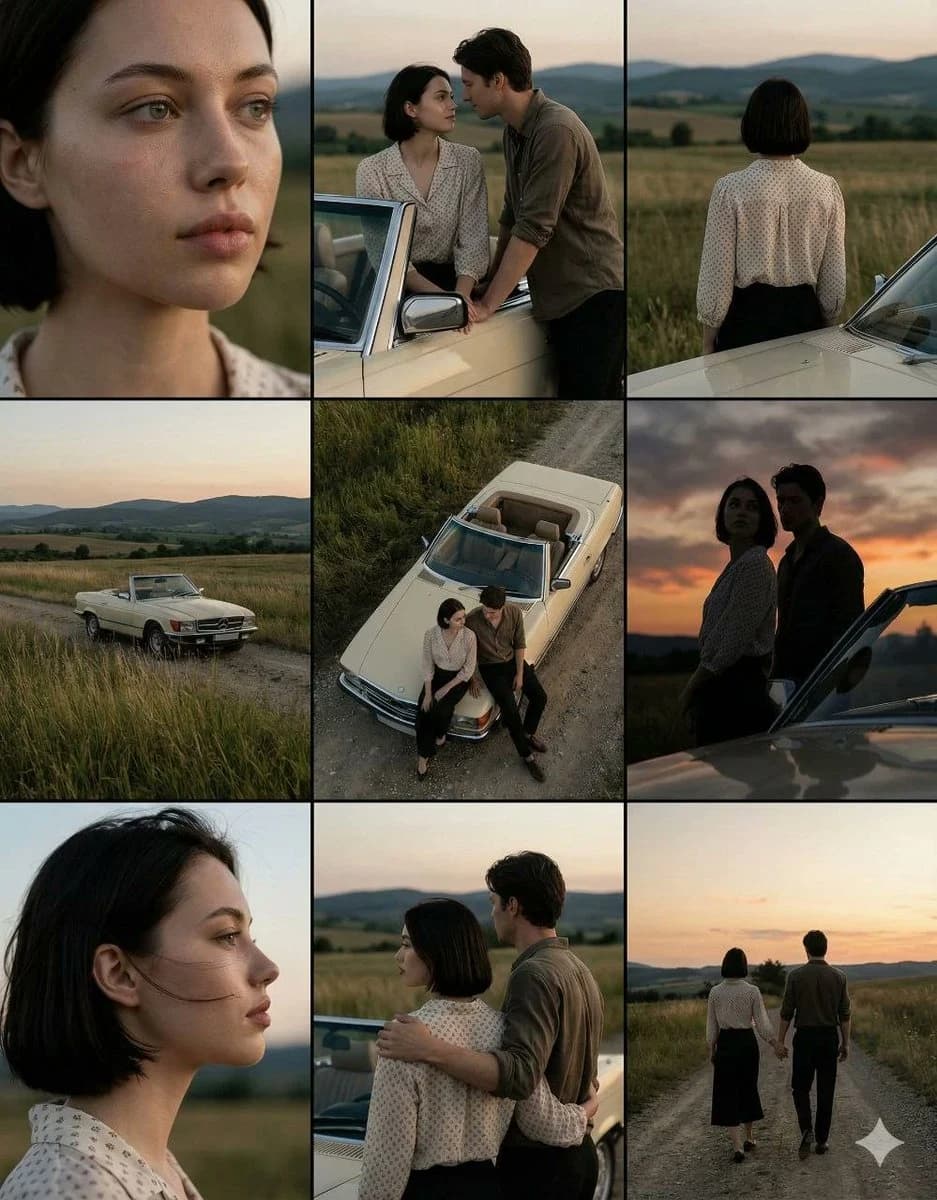
184 wordsA cinematic 3×3 grid of film-still frames featuring the same {argument name="couple" default="young woman with short dark hair and her partner"} during a quiet countryside road stop at dusk. A young woman with short dark hair wearing a light patterned blouse stands beside a {argument name="car" default="cream vintage convertible"} on a {argument name="location" default="rural dirt road"}, open fields and rolling hills stretching into the distance. Each frame here shows a distinct cinematic angle: extreme close-up of her face with natural skin texture, intimate medium shot of the couple leaning on the car, back view of the woman facing the landscape, wide establishing shot with the car in tall grass, high-angle top-down shot of the couple beside the convertible, dramatic low-angle portrait against the sky, clean side profile close-up, three-quarter rear view of the couple near the car, and a full back view of them walking away hand in hand down the road. Soft natural dusk lighting, muted earthy tones, realistic colors, shallow depth of field, subtle film grain, consistent facial features across all frames, emotional cinematic mood, professional cinematography reference sheet style, ultra-realistic photography.About this prompt
Cinematic Countryside Road Stop Film Still Grid is a ready-to-use storyboard prompt for GPT Image 2 on Image 2. Copy the 184 words below, paste them into the Create form, and you will get a result close to the preview above. Tweak the Comic, Storyboard, Vintage tag if you want to push it somewhere new.
Use it as a starting point, then adjust the subject, lighting, or composition to suit your idea. The credit cost stays the same whether you use it as written or customize it.
Use case
A strong starting point for Storyboard
Start here when you want a storyboard image inspired by Cinematic Countryside Road Stop Film Still Grid. The prompt already sets the look and composition; replace the subject, product, colors, or scene details to match your project.
Easy places to tweak
- Subject Swap in your person, product, place, or object without changing the overall composition.
- Look and mood Tune the lighting, palette, camera angle, or materials so the image fits your brand.
- Final format Set the aspect ratio, background, text, or layout notes before you generate.
More prompt paths to explore
Find more GPT Image 2 prompts with a similar style, use case, or subject.
How to use it
- Step 1
Copy the prompt
Hit the Copy button above to grab the full text.
- Step 2
Open Image 2 Create
Head to the Create form and paste it in.
- Step 3
Generate
Hit Generate. Your version lands in seconds.
Make it yours
Load the prompt into the Create form with one click, then start tweaking.