Prompt
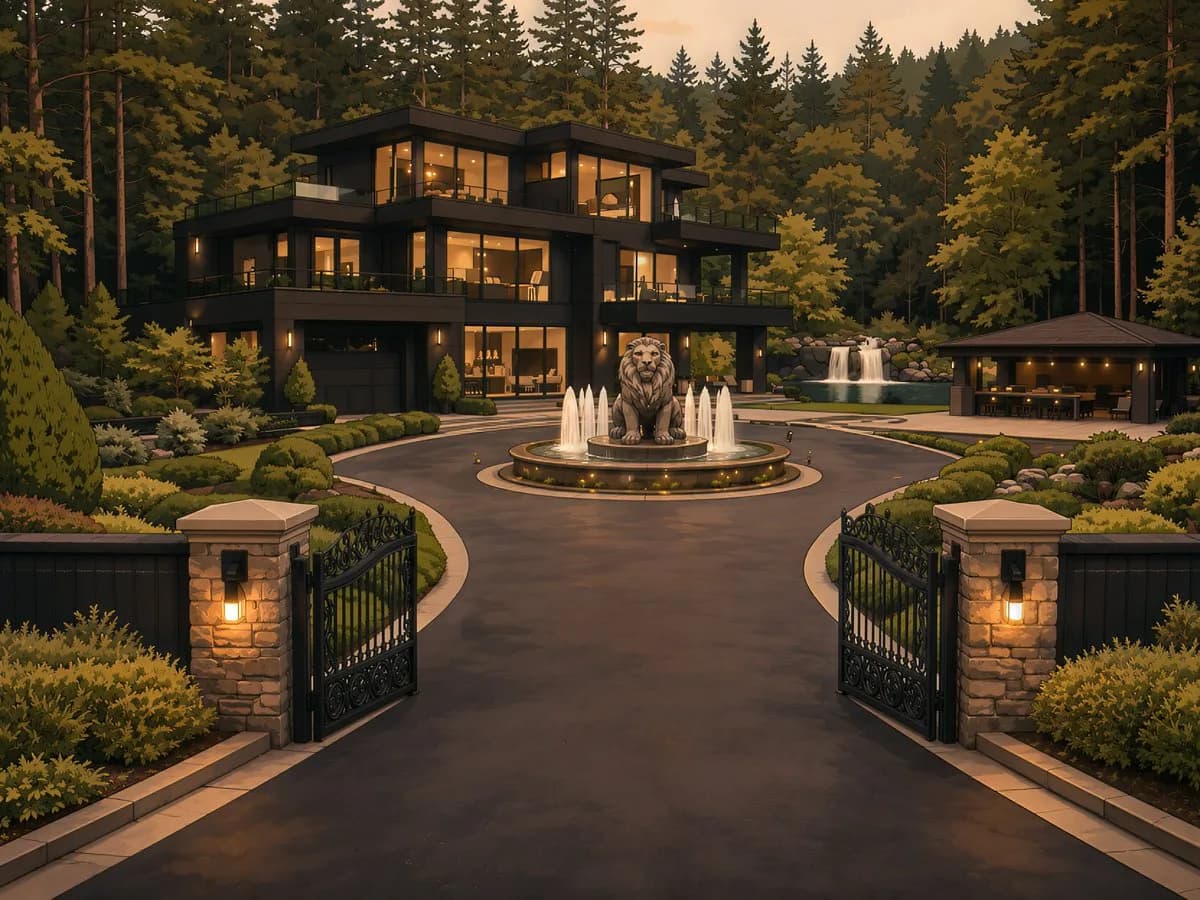
407 wordsGiven the scene context, generate the Cinematic Contact Sheet based on the instructions: <instruction> Analyze the entire composition of the input image. Identify ALL key subjects present (whether it's a single person, a group/couple, a vehicle, or a specific object) and their spatial relationship/interaction. Generate a cohesive 3x3 grid "Cinematic Contact Sheet" featuring 9 distinct camera shots of exactly these subjects in the same environment. You must adapt the standard cinematic shot types to fit the content (e.g., if a group, keep the group together; if an object, frame the whole object): Row 1 (Establishing Context): Extreme Long Shot (ELS): The subject(s) are seen small within the vast environment. Long Shot (LS): The complete subject(s) or group is visible from top to bottom (head to toe / wheels to roof). Medium Long Shot (American/3-4): Framed from knees up (for people) or a 3/4 view (for objects). Row 2 (The Core Coverage): 4. Medium Shot (MS): Framed from the waist up (or the central core of the object). Focus on interaction/action. 5. Medium Close-Up (MCU): Framed from chest up. Intimate framing of the main subject(s). 6. Close-Up (CU): Tight framing on the face(s) or the "front" of the object. Row 3 (Details & Angles): 7. Extreme Close-Up (ECU): Macro detail focusing intensely on a key feature (eyes, hands, logo, texture). 8. Low Angle Shot (Worm's Eye): Looking up at the subject(s) from the ground (imposing/heroic). 9. High Angle Shot (Bird's Eye): Looking down on the subject(s) from above. Ensure strict consistency: The same people/objects, same clothes, and same lighting across all 9 panels. The depth of field should shift realistically (bokeh in close-ups). </instruction> A professional 3x3 cinematic storyboard grid containing 9 panels. The grid showcases the specific subjects/scene from the input image in a comprehensive range of focal lengths. Top Row: Wide environmental shot, Full body view, 3/4 cut. Middle Row: Waist-up view, Chest-up view, Face/Front close-up. Bottom Row: Macro detail, Low Angle, High Angle. All frames feature photorealistic textures, consistent cinematic color grading, and correct framing for the specific number of subjects or objects analyzed. Here is the scene context: A wide cinematic exterior of the Whitmore estate at dusk in Buckhead, Atlanta. The massive gated modern mansion glows with warm amber lights against the dark tree line, with the circular driveway, lion fountain, and polished landscaping fully visible. The estate feels quiet, powerful, and untouchable — like a private world hidden behind wealth and security.
About this prompt
Cinematic Contact Sheet Generator is a ready-to-use ui mockup prompt for GPT Image 2 on Image 2. Copy the 407 words below, paste them into the Create form, and you will get a result close to the preview above. Tweak the UI, Mockup, Storyboard tag if you want to push it somewhere new.
Use it as a starting point and keep iterating: change the subject, lighting, or composition until it looks right. The credit cost stays the same whether you run it as-is or remix it.
Use case
A strong starting point for UI Mockup
Start here when you want a ui mockup image in the same direction as Cinematic Contact Sheet Generator. The prompt already sets the look and structure; swap in your own subject, product, colors, or scene details for the brief you have in mind.
Easy places to tweak
- Subject Swap in your person, product, place, or object without changing the overall composition.
- Look and mood Tune the lighting, palette, camera angle, or materials so the image fits your brand.
- Final format Set the aspect ratio, background, text, or layout notes before you generate.
More prompt paths to explore
Find more GPT Image 2 prompts with a similar style, use case, or subject.
How to use it
- Step 1
Copy the prompt
Hit the Copy button above to grab the full text.
- Step 2
Open Image 2 Create
Head to the Create form and paste it in.
- Step 3
Generate
Hit Generate. Your version lands in seconds.
Make it yours
Load the prompt into the Create form with one click, then start tweaking.