Prompt
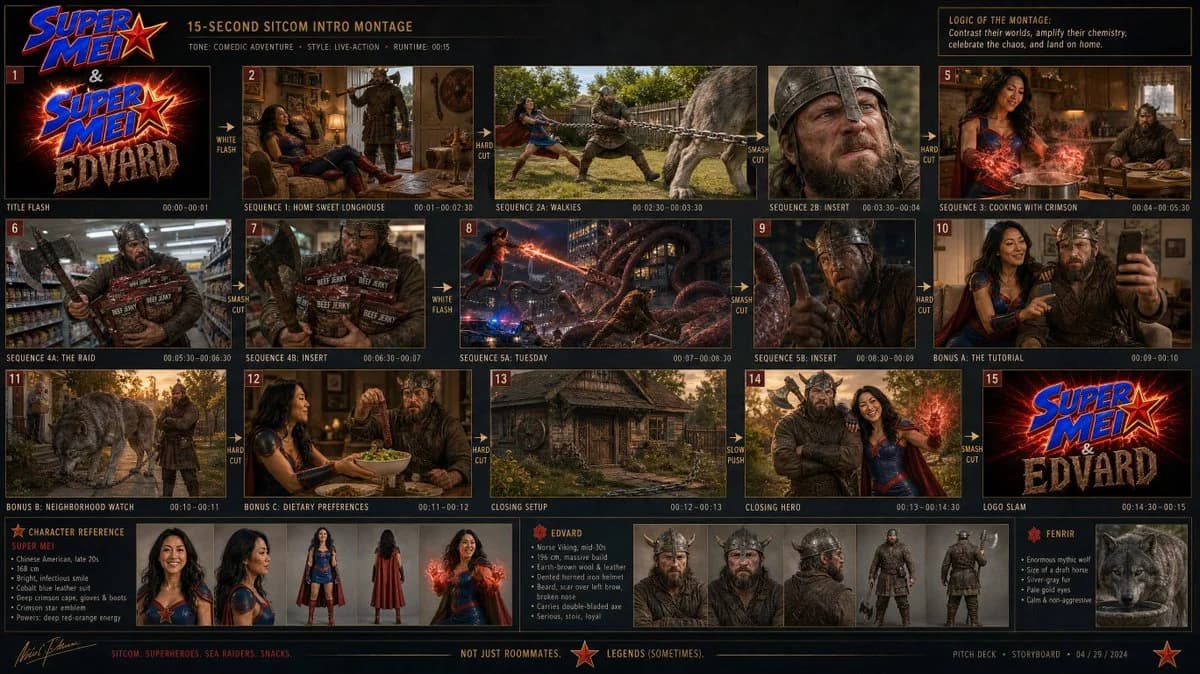
98 wordsCreate a professional film production storyboard for a 15-second sitcom intro montage in a premium pitch deck presentation. Use multi-panel storyboard sheet layout, cinematic 16:9 framing per panel, clean panel borders, shot descriptions beneath each frame, timing notes, and transition indicators between panels. Maintain strict character consistency for Super Mei, Edvard, and Fenrir across all panels. Include a complete sequence of title flash, living room, backyard walkies, kitchen powers, convenience store raid, monster battle, bonus domestic comedy beats, closing hero shot, and logo slam. Visual style: cinematic sitcom, high-budget live-action network comedy, production-ready fidelity, not animated or illustrated.
About this prompt
Sitcom Intro Storyboard Sheet is a ready-to-use ui mockup prompt for GPT Image 2 on Image 2. Copy the 98 words below, paste them into the Create form, and you will get a result close to the preview above. Tweak the UI, Mockup, Storyboard tag if you want to push it somewhere new.
Use it as a starting point and keep iterating: change the subject, lighting, or composition until it looks right. The credit cost stays the same whether you run it as-is or remix it.
Use case
A strong starting point for UI Mockup
Start here when you want a ui mockup image in the same direction as Sitcom Intro Storyboard Sheet. The prompt already sets the look and structure; swap in your own subject, product, colors, or scene details for the brief you have in mind.
Easy places to tweak
- Subject Swap in your person, product, place, or object without changing the overall composition.
- Look and mood Tune the lighting, palette, camera angle, or materials so the image fits your brand.
- Final format Set the aspect ratio, background, text, or layout notes before you generate.
More prompt paths to explore
Find more GPT Image 2 prompts with a similar style, use case, or subject.
How to use it
- Step 1
Copy the prompt
Hit the Copy button above to grab the full text.
- Step 2
Open Image 2 Create
Head to the Create form and paste it in.
- Step 3
Generate
Hit Generate. Your version lands in seconds.
Make it yours
Load the prompt into the Create form with one click, then start tweaking.