Prompt
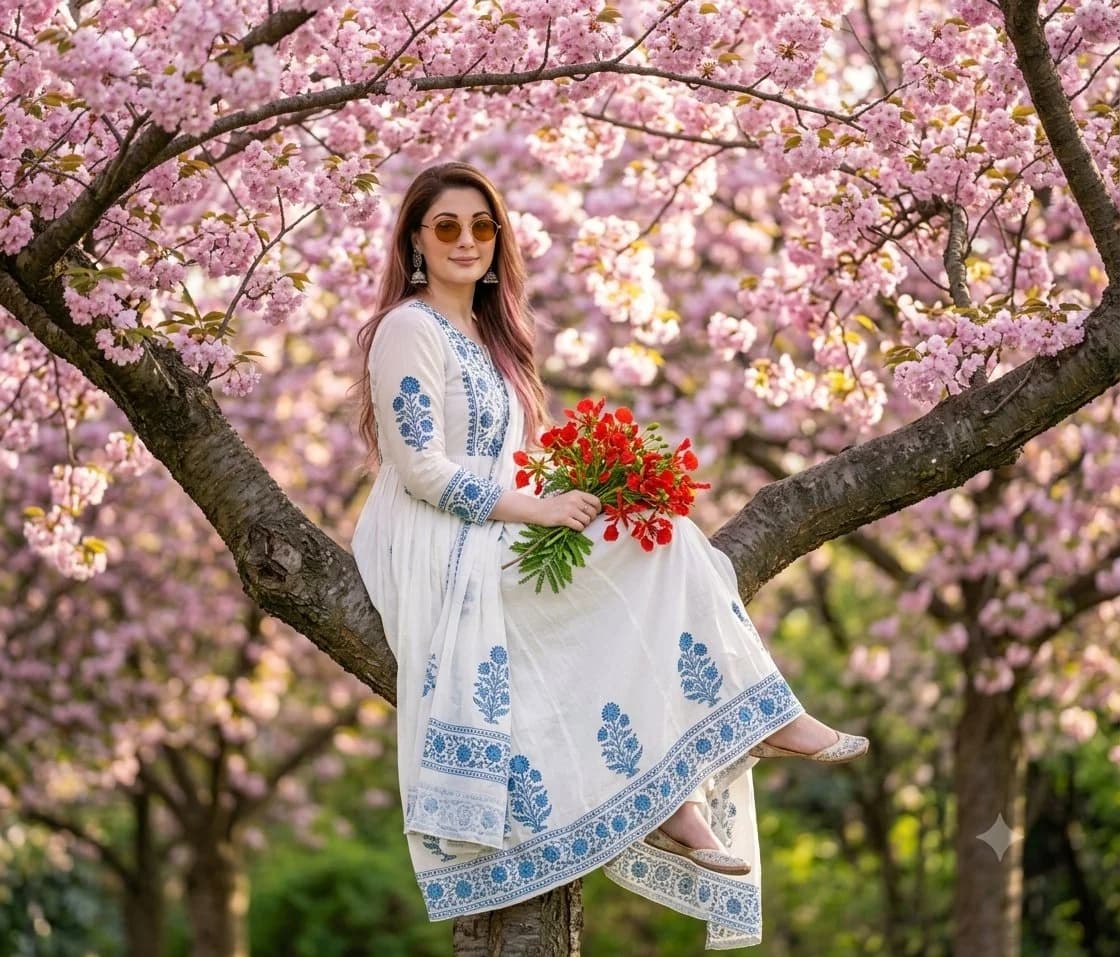
181 wordsCreate a romantic spring portrait photograph of {argument name="character description" default="a young woman with long auburn-brown hair"} sitting sideways on a thick, curved cherry blossom tree branch in a blooming orchard. She wears {argument name="outfit" default="a flowing white ankle-length traditional dress with blue floral embroidery, patterned borders, and a matching draped scarf"}, with beige embroidered flats visible beneath the hem. Her face is softly anonymized with a natural skin-toned blur while the pose remains elegant and serene. She holds {argument name="bouquet" default="a bright bouquet of red flowers with green stems"} in her lap with both hands. Surround her with dense pink cherry blossoms on dark textured branches, using a shallow depth of field so the background becomes warm, dreamy bokeh with hints of green foliage and golden sunlight. Compose the image vertically but framed as a 4:3 portrait crop, subject centered slightly left, full seated figure visible, branch forming a natural diagonal cradle across the frame. Use realistic photography, soft natural light, gentle pastel colors, detailed fabric embroidery, crisp foreground blossoms, creamy blurred background, no text, no watermark, no extra people.About this prompt
Cherry Blossom Portrait is a ready-to-use social media prompt for GPT Image 2 on Image 2. Copy the 181 words below, paste them into the Create form, and you will get a result close to the preview above. Tweak the Social Media, Portrait, Fashion tag if you want to push it somewhere new.
Use it as a starting point, then adjust the subject, lighting, or composition to suit your idea. The credit cost stays the same whether you use it as written or customize it.
Use case
A strong starting point for Social Media
Start here when you want a social media image inspired by Cherry Blossom Portrait. The prompt already sets the look and composition; replace the subject, product, colors, or scene details to match your project.
Easy places to tweak
- Subject Swap in your person, product, place, or object without changing the overall composition.
- Look and mood Tune the lighting, palette, camera angle, or materials so the image fits your brand.
- Final format Set the aspect ratio, background, text, or layout notes before you generate.
More prompt paths to explore
Find more GPT Image 2 prompts with a similar style, use case, or subject.
How to use it
- Step 1
Copy the prompt
Hit the Copy button above to grab the full text.
- Step 2
Open Image 2 Create
Head to the Create form and paste it in.
- Step 3
Generate
Hit Generate. Your version lands in seconds.
Make it yours
Load the prompt into the Create form with one click, then start tweaking.