Prompt
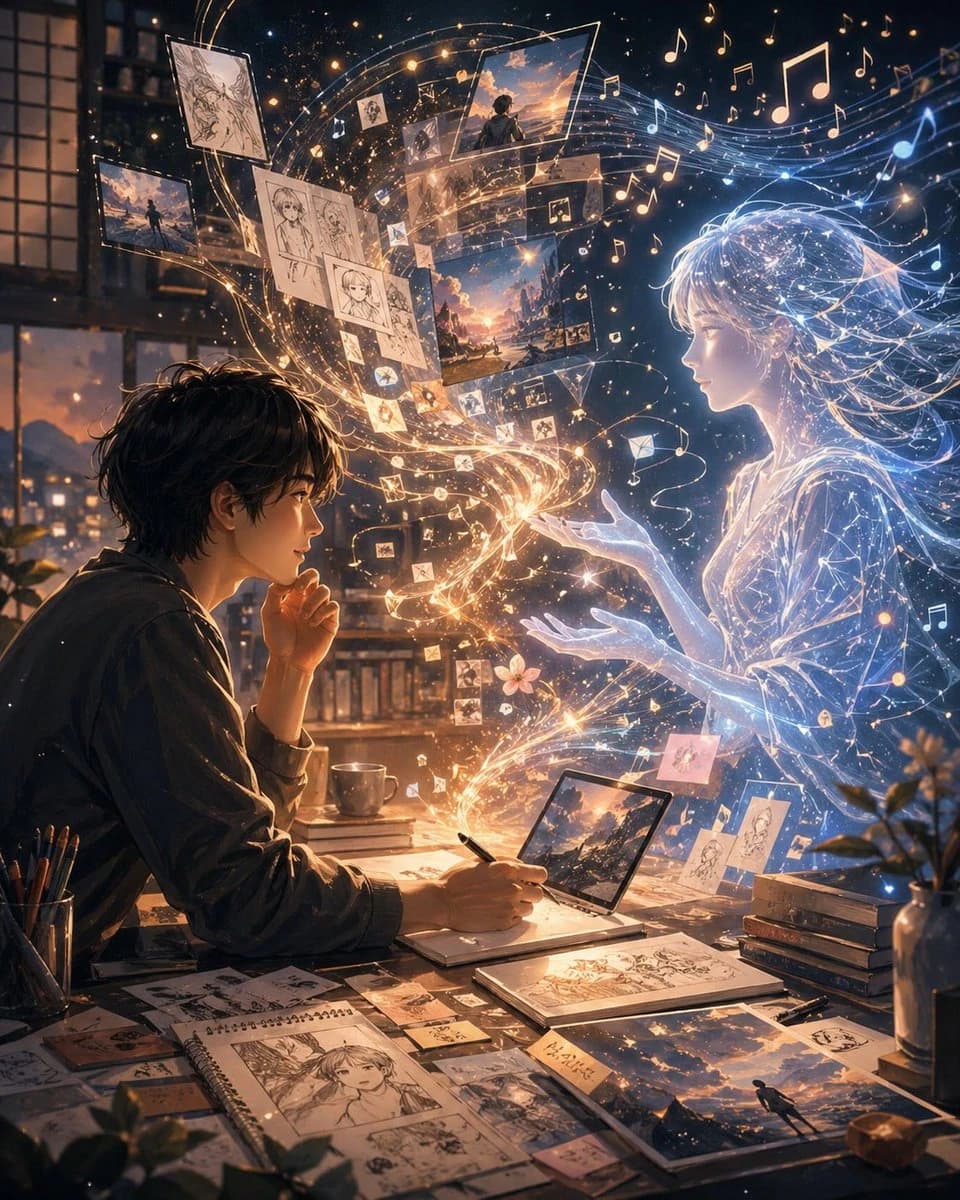
377 wordsA cinematic anime-inspired digital illustration set at night inside a cozy artist's room with large window panes and a warm city glow outside. On the left, a young male artist with {argument name="hair color" default="dark brown"} messy hair sits at a cluttered desk in side profile, leaning forward with one hand near his mouth and the other drawing with a pen on a tablet or sketchbook. The desk is covered with exactly 1 pen cup filled with pencils, 1 coffee mug, 1 open laptop or pen-display showing a sunset landscape, 1 spiral sketchbook with manga-style character drawings, 2 additional drawing books or pads, 1 small stack of about 4 books, and many scattered art cards and printed illustrations. On the right, a luminous ethereal anime girl made of blue-white light appears life-sized, facing the artist with both hands gently extended toward him. Her form is translucent, delicate, and composed of glowing contour lines, starry particles, and flowing strands of light, with long windblown hair and a soft dress-like silhouette. Between them, a magical stream of golden and white light spirals upward from the artist's desk into the air, connecting creator and creation. Inside this swirling ribbon are exactly 12 to 16 floating image fragments and sketch pages: monochrome character sketches, scenic sunset paintings, small photo-like panels, and tiny icon-like cards, all orbiting in a curved arc from lower center to upper left and upper center. Around the upper half of the image, dozens of glowing musical notes float through the air, mixed with sparkling particles, creating the feeling that inspiration has become visible sound and memory. The palette is rich warm gold and amber on the artist's side, contrasted with cool electric blue and white on the spirit girl's side, with dramatic rim light, volumetric glow, intricate particles, and a dreamy emotional atmosphere. Composition is vertical, highly detailed, intimate, and poetic, evoking the relationship between {argument name="person one" default="you"} and {argument name="person two" default="me"} as artist and imagined muse, where drawings, music, memories, and fantasy physically manifest in the room. Add a small handwritten note card on the desk with {argument name="note text" default="二人だけの物語"}, and display one prominent artwork on the desk and one floating scenic panel using {argument name="scene theme" default="sunset sky over a distant city"}.About this prompt
Artist and Ethereal Muse at Night is a ready-to-use ui mockup prompt for GPT Image 2 on Image 2. Copy the 377 words below, paste them into the Create form, and you will get a result close to the preview above. Tweak the UI, Mockup, Storyboard tag if you want to push it somewhere new.
Use it as a starting point, then adjust the subject, lighting, or composition to suit your idea. The credit cost stays the same whether you use it as written or customize it.
Use case
A strong starting point for UI Mockup
Start here when you want a ui mockup image inspired by Artist and Ethereal Muse at Night. The prompt already sets the look and composition; replace the subject, product, colors, or scene details to match your project.
Easy places to tweak
- Subject Swap in your person, product, place, or object without changing the overall composition.
- Look and mood Tune the lighting, palette, camera angle, or materials so the image fits your brand.
- Final format Set the aspect ratio, background, text, or layout notes before you generate.
More prompt paths to explore
Find more GPT Image 2 prompts with a similar style, use case, or subject.
How to use it
- Step 1
Copy the prompt
Hit the Copy button above to grab the full text.
- Step 2
Open Image 2 Create
Head to the Create form and paste it in.
- Step 3
Generate
Hit Generate. Your version lands in seconds.
Make it yours
Load the prompt into the Create form with one click, then start tweaking.