Prompt
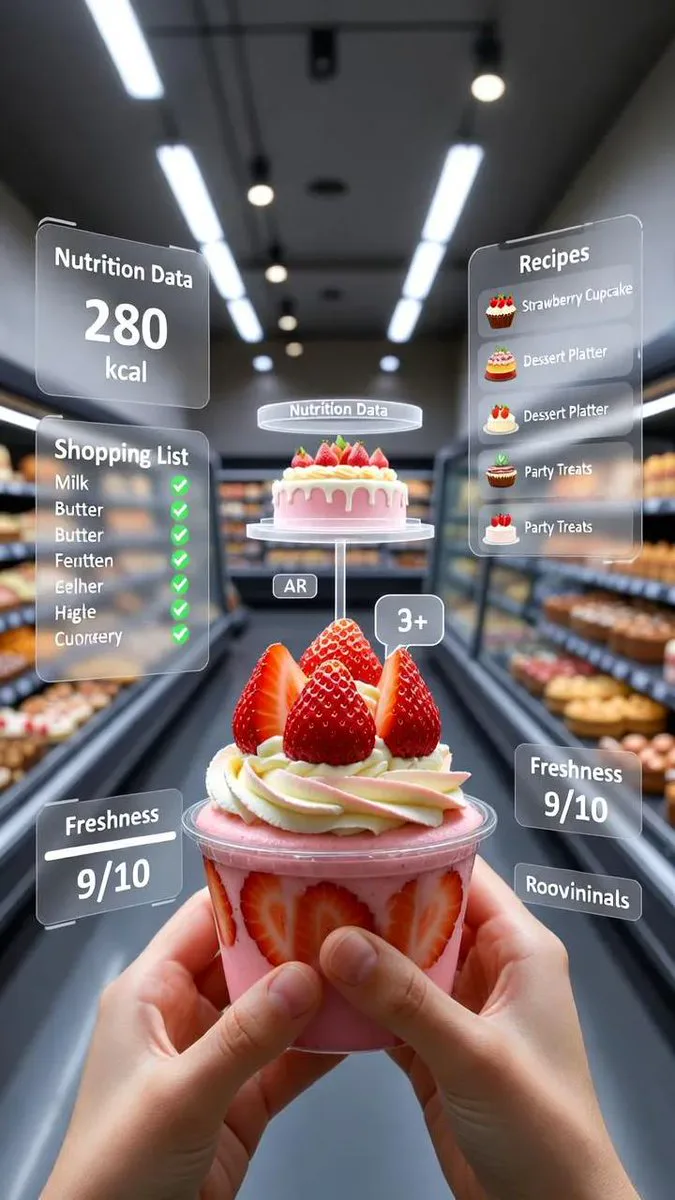
84 wordsPOV shot from inside a grocery store aisle, your hands holding a vibrant mixed-fruit jam jar -- strawberry, blueberry, and orange blend. Holographic AR overlays float around it: a "Flavor Mix" panel with fruit icons, a "Nutrition Info" display, and a glowing "Freshness Meter" at 9/10. A translucent digital shopping list with checkmarks for bread and butter hovers nearby, plus recipe suggestions for toast, pancakes, and desserts. Bokeh background of store shelves and shoppers. Clean retail lighting, photorealistic, cinematic, AR glasses POV, vertical composition.
About this prompt
AR Grocery Overlay POV is a ready-to-use ui mockup prompt for GPT Image 2 on Image 2. Copy the 84 words below, paste them into the Create form, and you will get a result close to the preview above. Tweak the E-commerce, Infographic, UI Mockup tag if you want to push it somewhere new.
Use it as a starting point, then adjust the subject, lighting, or composition to suit your idea. The credit cost stays the same whether you use it as written or customize it.
Use case
A strong starting point for UI Mockup
Start here when you want a ui mockup image inspired by AR Grocery Overlay POV. The prompt already sets the look and composition; replace the subject, product, colors, or scene details to match your project.
Easy places to tweak
- Subject Swap in your person, product, place, or object without changing the overall composition.
- Look and mood Tune the lighting, palette, camera angle, or materials so the image fits your brand.
- Final format Set the aspect ratio, background, text, or layout notes before you generate.
More prompt paths to explore
Find more GPT Image 2 prompts with a similar style, use case, or subject.
How to use it
- Step 1
Copy the prompt
Hit the Copy button above to grab the full text.
- Step 2
Open Image 2 Create
Head to the Create form and paste it in.
- Step 3
Generate
Hit Generate. Your version lands in seconds.
Make it yours
Load the prompt into the Create form with one click, then start tweaking.