Prompt
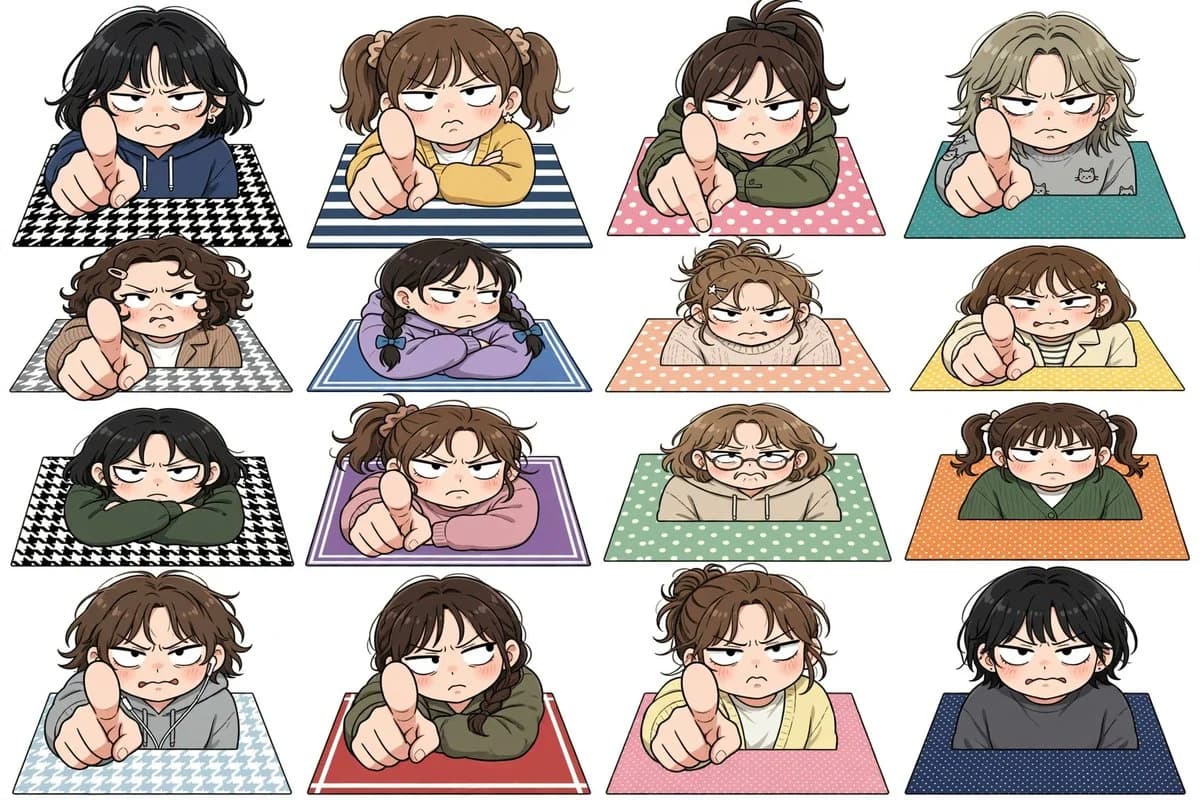
335 wordsCreate a clean white-background anime sticker-sheet illustration showing exactly 16 chibi-style annoyed people popping up from rectangular patterned mats, arranged in a precise 4 columns by 4 rows grid. Each character is cropped at the torso behind the mat edge, with oversized heads, rosy cheeks, heavy-lidded angry eyes, small frowning mouths, expressive messy hair, thick black line art, soft cel shading, and a cute but confrontational mood. Several characters thrust an oversized index finger toward the viewer in strong foreshortened perspective as if scolding or saying “you”; others glare with folded arms or a slumped irritated posture. Use no text, no speech bubbles, no watermark, and keep generous white spacing between all stickers. The 16 discrete characters are: 1) black short wavy hair, navy hoodie, pointing, black-and-white houndstooth mat; 2) brown twin ponytails, yellow sweater, pointing, blue-and-white striped mat; 3) dark brown high ponytail, olive hoodie, pointing, pink polka-dot mat; 4) ash-blond short hair, gray cat-print shirt, pointing, teal dotted mat; 5) curly dark-brown bob with hair clips, tan jacket, pointing, gray houndstooth mat; 6) black hair in two braids, lavender sweatshirt, arms folded, blue double-border mat; 7) messy light-brown bun, cream sweater, arms crossed on peach polka-dot mat; 8) brown bob with star hair clips, cream cardigan over striped shirt, pointing, yellow dotted mat; 9) black bob, dark green hoodie, arms crossed, black-and-white houndstooth mat; 10) brown ponytail, pink sweatshirt, pointing, purple bordered mat; 11) light-brown wavy bob with round glasses, beige hoodie, worried-annoyed expression, mint polka-dot mat; 12) brown twin pigtails, dark green cardigan, flat unimpressed stare, orange dotted mat; 13) tousled brown hair, gray hoodie, pointing, pale blue houndstooth mat; 14) dark brown ponytail, olive hoodie, pointing, red mat with thin white border; 15) messy brown bun, pale yellow cardigan, pointing, pink dotted mat; 16) short black hair, charcoal sweatshirt, blushing scowl, navy dotted mat. Overall style: Japanese kawaii manga character sheet, sticker illustration, crisp outlines, flat white background, soft pastel clothing and mats, consistent scale and perspective across all 16 characters.
About this prompt
Annoyed Chibi Character Sticker Sheet is a ready-to-use game asset prompt for GPT Image 2 on Image 2. Copy the 335 words below, paste them into the Create form, and you will get a result close to the preview above. Tweak the Fashion, Anime, Sticker tag if you want to push it somewhere new.
Use it as a starting point, then adjust the subject, lighting, or composition to suit your idea. The credit cost stays the same whether you use it as written or customize it.
Use case
A strong starting point for Game Asset
Start here when you want a game asset image inspired by Annoyed Chibi Character Sticker Sheet. The prompt already sets the look and composition; replace the subject, product, colors, or scene details to match your project.
Easy places to tweak
- Subject Swap in your person, product, place, or object without changing the overall composition.
- Look and mood Tune the lighting, palette, camera angle, or materials so the image fits your brand.
- Final format Set the aspect ratio, background, text, or layout notes before you generate.
More prompt paths to explore
Find more GPT Image 2 prompts with a similar style, use case, or subject.
How to use it
- Step 1
Copy the prompt
Hit the Copy button above to grab the full text.
- Step 2
Open Image 2 Create
Head to the Create form and paste it in.
- Step 3
Generate
Hit Generate. Your version lands in seconds.
Make it yours
Load the prompt into the Create form with one click, then start tweaking.