Prompt
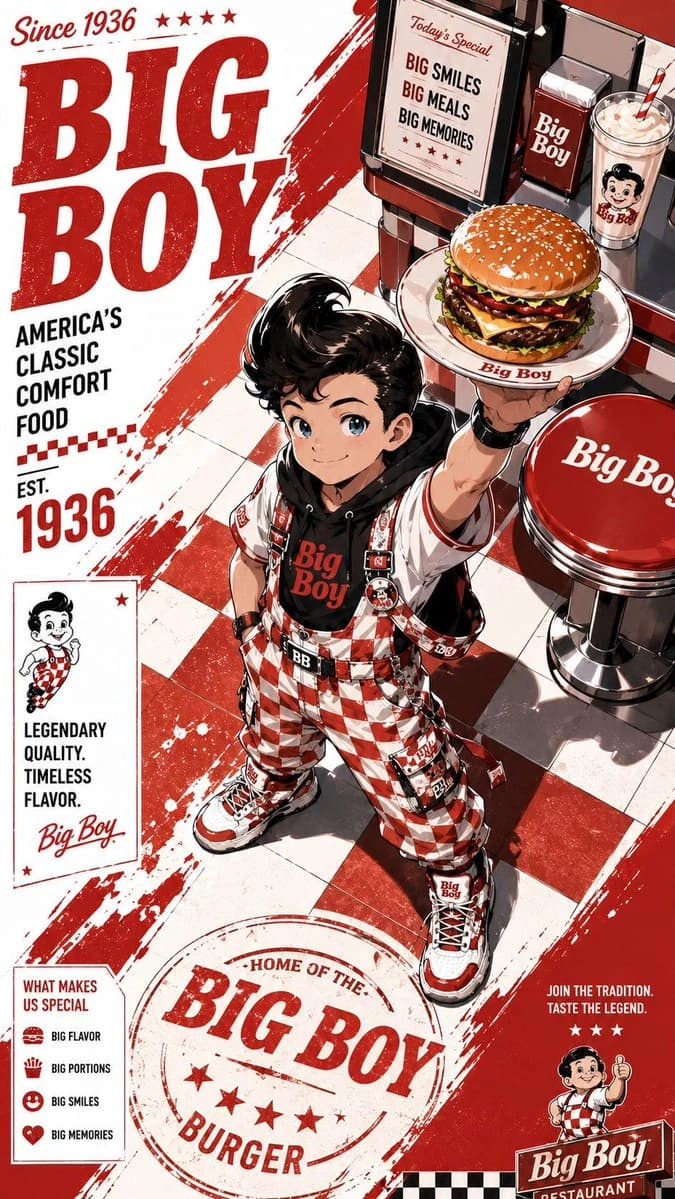
122 wordsStylized anime streetwear brand poster of a fast-food mascot character, full-body dynamic pose, highly detailed manga/anime illustration, modern urban fashion outfit inspired by the restaurant brand colors and identity, oversized hoodie, tactical straps, sneakers, chains, branded accessories, holding signature food item, bold graphic typography, editorial magazine layout, Japanese text elements, logos, promotional stickers, menu-style side panels, grunge textures, paint splashes, distressed paper background, collectible poster aesthetic, cyber street fashion meets commercial advertising, vibrant red/orange/black/white color palette, dramatic lighting, ultra detailed line art, cel-shaded anime rendering, energetic composition, high contrast, trendy hypebeast vibe, futuristic fast-food campaign art, iconic mascot redesign, layered collage graphics, branding everywhere on clothing and background, premium anime poster quality, vertical composition, sharp shadows, dynamic perspective, stylish and playful attitude.
About this prompt
Anime Streetwear Mascot Poster is a ready-to-use poster prompt for GPT Image 2 on Image 2. Copy the 122 words below, paste them into the Create form, and you will get a result close to the preview above. Tweak the Product Ad, Poster, Storyboard tag if you want to push it somewhere new.
Use it as a starting point, then adjust the subject, lighting, or composition to suit your idea. The credit cost stays the same whether you use it as written or customize it.
Use case
A strong starting point for Poster
Start here when you want a poster image inspired by Anime Streetwear Mascot Poster. The prompt already sets the look and composition; replace the subject, product, colors, or scene details to match your project.
Easy places to tweak
- Subject Swap in your person, product, place, or object without changing the overall composition.
- Look and mood Tune the lighting, palette, camera angle, or materials so the image fits your brand.
- Final format Set the aspect ratio, background, text, or layout notes before you generate.
More prompt paths to explore
Find more GPT Image 2 prompts with a similar style, use case, or subject.
How to use it
- Step 1
Copy the prompt
Hit the Copy button above to grab the full text.
- Step 2
Open Image 2 Create
Head to the Create form and paste it in.
- Step 3
Generate
Hit Generate. Your version lands in seconds.
Make it yours
Load the prompt into the Create form with one click, then start tweaking.