Prompt
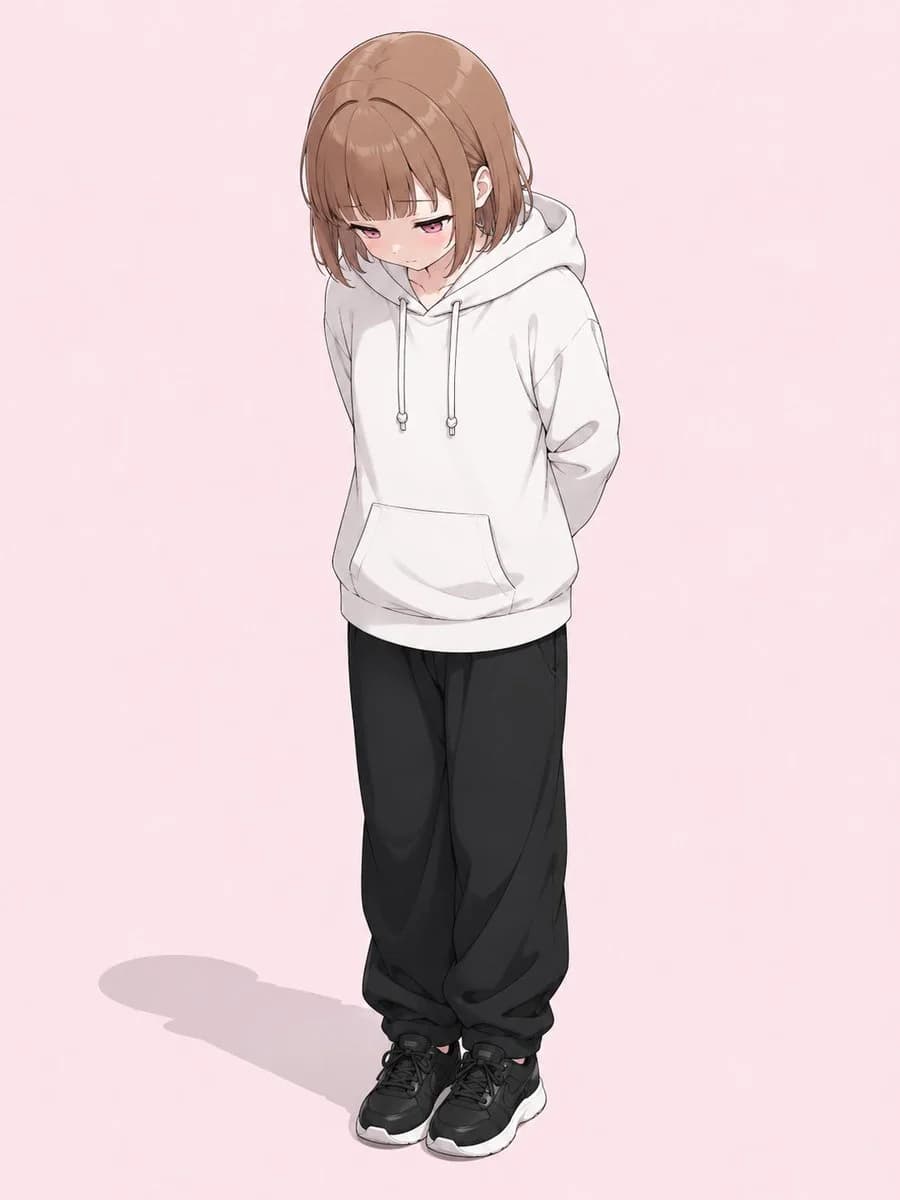
162 wordsUsing the provided reference image as a pose and composition guide, regenerate the character as a polished full-body 2D anime illustration. Keep the same shy downward-looking pose: head tilted down, shoulders slightly hunched, both hands held behind the back, legs close together, and feet pointed forward. Preserve the simple outfit silhouette from the reference, but render it with clean anime detail: an oversized {argument name="hoodie color" default="white"} hoodie with drawstrings and a front pouch pocket, loose {argument name="pants color" default="black"} pants, and chunky sneakers. Convert the blocky 3D model into a delicate anime girl with {argument name="hair color" default="light brown"} bobbed hair, soft bangs, subtle blush, and {argument name="eye color" default="pink"} eyes looking downward. Use a soft pastel {argument name="background color" default="pale pink"} background, gentle cel-shading, clean line art, natural fabric folds, and a faint floor shadow. Keep the camera angle slightly above the character, showing the full body vertically centered. Do not add text, props, extra characters, or a complex background.About this prompt
Anime Character From Pose Reference is a ready-to-use portrait prompt for GPT Image 2 on Image 2. Copy the 162 words below, paste them into the Create form, and you will get a result close to the preview above. Tweak the Portrait, Product, Fashion tag if you want to push it somewhere new.
Use it as a starting point, then adjust the subject, lighting, or composition to suit your idea. The credit cost stays the same whether you use it as written or customize it.
Use case
A strong starting point for Portrait
Start here when you want a portrait image inspired by Anime Character From Pose Reference. The prompt already sets the look and composition; replace the subject, product, colors, or scene details to match your project.
Easy places to tweak
- Subject Swap in your person, product, place, or object without changing the overall composition.
- Look and mood Tune the lighting, palette, camera angle, or materials so the image fits your brand.
- Final format Set the aspect ratio, background, text, or layout notes before you generate.
More prompt paths to explore
Find more GPT Image 2 prompts with a similar style, use case, or subject.
How to use it
- Step 1
Copy the prompt
Hit the Copy button above to grab the full text.
- Step 2
Open Image 2 Create
Head to the Create form and paste it in.
- Step 3
Generate
Hit Generate. Your version lands in seconds.
Make it yours
Load the prompt into the Create form with one click, then start tweaking.