01Transformations
Notebook portrait energy
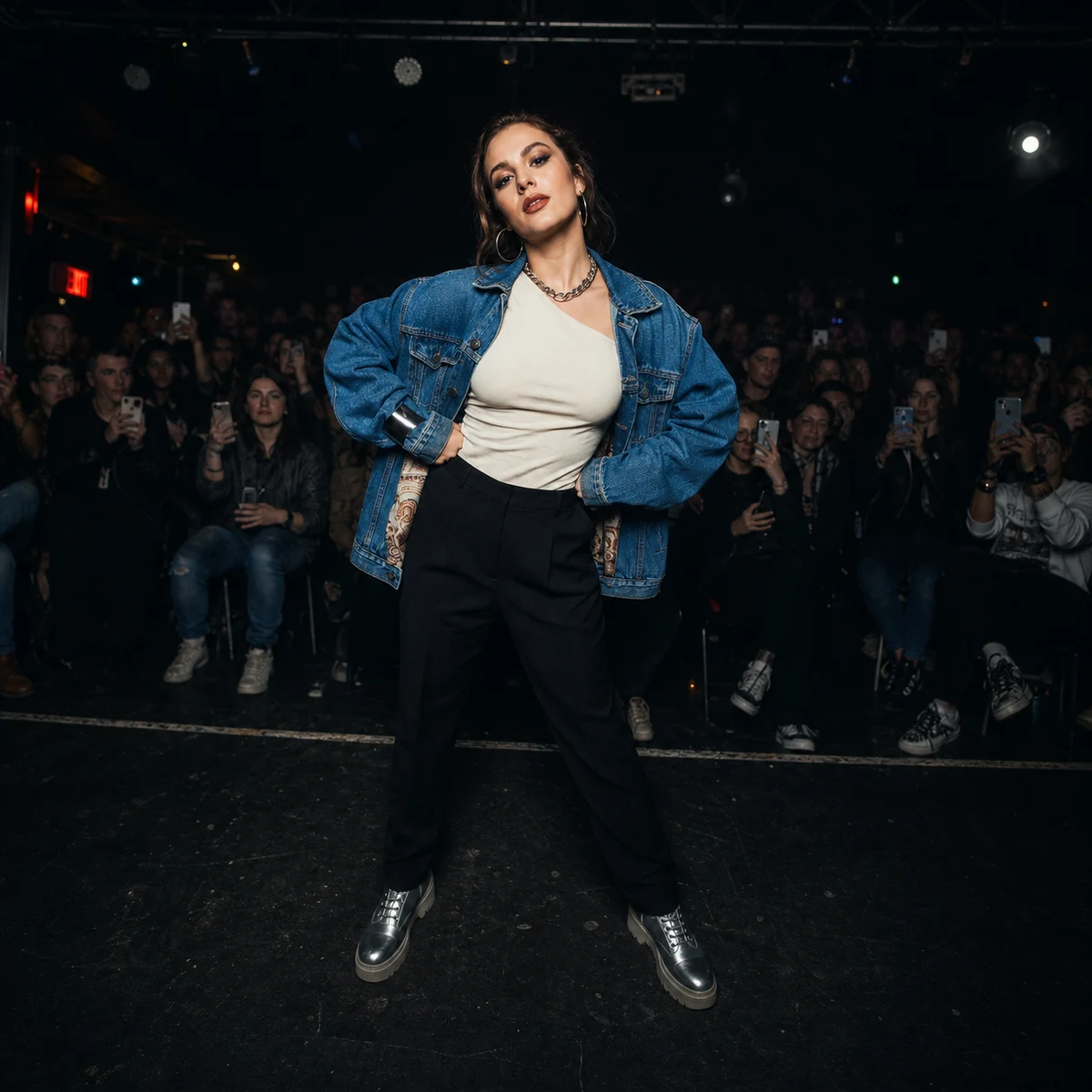
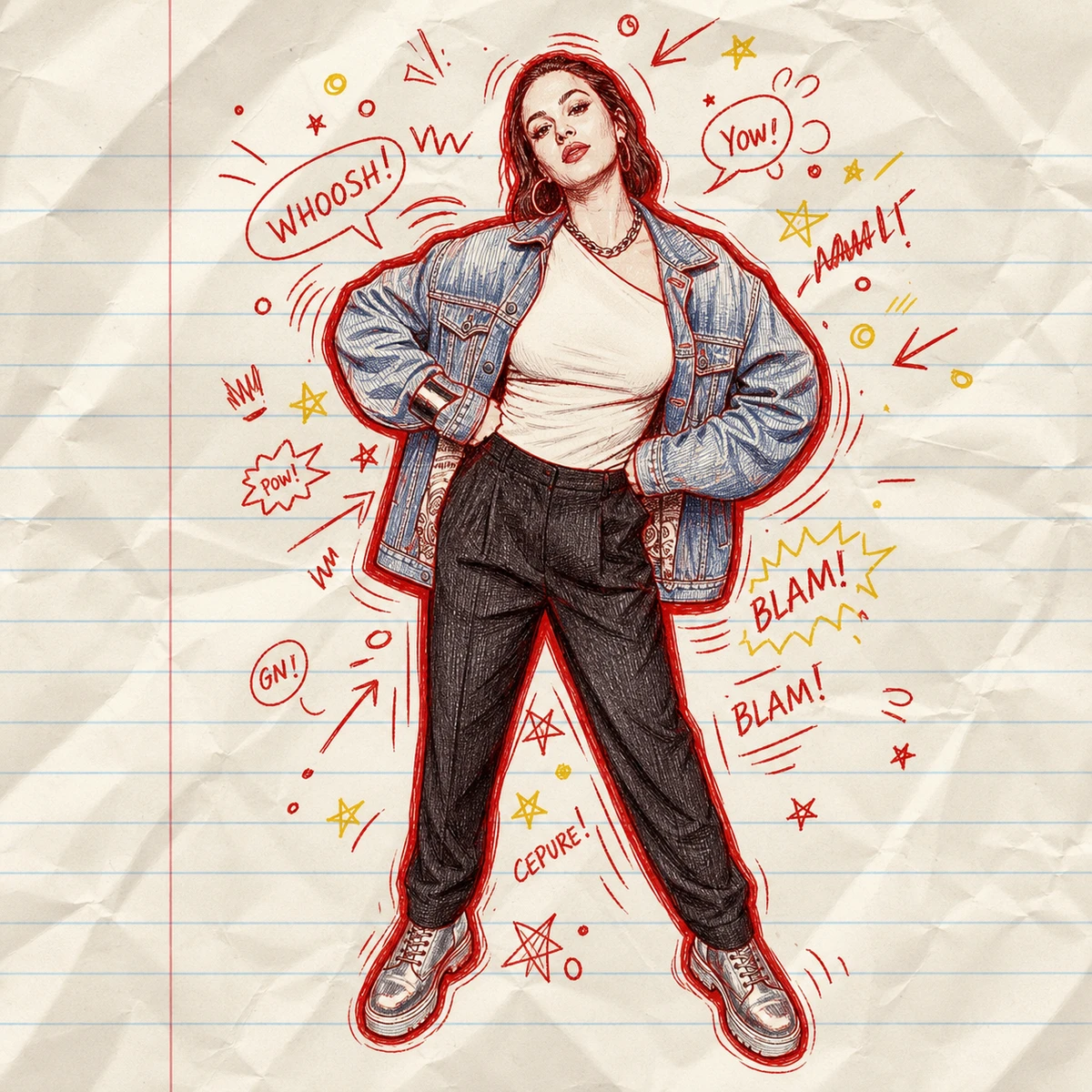
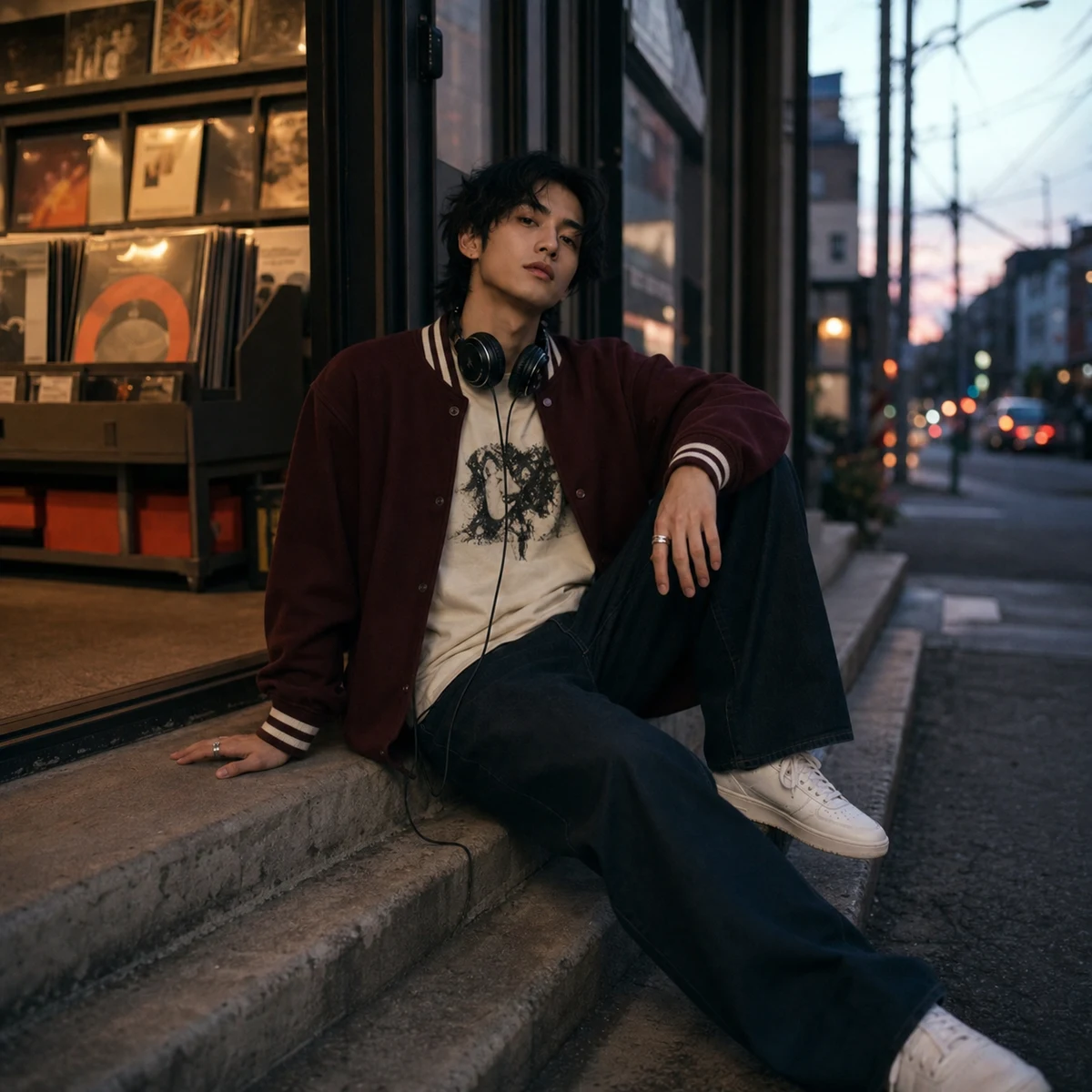
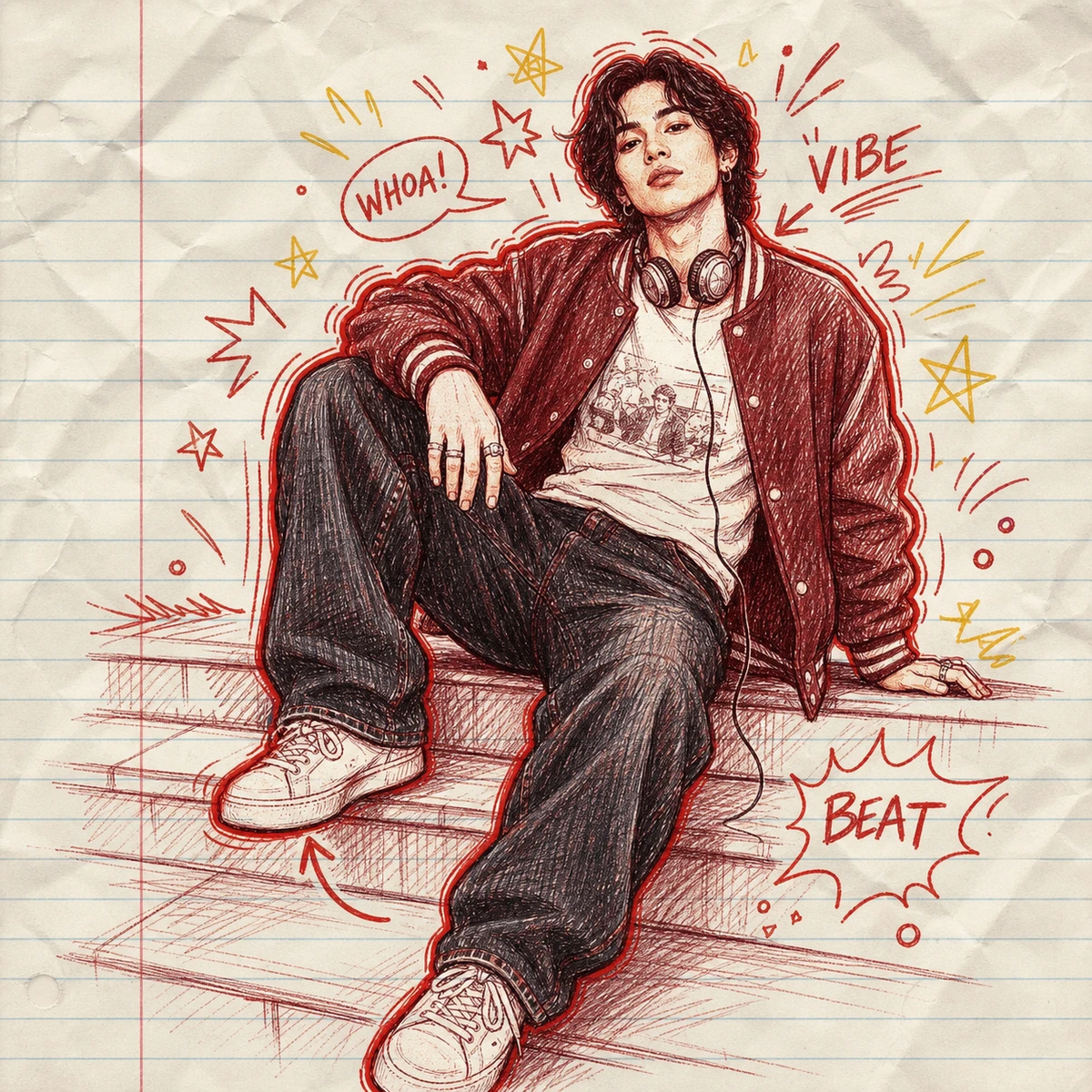
The subject stays recognizable while the image shifts into a red/yellow pen sketch on ruled paper.
Upload a portrait and turn it into a hand-drawn notebook doodle illustration. GPT Image 2 keeps the subject recognizable while adding red/yellow pen strokes, bold outline glow, comic annotations, arrows, stars, speech bubbles, and tactile paper texture.
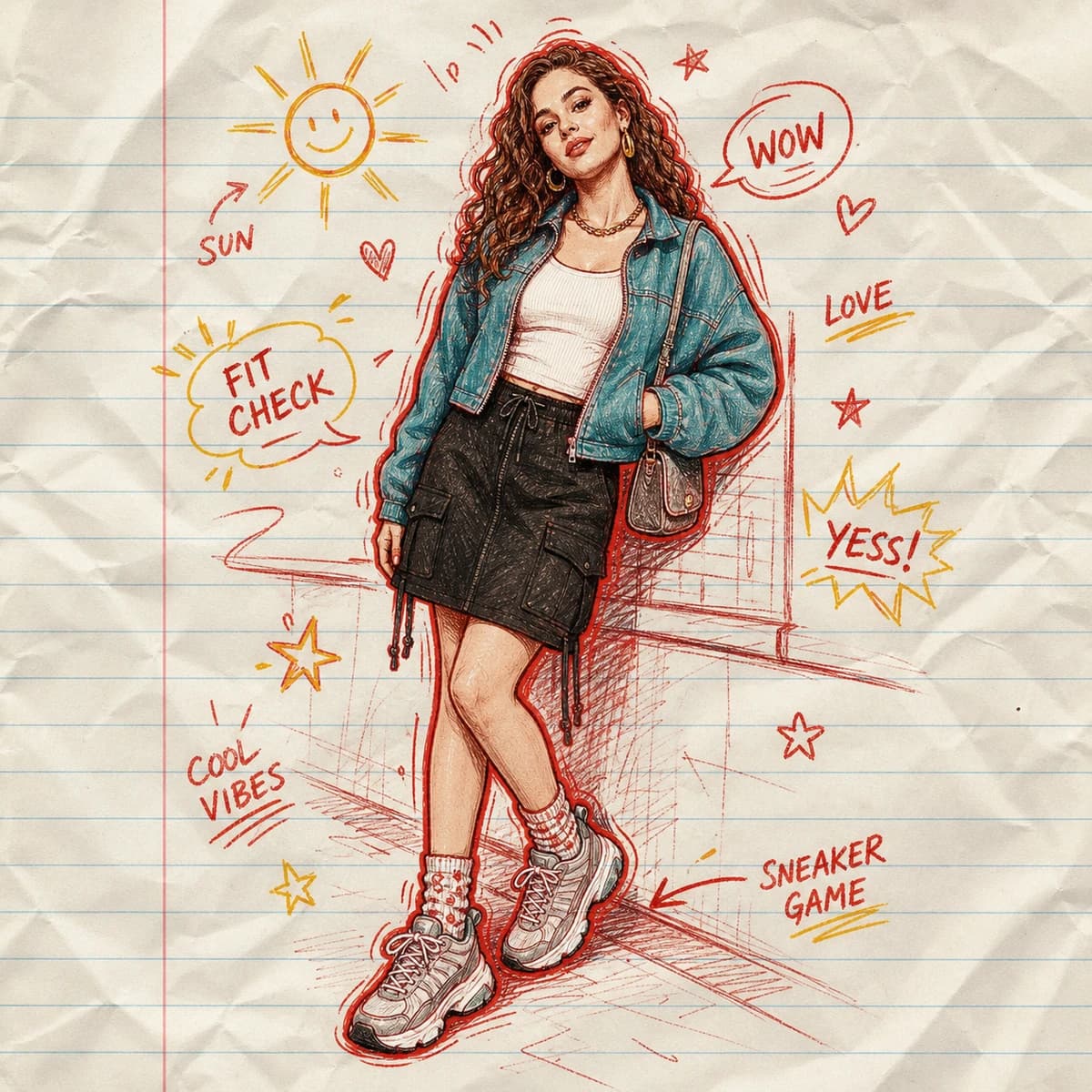
Compare original portraits with red/yellow pen doodle portraits, notebook paper, and comic annotations.
The subject stays recognizable while the image shifts into a red/yellow pen sketch on ruled paper.
Arrows, speech bubbles, stars, and short notes add social-feed personality without a separate caption.
Wrinkles, ink pressure, and imperfect contour lines keep the result personal instead of over-polished.
Use the default prompt, or copy a variant for a more specific notebook doodle edit.
Turn this portrait into a hand-drawn notebook doodle illustration. Preserve the same face, outfit, pose, and expression. Use red and yellow pen strokes, ruled notebook paper, a bold red outline glow, comic arrows, stars, speech bubbles, and playful handwritten notes around the subject. Keep realistic ink pressure, paper wrinkles, and imperfect sketch texture.
Create a full-body fashion doodle portrait from the uploaded photo. Keep the outfit, shoes, accessories, body pose, and face recognizable. Draw it on lined notebook paper with expressive red/yellow pen contour lines, scribbled fabric shading, arrows pointing to outfit details, tiny stars, margin notes, and comic sound effects. Keep the notes away from the face.
Make a square profile avatar in the Doodle Captioning style. Preserve facial identity, hairstyle, glasses or facial hair if present, and the main expression. Use notebook paper texture, red pen outlines, yellow highlight sparks, simple handwritten labels, and a clean centered composition that works as a social avatar.
Transform this photo into a personal comic diary sketch. Keep the person recognizable and redraw the scene with red and yellow pen on crumpled ruled paper. Add diary-like handwritten annotations, arrows, small hearts, stars, motion lines, and speech bubbles, with an analog sketchbook feel and balanced empty space.
Build the whole image from tiny emoji tiles while keeping the original subject recognizable.
Common questions about using Doodle Captioning Generator
Doodle Captioning is a photo-to-style template that turns a portrait into a hand-drawn notebook doodle. The person remains recognizable while comic notes, arrows, stars, speech bubbles, and red/yellow pen strokes add personality around the image.
Clear portraits, outfit photos, half-body shots, and full-body poses work best. Leave some empty space around the subject if you want more handwritten annotations and doodles.
Each generation uses 2/2/6 (1K/2K/4K) credits. Higher-resolution outputs may cost more depending on the selected model and size.
The prompt is designed to preserve facial structure, hairstyle, expression, outfit, and body pose. As with any AI image edit, very blurry, covered, or tiny faces may be less stable.
Yes. Add a short instruction in the prompt field, such as “write COOL FIT near the jacket” or “use only small stars and arrows.” Keep requested text short for better legibility.
Yes. It works for people, pets, and simple product photos. For products, ask for callout arrows, handwritten feature notes, and notebook doodles around the object.
It is related, but this template redraws the subject as a notebook pen illustration. A pure doodle overlay keeps the original photo underneath and only adds white sketch overlays.
Yes, you can use the generated result for personal posts, avatars, creative profiles, mood boards, and campaign drafts, subject to Image 2 terms and the rights to your uploaded photo.
Still have questions? Contact us at [email protected]