01Transformations
Doll Filter before and after
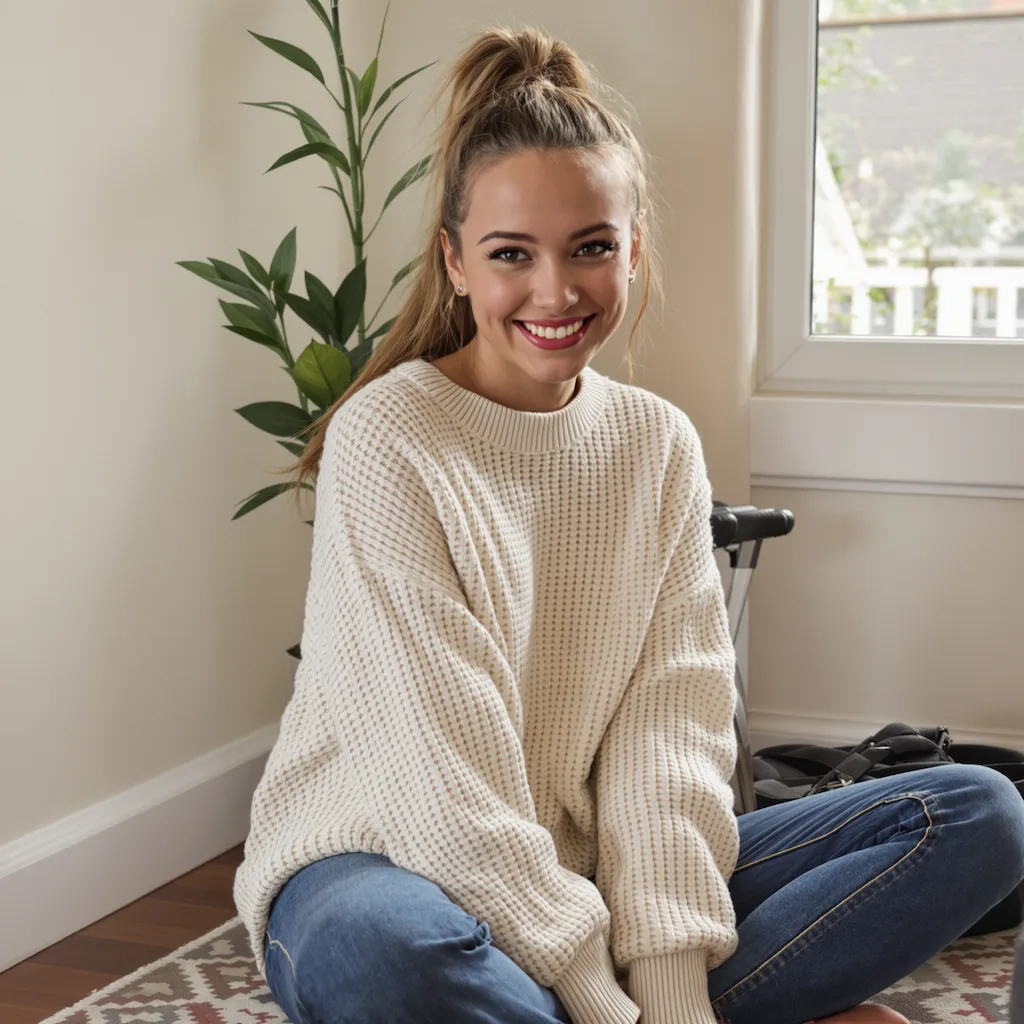
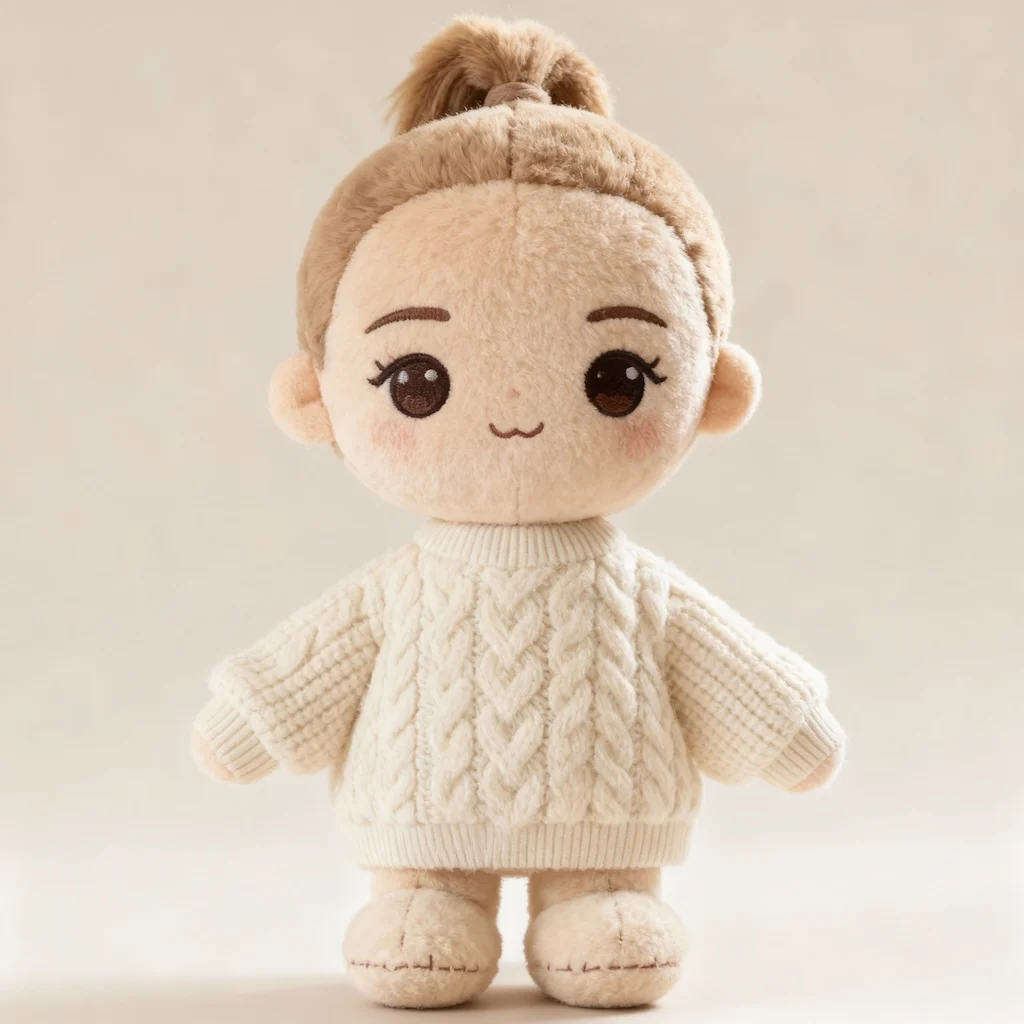
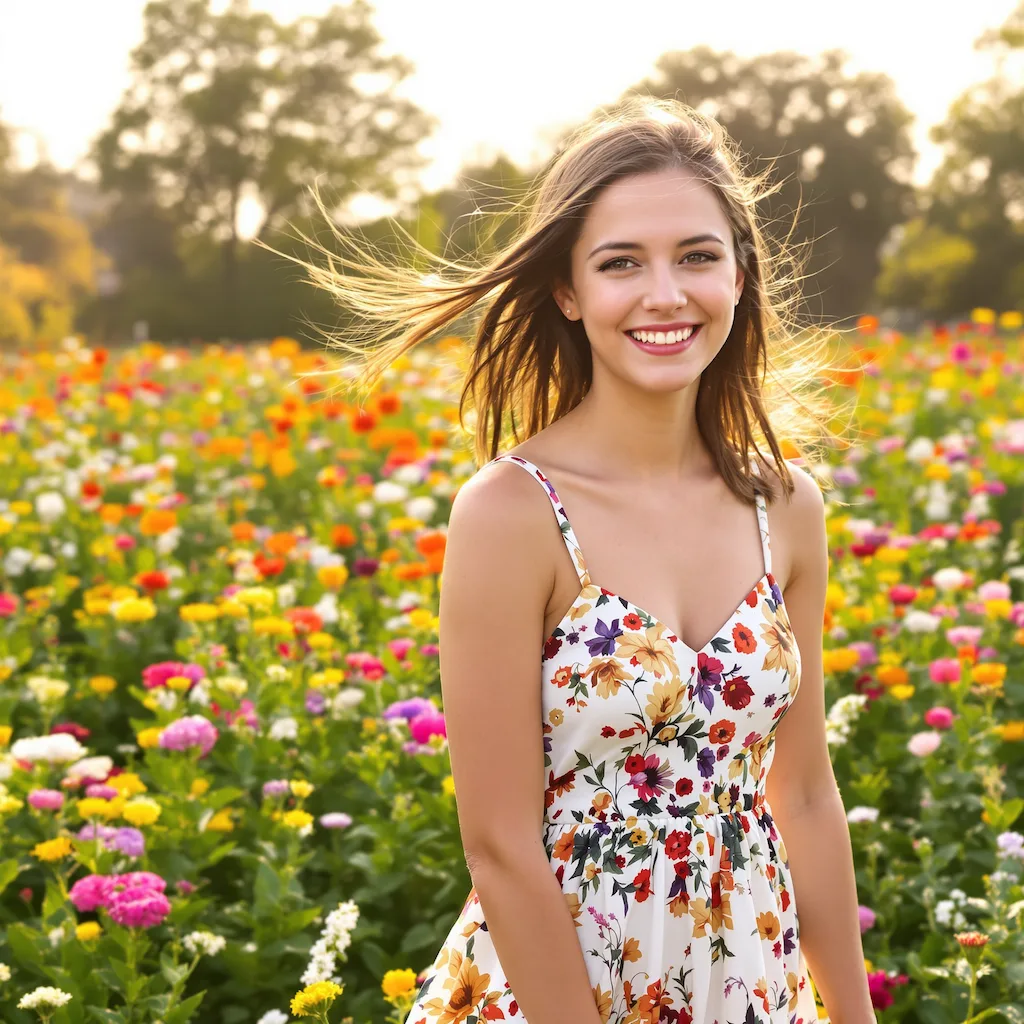
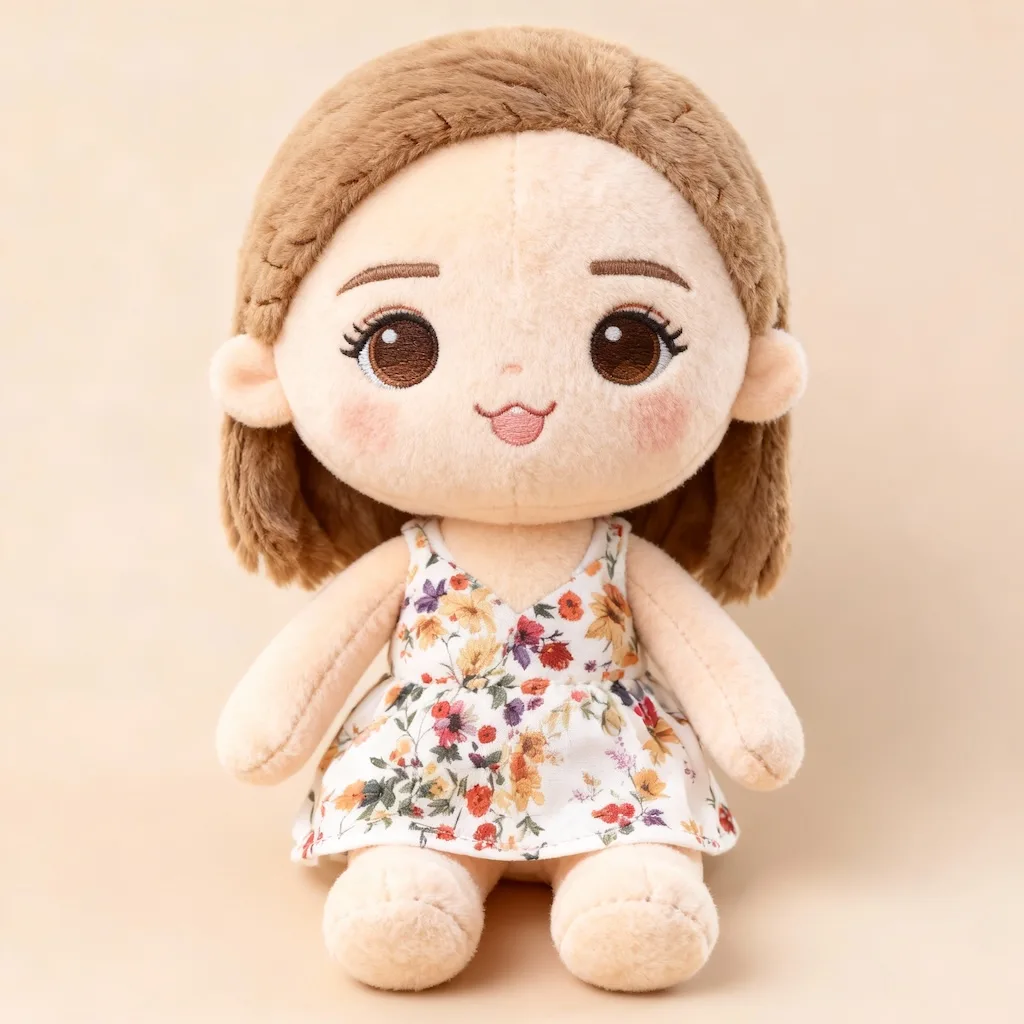
Start with a clear portrait or beauty selfie; the result shows toy-like skin texture, glossy eyes, soft makeup, and a collectible-photo finish in a clear before-and-after comparison.
Use GPT Image 2 to turn selfies into doll-style portraits, beauty edits, and collectible avatar images. This Doll Filter workflow focuses on toy-like skin texture, glossy eyes, soft makeup, and a collectible-photo finish.
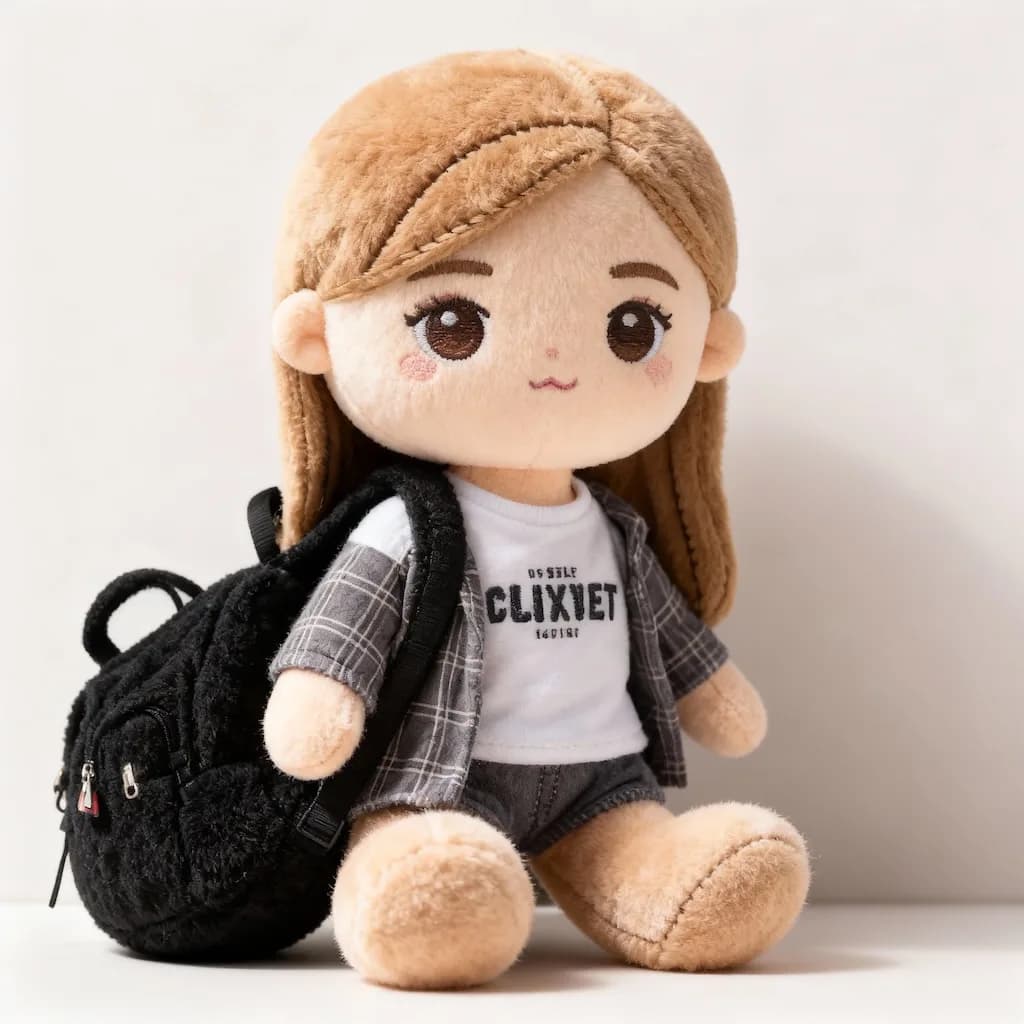
See how Doll Filter works when you need to turn selfies into doll-style portraits, beauty edits, and collectible avatar images.
Start with a clear portrait or beauty selfie; the result shows toy-like skin texture, glossy eyes, soft makeup, and a collectible-photo finish in a clear before-and-after comparison.
Best with a clear portrait or beauty selfie. Keep the main subject clear so GPT Image 2 can preserve recognizable detail while applying the Doll Filter look.
Use it when you need to turn selfies into doll-style portraits, beauty edits, and collectible avatar images. These examples show finished outputs, so users can judge the Doll Filter look before uploading.
Common questions about using Doll Filter
The Doll Filter works well with people, pets, characters, and objects. For best results, use a clear photo with good lighting and a simple background.
It keeps the most recognizable features while applying the plush look. Facial details become stitched accents, hair turns into fuzzy fabric, and clothing becomes a tiny plush outfit.
Each Doll Filter transformation uses 2/2/6 (1K/2K/4K) credits. You can purchase credit packages, claim daily check-in rewards, or invite friends for additional credits.
Commercial use may be permitted, subject to our Terms of Service, applicable law, and third-party rights. You are responsible for reviewing generated outputs before any commercial use.
The plush style adds visible stitching, fuzzy fabric texture, embroidered details, soft lighting, and material depth so the result feels like a collectible toy.
The style is generated from your input image, with fabric texture, color, and proportion chosen to fit the subject. Each result keeps the feel of the original photo while making it softer and more playful.
Still have questions? Contact us at [email protected]