


01Transformations
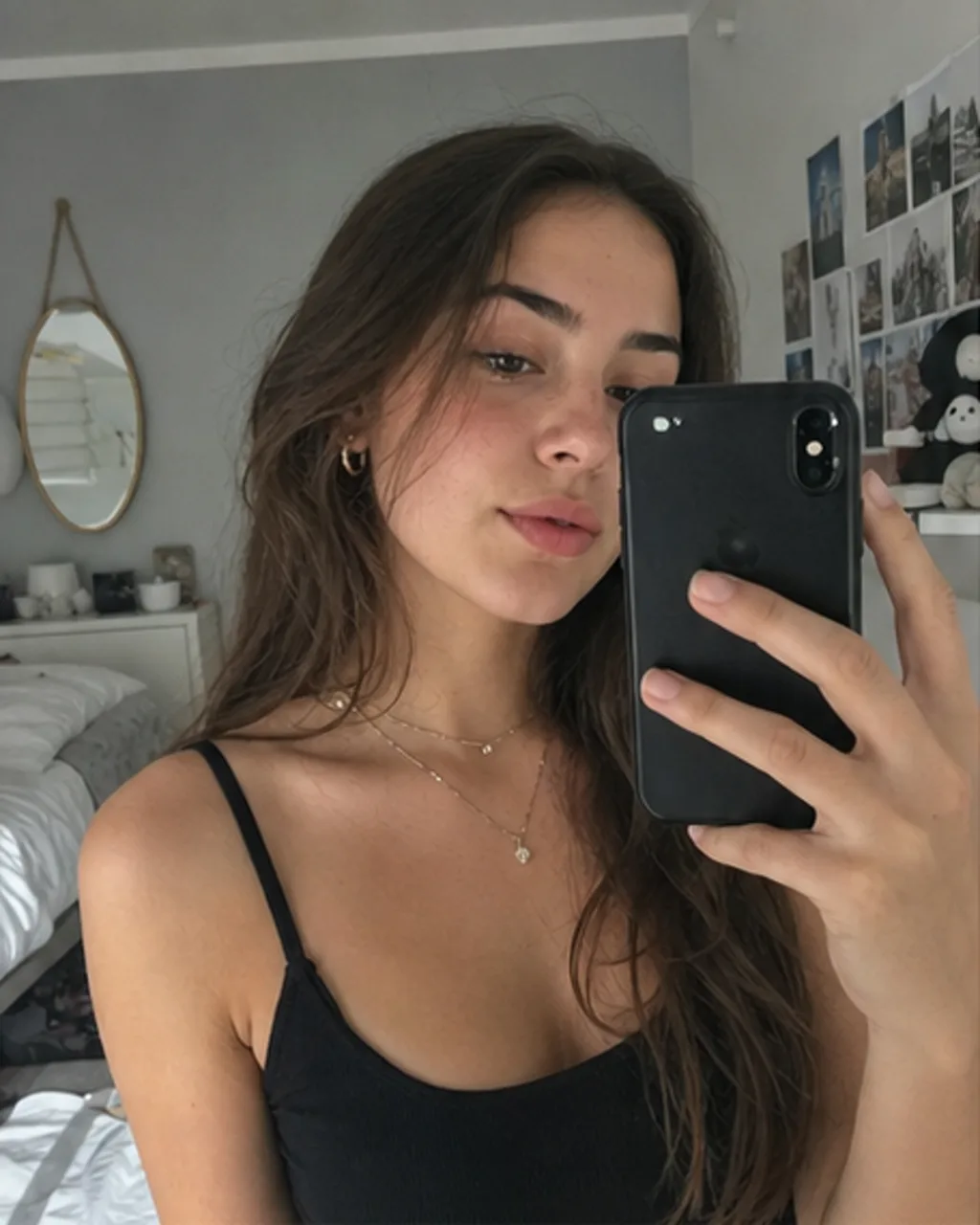
Snapchat-era selfie
Strong flash, oversaturated color, playful 2016 filter look, and low-res iPhone texture
Turn a selfie into the 2026 Is the New 2016 trend with GPT Image 2: saturated flash, blurry iPhone front-camera texture, Snapchat dog filter or flower crown cues, Tumblr mood, Vine-era framing, and old Instagram compression while keeping the person recognizable.
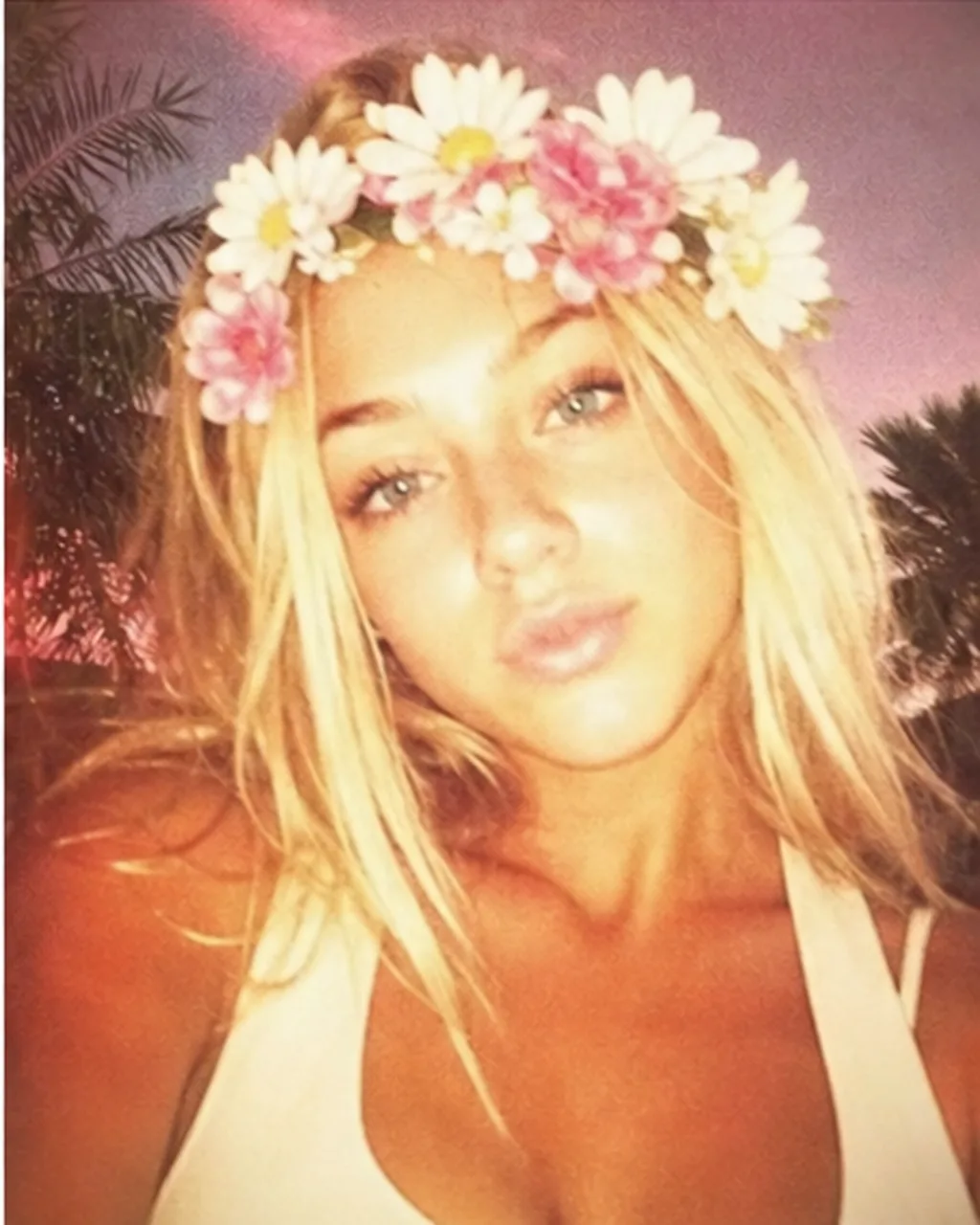
Turn a selfie into the 2026 Is the New 2016 trend with GPT Image 2: saturated flash, blurry iPhone front-camera texture, Snapchat dog filter or flower crown cues, Tumblr mood, Vine-era framing, and old Instagram compression while keeping the person recognizable.
Strong flash, oversaturated color, playful 2016 filter look, and low-res iPhone texture
Soft blur, warm color, flower-crown nostalgia, and dreamy Tumblr feed styling
Compressed mobile-camera texture, blown highlights, casual framing, and 2016 camera-roll realism
Use the default prompt, or copy a variant for the Snapchat dog filter, flower crown, old Instagram flash, or Vine-era camera-roll look.
Transform this selfie into a nostalgic 2016 Snapchat-era photo. Preserve the person's face, identity, pose, hairstyle, and outfit. Add oversaturated colors, strong phone flash, blurry iPhone front-camera quality, and cute dog ears and nose when they fit the photo. Keep the glossy highlights, old Instagram compression, and casual 2016 social feed feeling. Make it imperfect, like a real selfie posted in 2016.
Turn the uploaded portrait into a 2016 Tumblr and Snapchat flower crown selfie. Keep the same person and facial identity. Add a soft flower crown, warm overexposed flash, pink-orange saturated color, gentle blur, low-resolution iPhone quality, a dreamy Tumblr feed feeling, and slightly compressed old Instagram texture. Avoid polished modern beauty retouching.
Edit this photo like an old Instagram post from 2016. Preserve identity, expression, clothing, and scene. Add strong direct phone flash, blown highlights, saturated skin tones, mild blur, low dynamic range, JPEG compression, early mobile-camera noise, casual off-center framing, and a simple feed-post feeling. Make it look uploaded from an iPhone camera roll in 2016.
Make this image feel like a Vine-era camera-roll selfie from 2016. Keep the person recognizable and keep the original scene. Use harsh front flash, oversaturated color, slightly shaky framing, low-res iPhone selfie quality, soft motion blur, party or bedroom snapshot timing, Tumblr nostalgia, and old social-media compression. The result should feel caught in the moment, not studio-made.
Common questions about using 2026 Is the New 2016 Filter
Still have questions? Contact us at [email protected]