Prompt
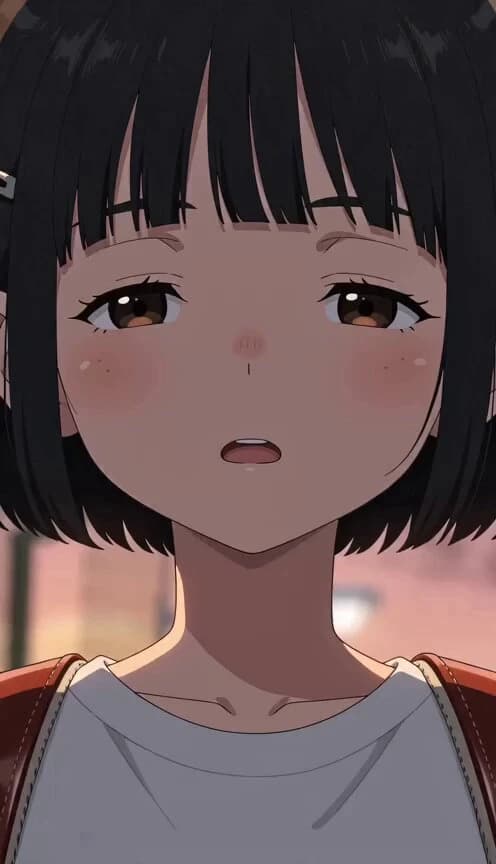
271 words[Protagonist] A 2nd-grade elementary school girl with a black bob cut [Setting] A pedestrian bridge in the evening [Opponent] People in town [Gimmick] Sighing [Video Style] 15 seconds. Japanese full-color anime. High-density 2D animation with a 500 million yen budget scale. Meticulous background art, smooth in-betweens, cinematic quality compositing. To ensure visual variety, vary the composition, camera angles, screen sizes, and character distancing for an engaging flow. No subtitles, no watermarks, no BGM. Ambient sound included. [Visual Structure] A modest sigh from the protagonist somehow triggers planetary-scale physical phenomena. Aerial shots show the scale of the impact while she continues her daily routine with a deadpan face. Finally, she cleans it up herself as if nothing happened. Shot 1 (Shock Hook): Evening pedestrian bridge. The protagonist's sigh sends real shockwaves through the ground. She remains completely expressionless. Shot 2 (Scale): Switched to an aerial shot. The impact spreads in a circle from the center of the sigh on a city scale. The protagonist seems completely oblivious. Shot 3 (Daily Life): The protagonist continues her usual daily actions with a straight face. A detached and cool expression. Shot 4 (Second Shot): She accidentally sighs again, and a second circle overlaps the first. She tilts her head in puzzlement. Shot 5 (Evacuation): Surrounding birds and cats evacuate quietly as if accustomed to this. The protagonist is entirely unaware and composed. Shot 6 (Convergence): When the protagonist clears her throat, the ground and city somehow rewind to their original state. A composed and serene expression. Shot 7 (Nonchalance): The protagonist fixes her bangs and says nonchalantly, "That was good ventilation," then walks off normally.
About this prompt
Supernatural Sigh Shockwave Anime Scene is a Anime Seedance 2.0 prompt with 271 words, structured around shot timing, camera direction, motion cues, and remixable scene details.
Use the visual preview, when available, to understand the composition, then treat the prompt text as a production brief you can adapt for your own subject, brand, or story.
Video prompt structure
Use it for Anime videos
Best for Seedance 2.0 generations that need Anime, Multi-Shot, Dialogue. Replace the subject, setting, product, dialogue, music, and timing before sending it to the generator.
Customize before generating
- Swap the subject. Keep the camera and timing structure, but change the character, product, or environment.
- Tighten the timeline. Shorten or expand shot blocks so they match the duration you want to render.
- Add reference media. Use first frames, last frames, images, video, or audio when the prompt depends on a specific look or rhythm.
More Seedance paths to explore
Browse adjacent styles and techniques from the same Seedance 2.0 prompt library.
How to use it
- Step 1
Copy or start from this prompt
Use the full prompt as a structured draft rather than rewriting the whole video brief.
- Step 2
Open Seedance 2.0
Send the text into the Seedance generator and choose text, image, or reference mode.
- Step 3
Adapt and render
Tune duration, aspect ratio, reference media, camera notes, and dialogue before generating.
Make it a Seedance video
Start from this prompt in the Seedance 2.0 generator, then adjust the scene, duration, aspect ratio, and reference media.