Prompt
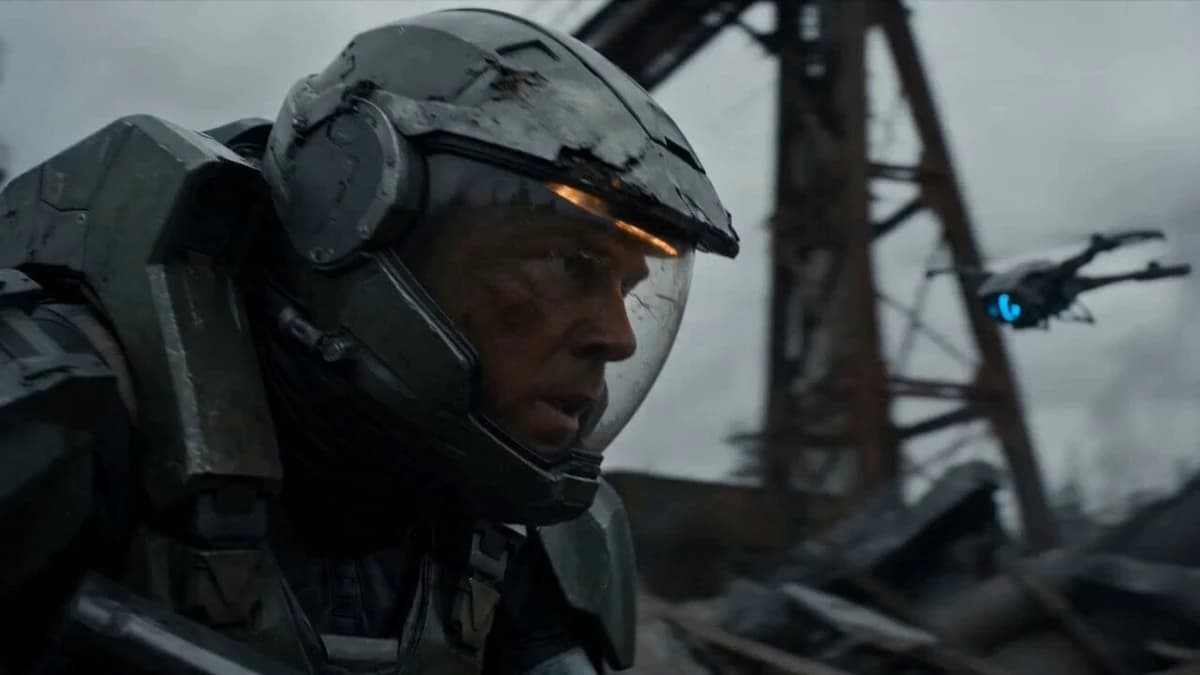
88 wordsA lone ex-soldier in damaged body armor with a cracked helmet and glowing wrist device + 0–4s: moves silently through a dead industrial zone while drones scan the ruins; - enemy machines detect him, explosions erupt, he fights through robots with EMP blasts, shotgun shots and brutal hand-to-hand takedowns; - activates a final pulse that drops every drone from the sky, standing alone beneath falling sparks as the camera pulls back over the destroyed factory Post-apocalyptic sci-fi action, sparks, smoke, practical explosions, dynamic tracking, final silence after chaos.
About this prompt
Post-Apocalyptic Sci-Fi Soldier Combat is a VFX Seedance 2.0 prompt with 88 words, structured around shot timing, camera direction, motion cues, and remixable scene details.
Use the visual preview, when available, to understand the composition, then treat the prompt text as a production brief you can adapt for your own subject, brand, or story.
Video prompt structure
Use it for VFX videos
Best for Seedance 2.0 generations that need VFX, Multi-Shot. Replace the subject, setting, product, dialogue, music, and timing before sending it to the generator.
Customize before generating
- Swap the subject. Keep the camera and timing structure, but change the character, product, or environment.
- Tighten the timeline. Shorten or expand shot blocks so they match the duration you want to render.
- Add reference media. Use first frames, last frames, images, video, or audio when the prompt depends on a specific look or rhythm.
More Seedance paths to explore
Browse adjacent styles and techniques from the same Seedance 2.0 prompt library.
How to use it
- Step 1
Copy or start from this prompt
Use the full prompt as a structured draft rather than rewriting the whole video brief.
- Step 2
Open Seedance 2.0
Send the text into the Seedance generator and choose text, image, or reference mode.
- Step 3
Adapt and render
Tune duration, aspect ratio, reference media, camera notes, and dialogue before generating.
Make it a Seedance video
Start from this prompt in the Seedance 2.0 generator, then adjust the scene, duration, aspect ratio, and reference media.