Prompt
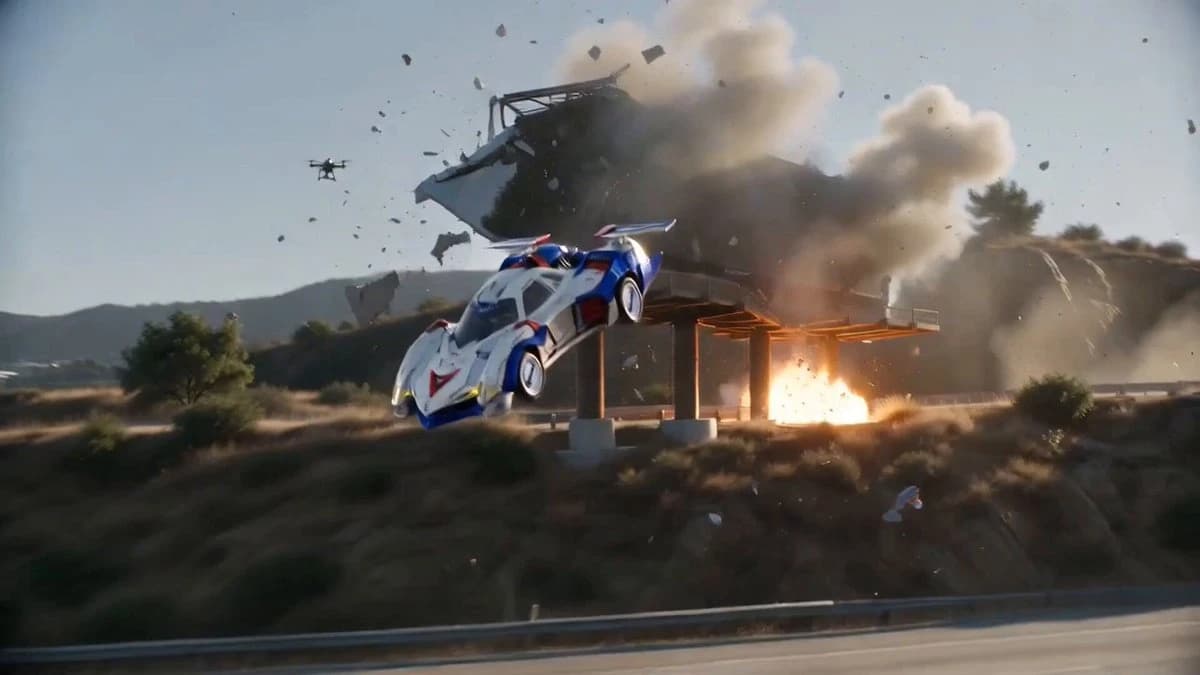
177 wordsA powerful chase scene set in a city during the daytime. An extremely realistic live-action large-scale blockbuster action scene. Photorealistic footage completely free of CG feel. A beautiful young Japanese female driver is operating a futuristic hypercar. Her face should perfectly match the attached reference image. The car is a futuristic hypercar with an aggressive design (heavy and authentic texture). Scene Flow: - A military helicopter approaches rapidly from above, and while being chased by military drones, the car speeds through high-rise districts and congested lanes. - It plunges into traffic, driving at high speed in the opposite lane, narrowly escaping. Drones explode one after another in the surroundings. - Finally, it crashes head-on at high speed into a giant billboard along the highway (a billboard for drinking water featuring a beautiful woman in a gravure pose), smashing it to pieces. Amidst flying debris, it dashes past the front of the camera at ultra-high speed and moves away. A massive chain explosion occurs behind. blockbuster-grade live-action VFX, natural textures, powerful camerawork, 8K, completely eliminating any CG scent.
About this prompt
large-scale blockbuster Car Chase Sequence is a VFX Seedance 2.0 prompt with 177 words, structured around shot timing, camera direction, motion cues, and remixable scene details.
Use the visual preview, when available, to understand the composition, then treat the prompt text as a production brief you can adapt for your own subject, brand, or story.
Video prompt structure
Use it for VFX videos
Best for Seedance 2.0 generations that need VFX, Multi-Shot, Image Reference. Replace the subject, setting, product, dialogue, music, and timing before sending it to the generator.
Customize before generating
- Swap the subject. Keep the camera and timing structure, but change the character, product, or environment.
- Tighten the timeline. Shorten or expand shot blocks so they match the duration you want to render.
- Add reference media. Use first frames, last frames, images, video, or audio when the prompt depends on a specific look or rhythm.
More Seedance paths to explore
Browse adjacent styles and techniques from the same Seedance 2.0 prompt library.
How to use it
- Step 1
Copy or start from this prompt
Use the full prompt as a structured draft rather than rewriting the whole video brief.
- Step 2
Open Seedance 2.0
Send the text into the Seedance generator and choose text, image, or reference mode.
- Step 3
Adapt and render
Tune duration, aspect ratio, reference media, camera notes, and dialogue before generating.
Make it a Seedance video
Start from this prompt in the Seedance 2.0 generator, then adjust the scene, duration, aspect ratio, and reference media.