Meet Your Younger Self Trend: 12 Childhood vs Present AI Prompts
Copy 12 Childhood vs Present AI prompts for the Meet Your Younger Self trend, with steps for ChatGPT-style Instagram photos and Reels.
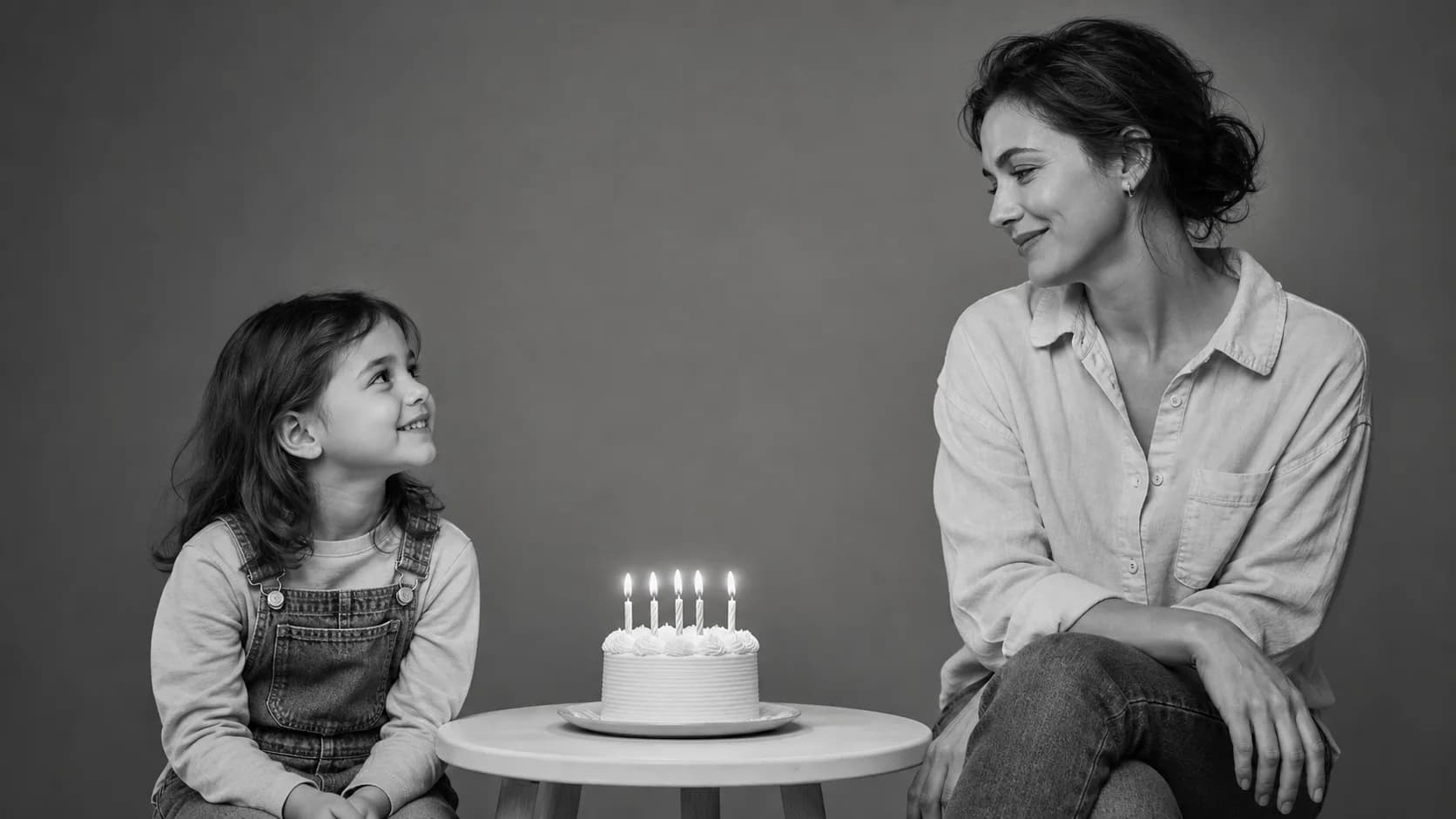
Make your own version
Meet your younger self in one photo
Start with the one-photo generator, or browse 12 copy-ready prompts for birthday, mirror, hug, and Reel-cover variations.
The meet your younger self trend is the AI photo trend everyone's posting on Instagram right now. You upload one photo from your childhood and one from today, and AI places both versions of you into the same scene — usually a cinematic black-and-white studio shot where the two of you sit across from each other, locking eyes across time.
In this guide, we'll show you exactly how to do the meet your younger self trend step-by-step, with 12 best childhood vs present prompts you can copy and use right now — including the viral birthday-cake variant, the mirror reflection version, and an image-to-video bonus prompt for Reels.
Don't have a childhood photo handy? The one-photo Childhood vs Present generator can infer a believable younger version from a clear current portrait. If you want more scene choices, browse the 12 copy-ready Meet Your Younger Self prompts.
What Is the Meet Your Younger Self Trend?
The "meet your younger self" trend (also called the childhood vs present trend) is one of the most emotional AI photo trends of 2026. Driven by the new generation of image models like ChatGPT Images 2.0, it lets people create a single, carefully staged image where their child self and adult self share the same frame.
What makes it special:
- Two versions of the same person — past and present — in one photograph
- Cinematic studio lighting, often in black and white
- Subtle interaction between the two: eye contact, a shared smile, a hand reaching across, sometimes a hug
- Looks like a real photoshoot, not a collage or filter
Where it's trending:
- Instagram (most popular — Reels and carousel posts)
- TikTok (slow-zoom reveals with nostalgic music)
- X/Twitter (single-image emotional posts)
- Facebook (long-caption "letter to my younger self" posts)
It's everywhere because it's emotional, easy to understand, and highly shareable — it's not just a filter, it's a story about growth.
How to Do the Meet Your Younger Self Trend (Step-by-Step)
Image 2 supports two useful approaches: use the one-photo generator when you only have a current portrait, or use a childhood photo plus a current photo when you want both ages grounded in real references. Here's exactly how to do the younger self trend with two photos:
How to Do the Trend in 5 Easy Steps
- Pick your two photos — One clear childhood photo (ages 5-12 work best) and one recent photo of you today
- Go to the Childhood vs Present generator
- Upload both photos — Childhood photo in the first slot, present-day photo in the second
- Copy one of the 12 prompts below — Choose the scene that fits the mood you want
- Click Generate — Download and share to Instagram, TikTok, or wherever you post
Pro Tip: For best results, pick photos where:
- The face is clearly visible in both
- Lighting is even (no heavy shadows across the face)
- The childhood photo isn't too blurry or low-resolution
- Both photos face roughly the same direction (the AI matches them more naturally)
Tip: For maximum stability, append the Universal Negative Prompt at the end of any prompt below. It dramatically reduces face distortion, extra fingers, and identity drift.
My Younger Self Looking at Me: Three Ways to Frame the Prompt
Searches such as “my younger self looking at me,” “younger self looking at older self,” and “mini you, you now prompt” all describe the same core idea: two ages of one person sharing a believable moment in the same frame. The wording changes which side of the interaction feels more important.
My Younger Self Looking at Me
Use this angle when you want the child to be the emotional focus. Ask for the younger self to look directly at the present-day adult with curiosity, recognition, or a small smile. Keep both faces visible and use a simple studio or quiet indoor background so the eye contact carries the image.
Younger Self Looking at Older Self
This version works well for reflective or reassuring scenes. Place the younger self on the left and the older self on the right, then describe a natural shared eye line. A birthday cake, park bench, mirror, or small table can give the two versions a reason to face each other without making the pose feel staged.
Mini You, You Now Prompt
“Mini you, you now” is a shorter social-media phrase for the same Childhood vs Present composition. Use a clear current portrait as the identity reference, ask for an age-appropriate younger version, and explicitly preserve the adult's face shape, hairstyle cues, skin tone, and expression. For ready-made variations, open the Meet Your Younger Self prompt collection.
Top 5 Must-Try Childhood vs Present Prompts
These are the five highest-performing variants — the ones going viral on Instagram and TikTok right now. Start here.
#1 Birthday Cake Black & White Studio (The Main Viral Shot)
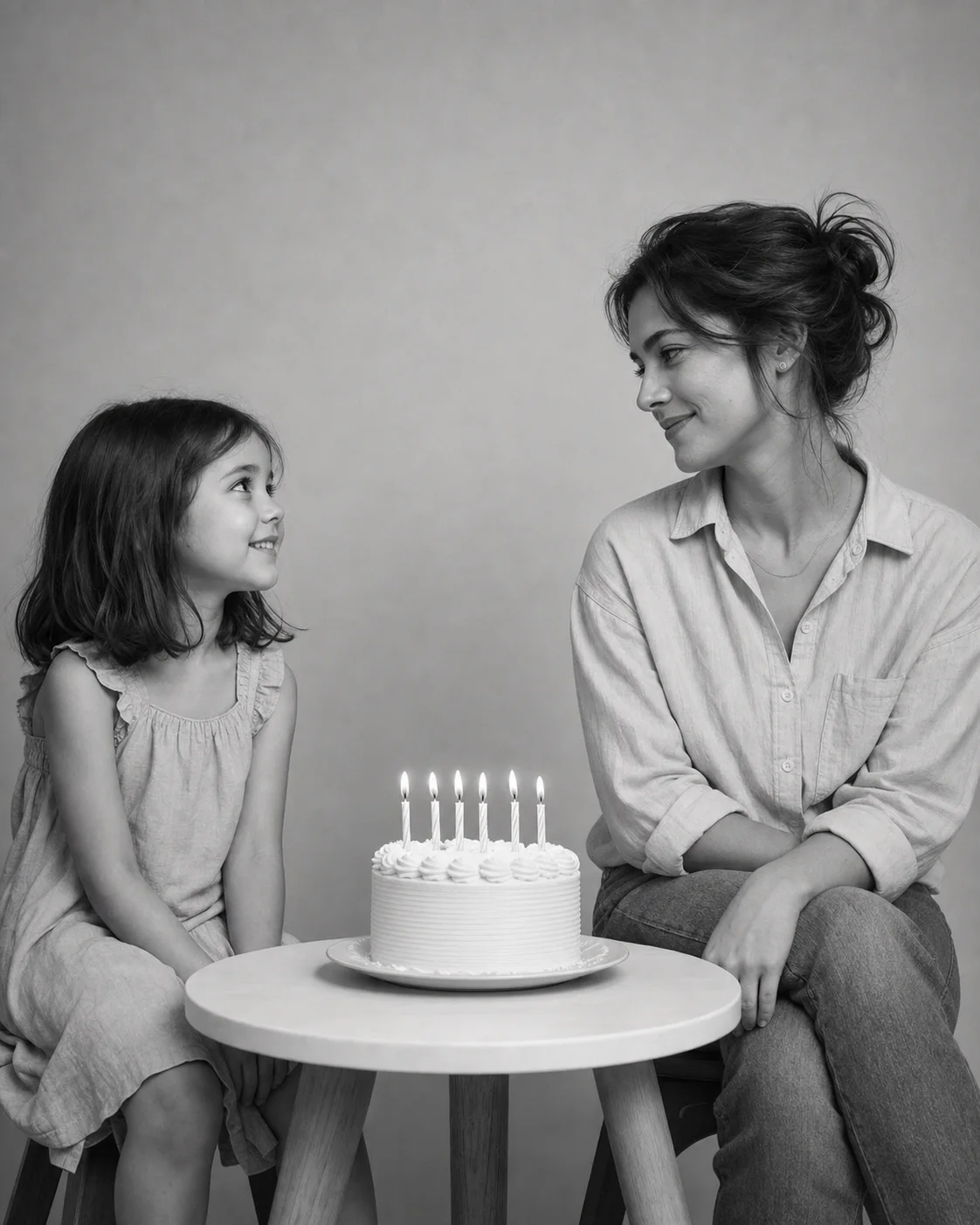
Using the two uploaded photos, create an ultra-realistic emotional black-and-white studio portrait of me meeting my younger self.

Place my childhood version on the left, based on the childhood photo, facing slightly to the right with a soft innocent smile. Place my present-day version on the right, based on the current photo, looking gently at the child with a calm, reflective expression.

Between them, place a small minimal table with an elegant birthday cake showing the number [CURRENT AGE]. Use soft cinematic studio lighting, natural shadows, realistic facial features, natural skin texture, accurate proportions, and a clean minimal background.

Make it look like a professional editorial photograph, emotional but not exaggerated. No distortion, no extra people, no text, no watermark. Aspect ratio 4:5.
Replace: [CURRENT AGE] with your actual age, e.g., 24, 30, 18.
Best for: The default trend look — highest hit rate, most recognizable, perfect for Instagram carousel posts
#2 Hands-Under-Chin Editorial Portrait (Instagram Favorite)
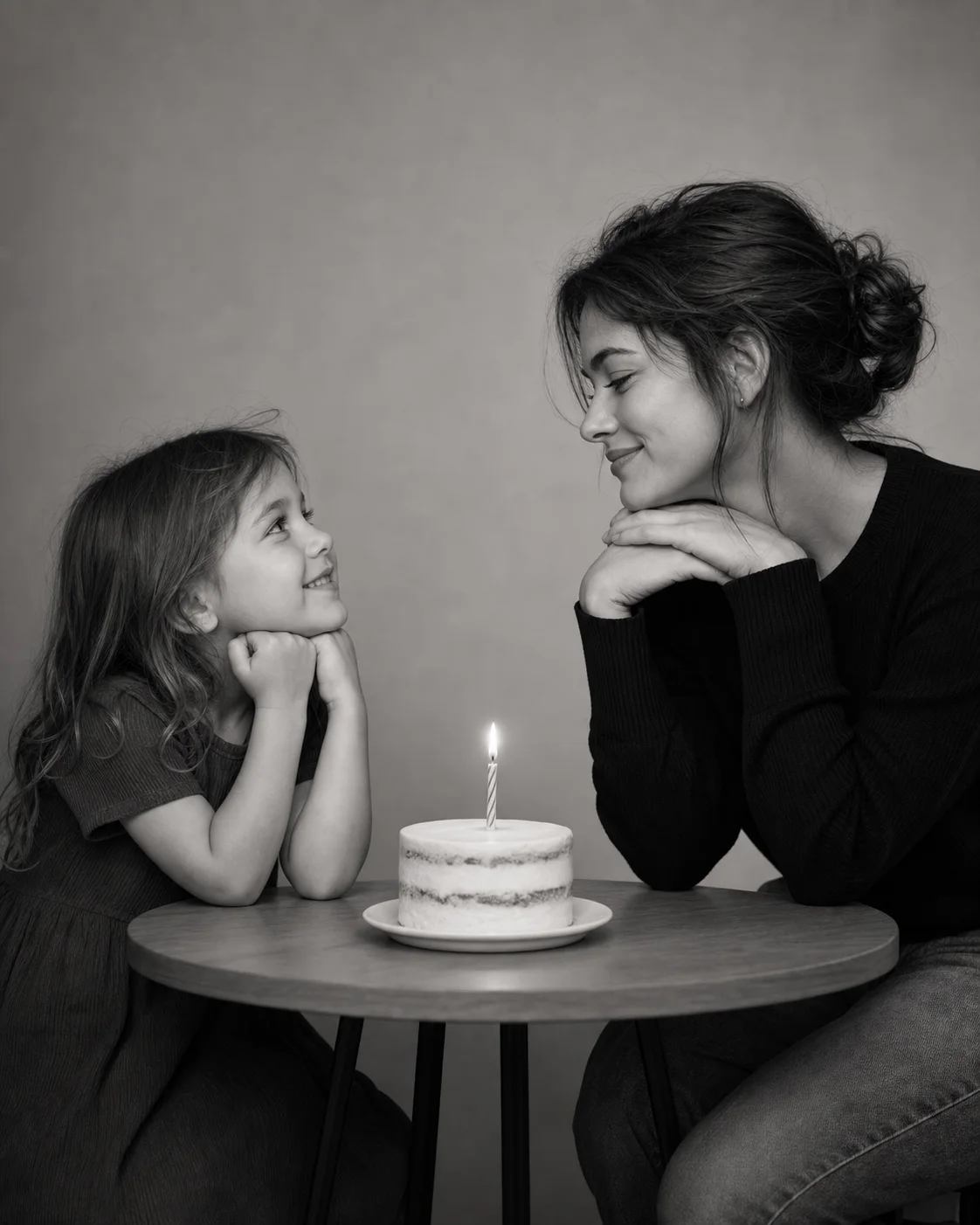
Using the images I upload, create a soft emotional black-and-white portrait.

On the left, show the childhood version of me from the old photo, facing right with a natural innocent smile. On the right, show my present-day version seated with hands gently under the chin, looking at the child with a calm, reflective expression.

In the center, place a minimal table with a birthday cake showing my current age: [AGE]. Use a plain studio backdrop, soft cinematic lighting, professional portrait photography, natural skin texture, realistic facial proportions, and accurate identity from both photos.

Keep the mood nostalgic, quiet, and heartfelt. Aspect ratio 4:5. No distortion, no extra fingers, no text, no watermark.
Best for: The signature "Indian Instagram" composition — quiet, heartfelt, perfect for long-caption posts
#3 Mirror Reflection — Inner Child Concept
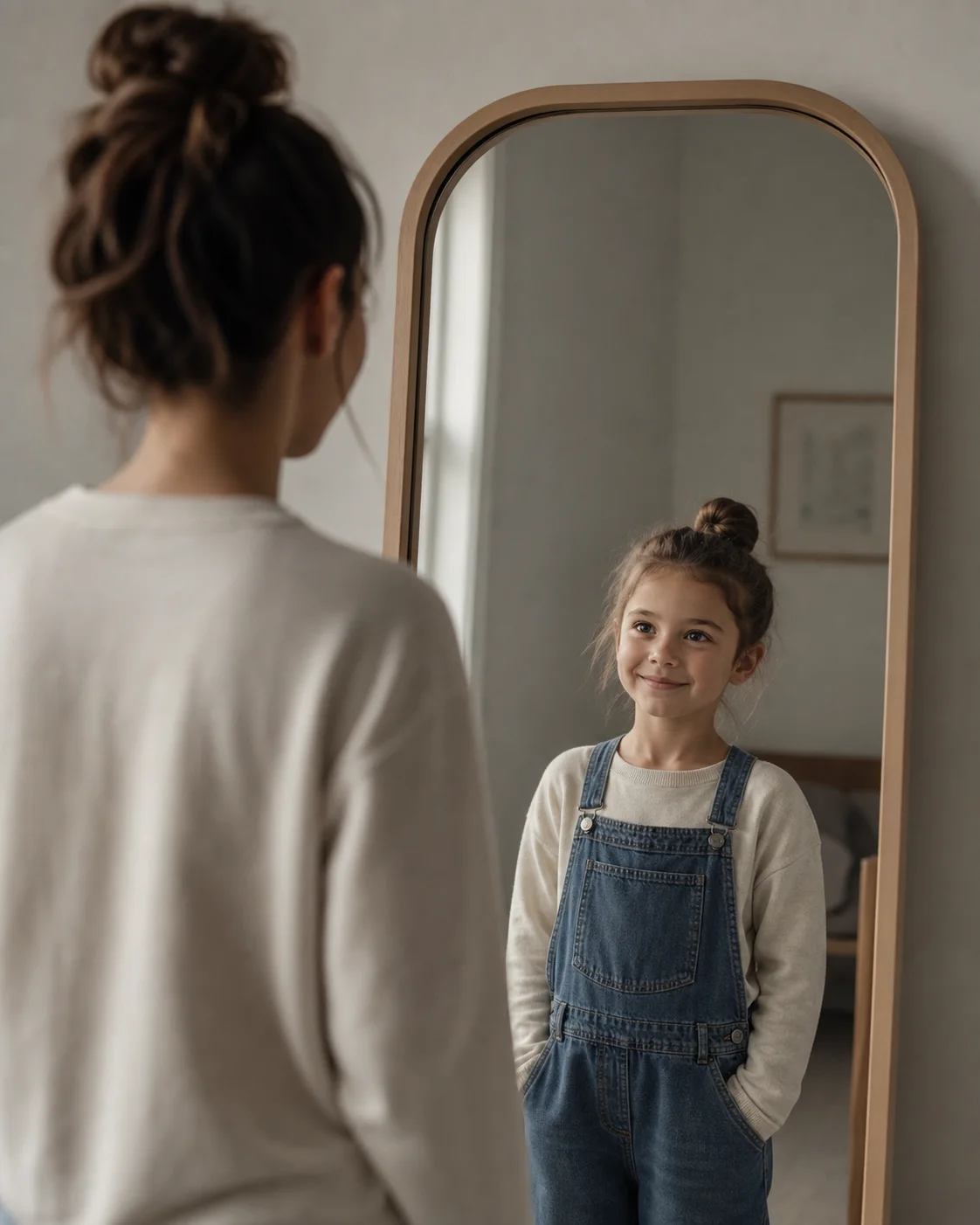
Create a realistic emotional portrait of my present-day self standing in front of a large mirror.

Use my current uploaded photo for the person standing outside the mirror. In the mirror reflection, instead of showing my current reflection, show my younger childhood self from the childhood photo, smiling back at me.

Make the scene cinematic, quiet, and nostalgic. Use realistic lighting, accurate facial details, natural skin texture, soft shadows, and a professional photography style. The present self should look emotional but composed, as if seeing their childhood self for the first time.

No fantasy elements, no distortion, no text, no watermark. Aspect ratio 4:5.
Best for: Cover image / first slide of a carousel — the strongest concept hook for "inner child" captions
#4 Peaceful Park Reunion at Sunset
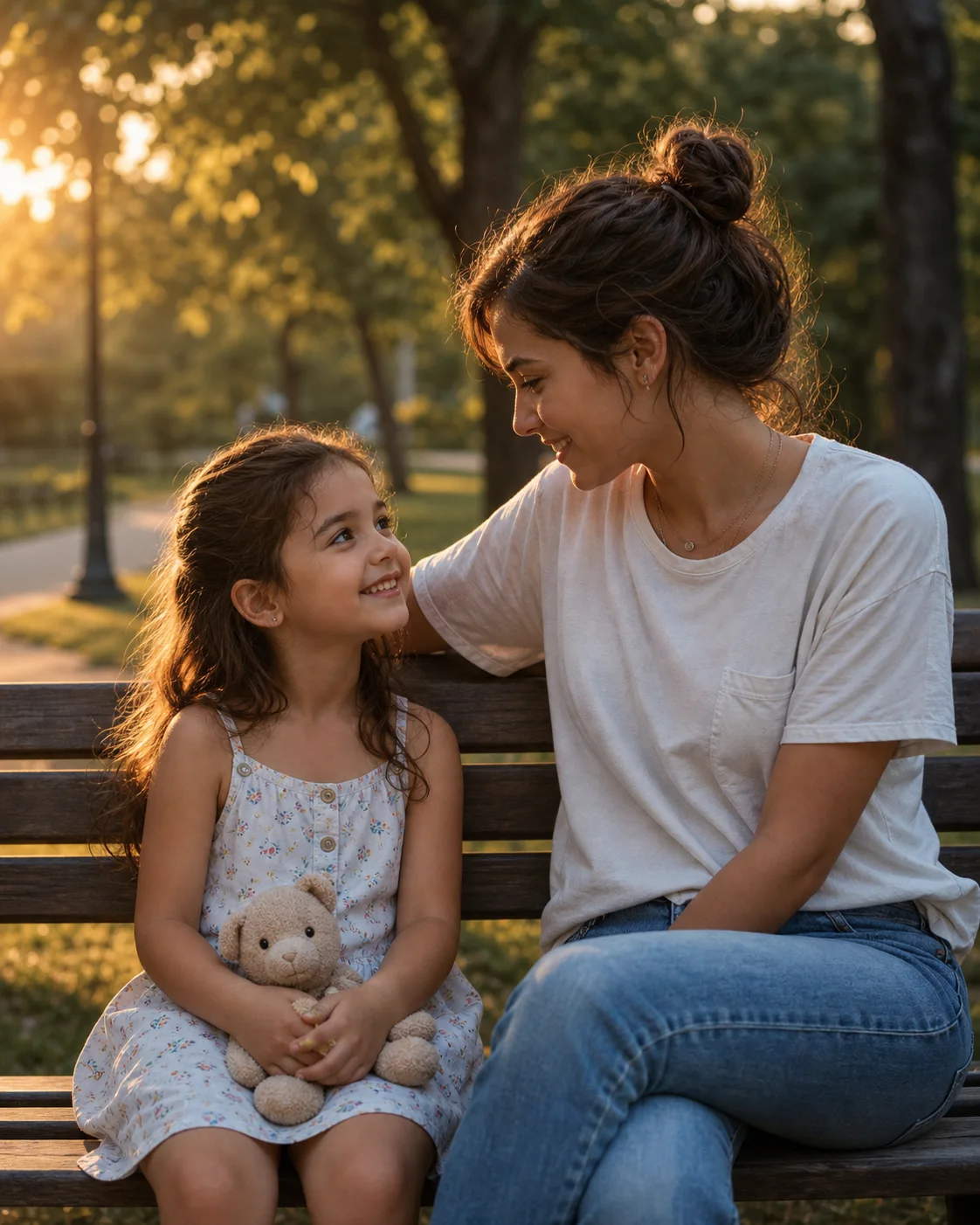
Create an ultra-realistic cinematic image of me meeting my younger self in a peaceful park during golden hour sunset.

My childhood version should be sitting on a wooden bench on the left, holding a small toy or childhood object, smiling naturally. My present-day self should sit beside the child on the right, turned slightly toward them, having a warm quiet conversation.

Keep both faces accurate to the uploaded photos. Use warm sunset lighting, soft background blur, realistic emotions, natural skin texture, accurate body proportions, and a nostalgic film photography look.

The scene should feel like a real candid moment, not a fantasy image. Aspect ratio 4:5, no text, no watermark, no extra people.
Best for: A warm, life-like alternative to the studio shot — pairs well with healing / wellness content
#5 Hugging Your Inner Child (Most Emotional)
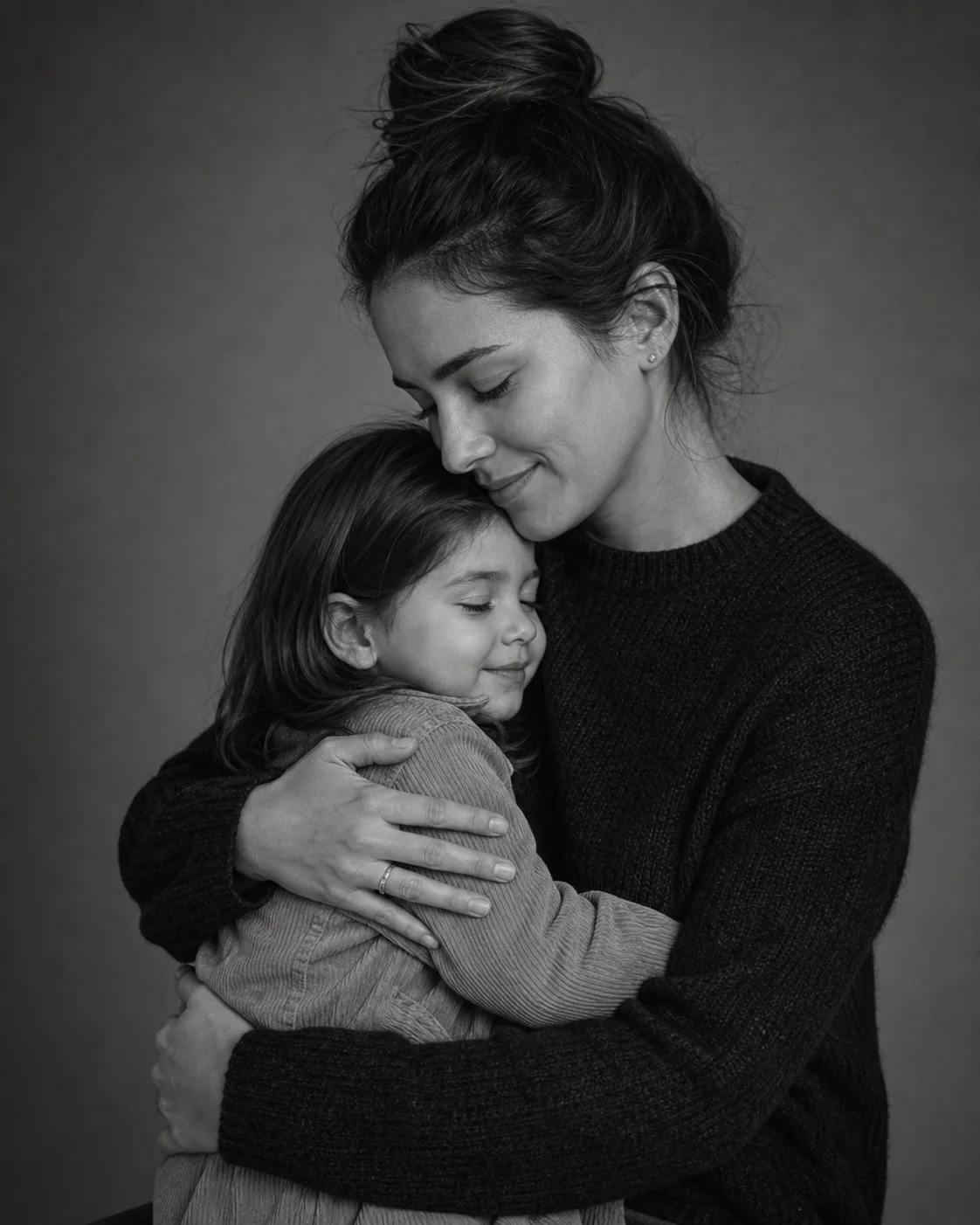
Create an ultra-realistic emotional portrait using the two uploaded photos. Show my present-day self gently hugging my younger childhood self.

The childhood version should look comforted and safe, while the present-day version should have a calm, protective, emotional expression. Keep the pose natural and respectful, like a warm family portrait.

Use soft cinematic lighting, a minimal studio background, natural skin texture, accurate facial identity, realistic hands, and gentle black-and-white tones with slight warmth. The image should feel healing, nostalgic, and deeply personal.

Aspect ratio 4:5. No exaggerated crying, no fantasy style, no distortion, no text, no watermark.
Best for: The most-shared variant on Reels and TikTok — strongest emotional pull, perfect for "letter to my younger self" captions
More Creative Variants
Once you've nailed the Top 5, try these for variety. Each one targets a different mood or post format.
#6 "You Made It" Emotional Studio
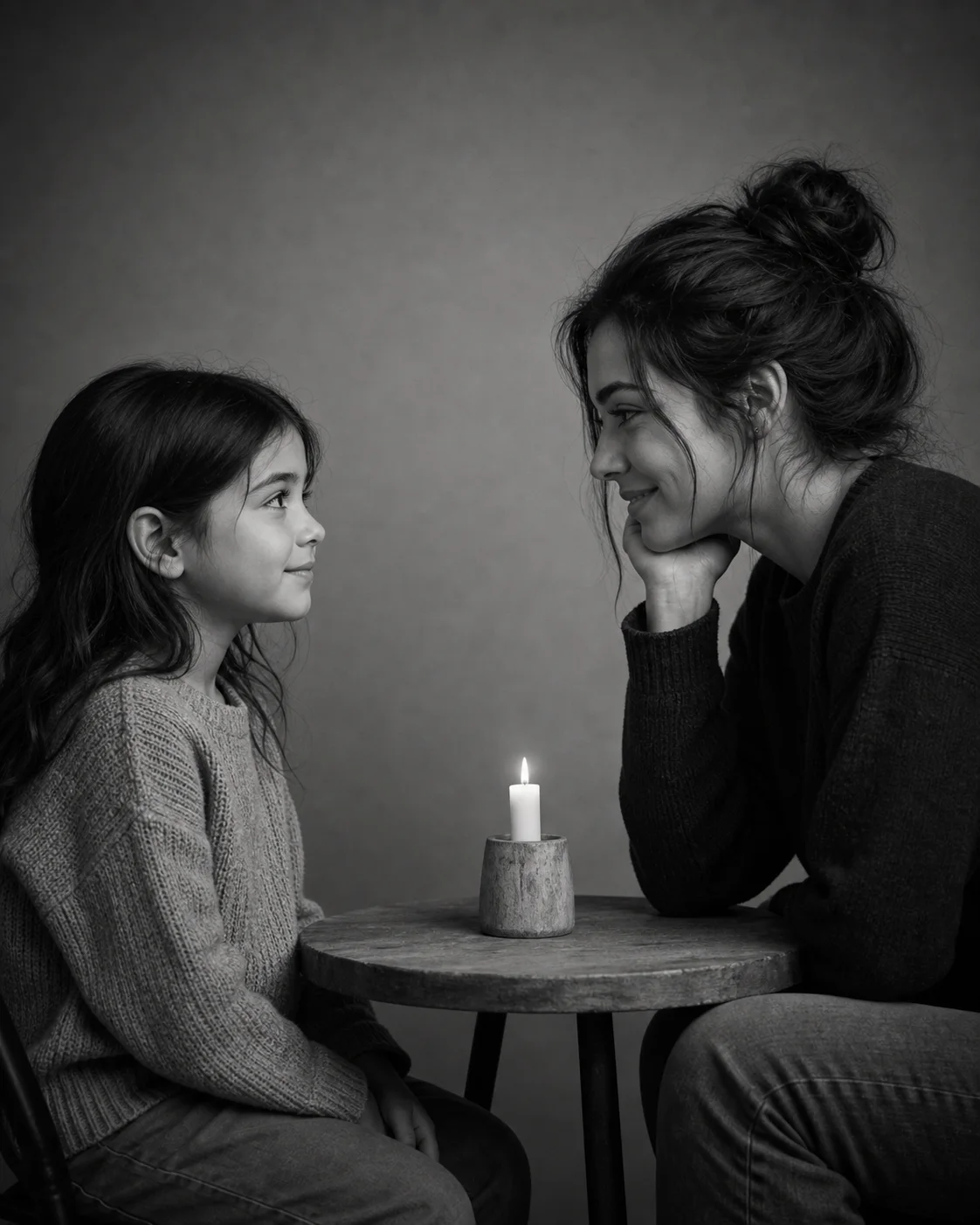
Create a realistic cinematic portrait using the two uploaded images. Show my younger self sitting on the left, wearing a simple outfit inspired by the childhood photo, smiling shyly and looking toward my present self.

Show my present-day self sitting on the right, leaning slightly forward, looking at the child with a warm and emotional expression, as if silently saying "you made it."

Place a small birthday cake or a symbolic candle between us. Keep the scene quiet, intimate, and nostalgic. Use black-and-white tones with soft warm highlights, shallow depth of field, natural skin texture, realistic hands, and accurate facial identity from both photos.

Professional photography style, 4:5 vertical composition, no text, no watermark, no distorted faces.
Best for: Captions about overcoming hard times — the most powerful emotional narrative
#7 Library Together — Past Dreams Meet Present Self

Using the two uploaded photos, create a realistic indoor library scene where my younger self and present-day self are sitting together at a wooden table.

Place the childhood version on the left reading a children's book, and the present-day version on the right reading a book related to my current interests or career. Let both versions occasionally glance at each other with a soft smile.

Use warm indoor library lighting, cinematic shadows, realistic bookshelves in the background, natural facial features, accurate identity from both photos, and a quiet nostalgic atmosphere.

Make it look like a high-quality editorial photograph. Aspect ratio 4:5. No distorted hands, no extra people, no visible text errors, no watermark.
Best for: "Childhood dreams vs present me" posts — great for graduation, career milestones, achievement content
#8 Inside the Childhood Bedroom
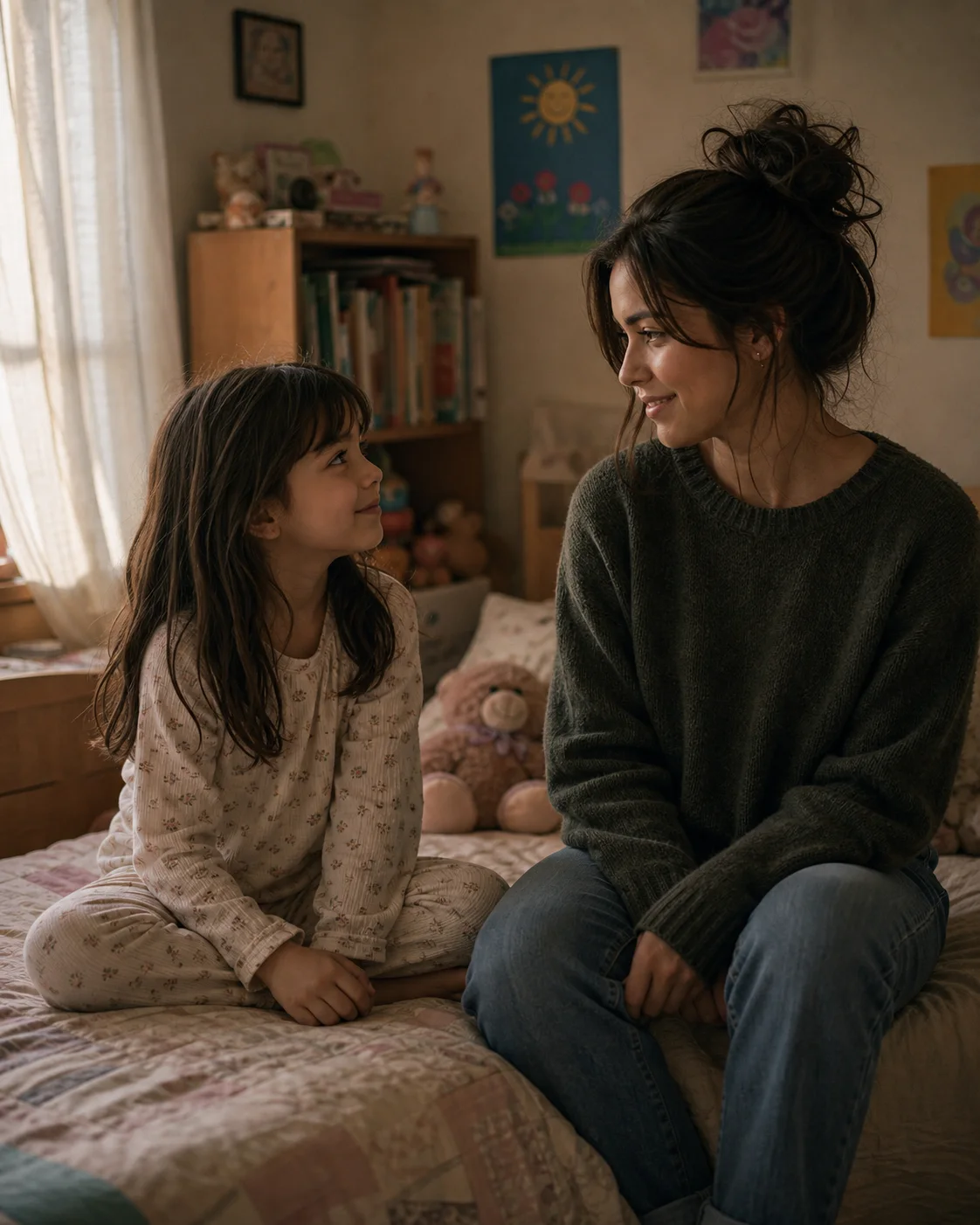
Using the two uploaded photos, create a realistic nostalgic scene inside a childhood bedroom.

Show my younger self sitting on the left side of the bed with toys, books, or childhood objects nearby. Show my present-day self sitting on the right side, looking at the child with a gentle smile. The room should feel warm, familiar, and slightly nostalgic, like a memory recreated from the past.

Use soft window light, subtle film grain, realistic facial details, natural skin texture, accurate body proportions, and emotional cinematic composition. Keep the image realistic, not cartoonish.

Aspect ratio 4:5. No text, no watermark, no distorted faces or hands.
Best for: Deeply personal nostalgia posts — pairs with captions about returning home or revisiting memories
#9 Old School Gate Reunion
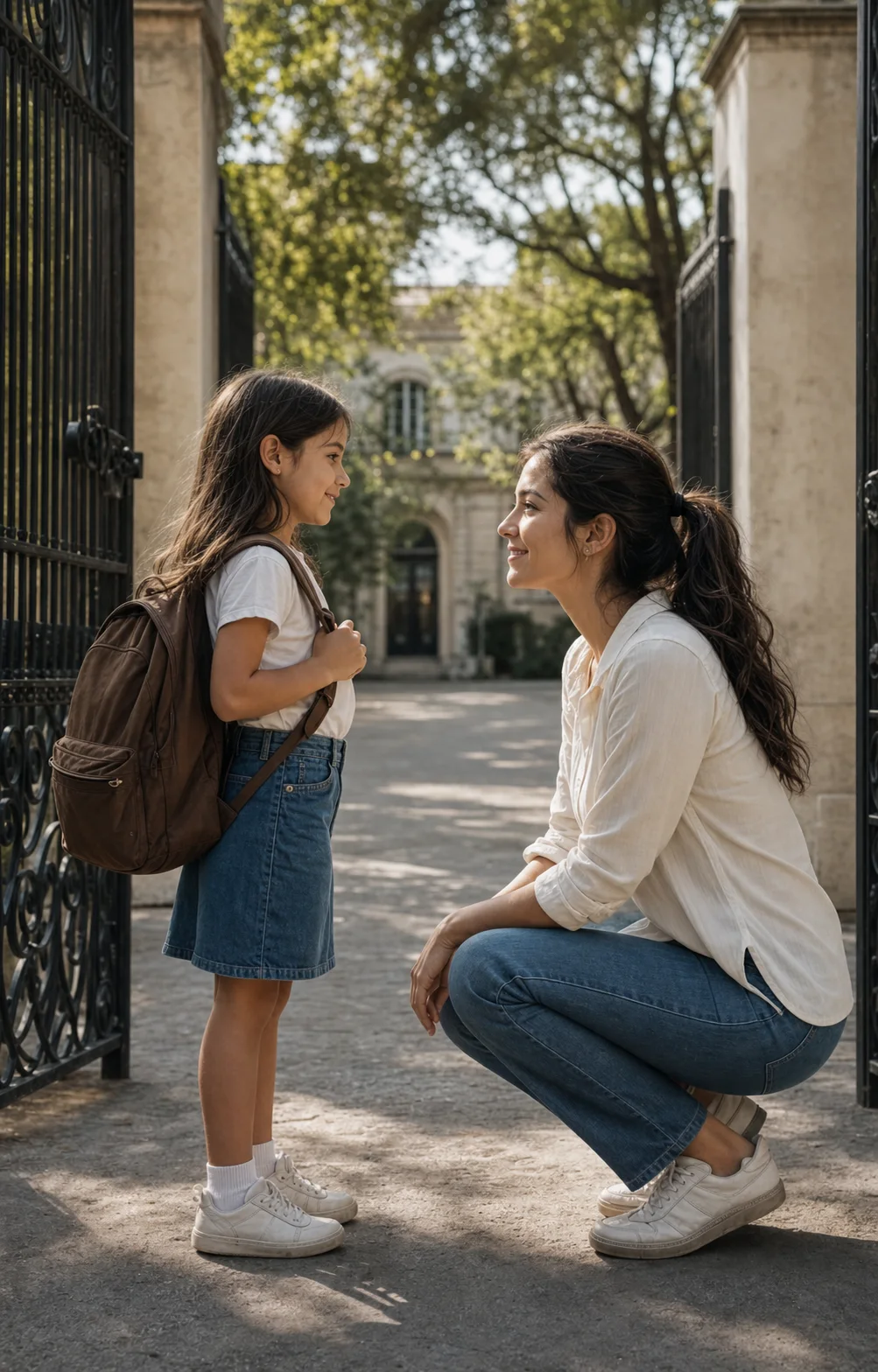
Create an ultra-realistic cinematic photo of my present-day self meeting my childhood self outside an old school gate.

Place my younger self on the left wearing a school-style outfit or carrying a backpack, based on the childhood photo. Place my present-day self on the right, kneeling slightly or leaning down to speak warmly to the child.

The scene should feel nostalgic, emotional, and realistic, with soft morning light, gentle shadows, natural expressions, accurate facial identity from both uploaded photos, and a documentary photography style.

Aspect ratio 4:5. No extra people, no text, no watermark, no distorted hands.
Best for: Back-to-school season, graduation posts, teacher / educator content
#10 Polaroid Vintage Frame
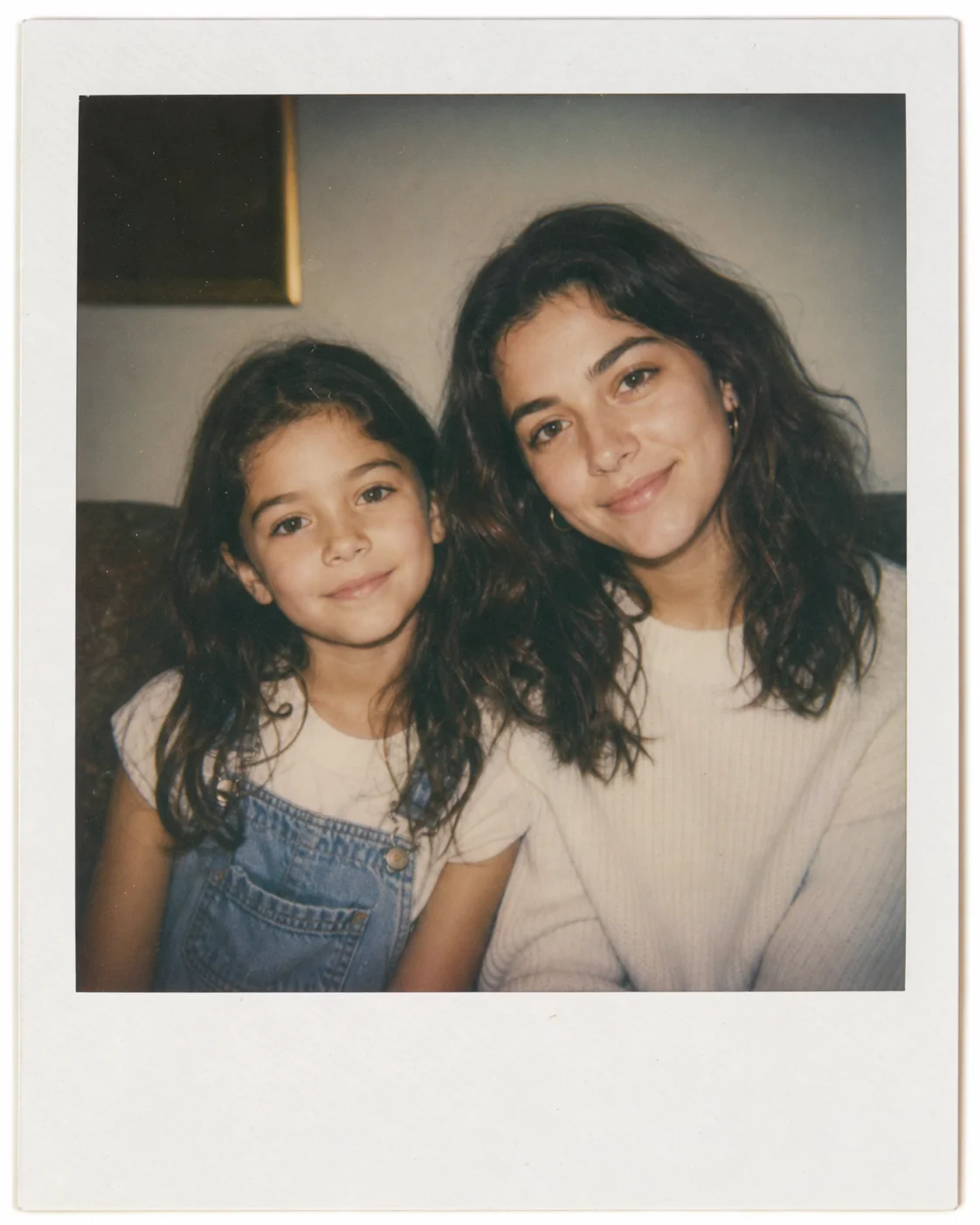
Create a nostalgic Polaroid-style photograph using the two uploaded images.

Show my younger self and present-day self sitting side by side in the same frame, both looking softly toward the camera. The childhood version should be on the left, the present-day version on the right. Add a gentle emotional mood, like a memory captured on film.

Use realistic facial features, natural skin texture, soft flash lighting, subtle film grain, slightly faded colors, and a vintage instant-photo aesthetic. Keep the image believable and intimate.

No handwritten text, no watermark, no distortion. Aspect ratio 4:5.
Best for: Carousel cover image — instant-recognizable retro aesthetic, strong scroll-stop power
#11 Birthday-Day Special
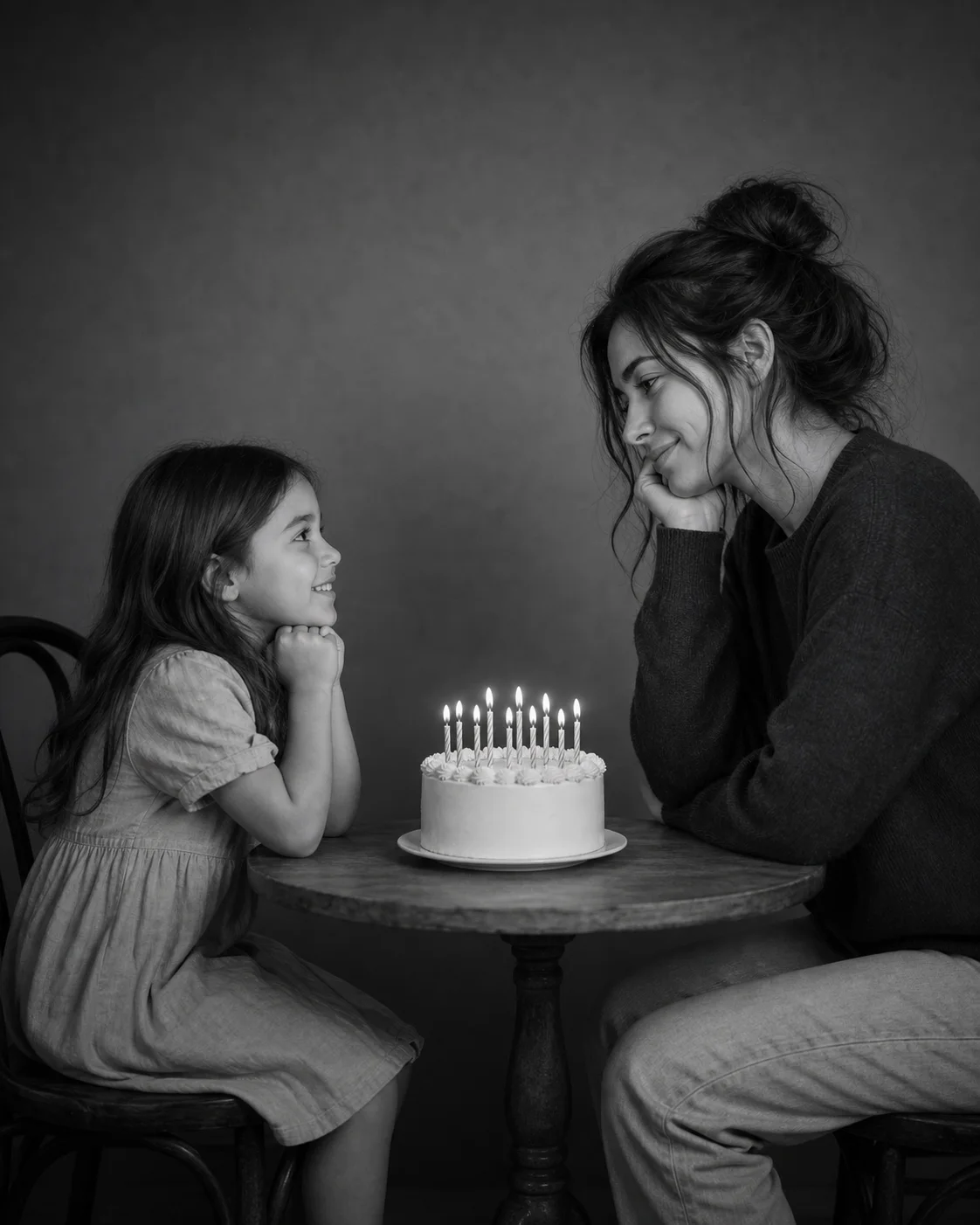
Using my childhood photo and my current photo, create an emotional birthday portrait of me meeting my younger self.

Place the child version of me on the left and the present-day version on the right, both sitting across from each other at a small table. In the center, place a simple elegant birthday cake with the number [AGE] on top.

Make the younger self look curious and happy. Make the present-day self look grateful and emotional. Use soft black-and-white cinematic lighting, natural skin texture, accurate facial details, realistic proportions, and a clean studio background.

The final image should feel like a quiet birthday reflection across time. Aspect ratio 4:5. No text, no watermark, no distortion.
Best for: Birthday posts — the highest-engagement variant if you post on or near your actual birthday
Bonus: Turn Your Photo into a Video Reel
#12 Image-to-Video Cinematic Moment
Once you've generated your favorite still image, you can take it one step further with an image-to-video tool. This prompt turns a single childhood vs present photo into a subtle cinematic video clip — perfect for Instagram Reels and TikTok.
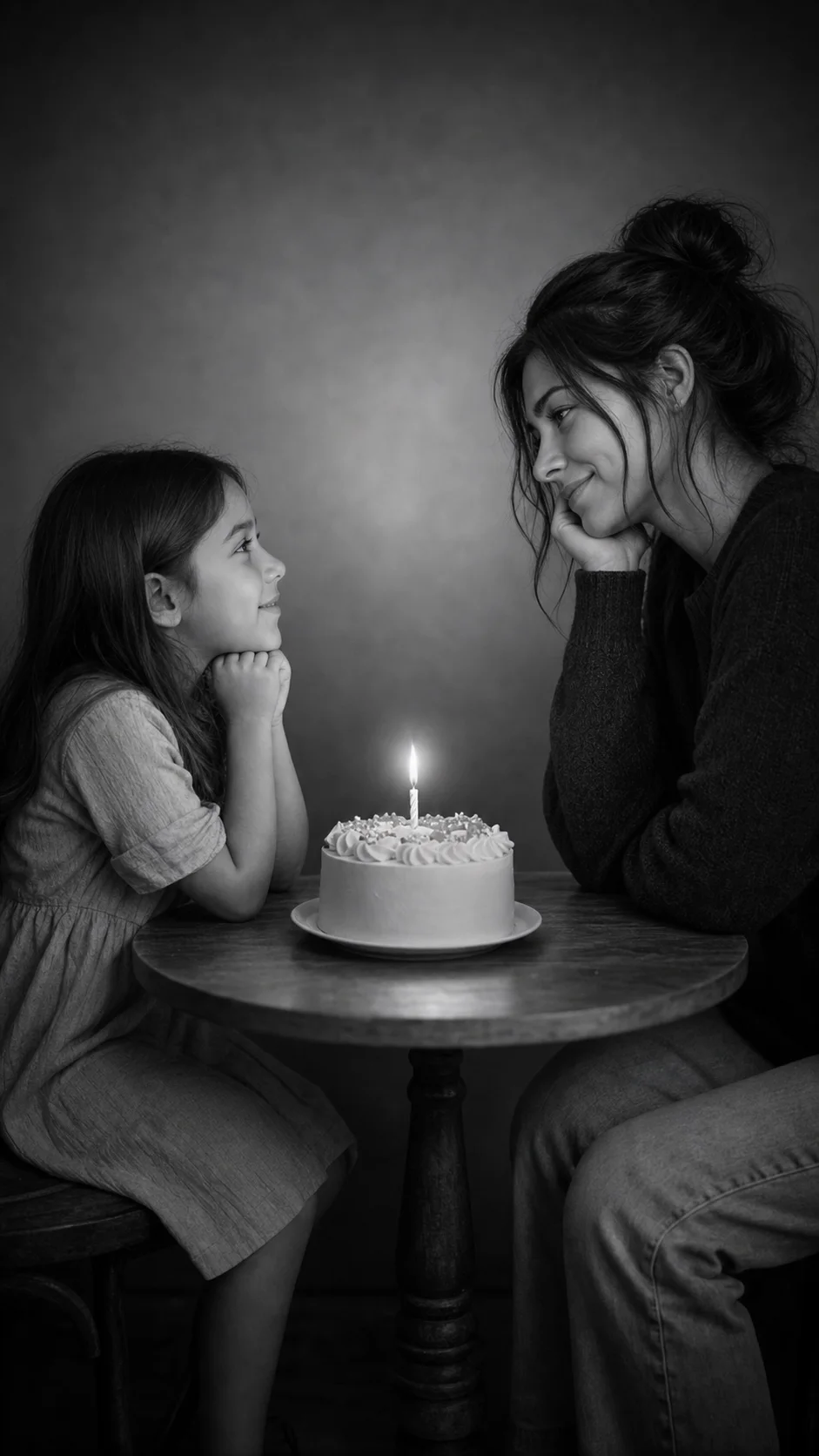
Turn this image into a subtle cinematic video moment. Keep both faces and identities unchanged.

Add a slow gentle camera push-in. Let the candle flame on the birthday cake flicker softly. Add very subtle eye movement and a small emotional smile from the present-day version looking at the child. Keep the younger self still and natural.

Use soft cinematic lighting, realistic motion, no face distortion, no body morphing, no extra people, no text, no watermark. Emotional, nostalgic, quiet atmosphere.
Best for: Reels / TikTok — small motion makes the still image hit much harder emotionally
Universal Negative Prompt
For maximum stability and identity preservation, append this to the end of any prompt above. It dramatically reduces face distortion, extra fingers, and the AI making the child look like a tiny adult or the adult look artificially young.
Do not change the identity of either face. Do not make the child look like a miniature adult. Do not make the adult look artificially young. Avoid distorted hands, extra fingers, extra limbs, duplicate people, unnatural eyes, warped faces, heavy makeup, plastic skin, over-smoothing, text, logos, watermarks, or unrealistic fantasy effects.
How to use: Paste the full prompt, hit space, then paste this negative block. Works with all 12 variants above.
Captions to Pair With Your Post
A great image needs a great caption. These short lines consistently perform on Instagram and TikTok for the meet your younger self trend — copy any of them, or use them as a starting point:
- I finally met my younger self.
- She would be so proud of how far we came.
- If I could tell her one thing: we survived.
- Childhood me vs present me.
- Meeting the little version of me.
- A birthday across time.
- The child I was, the person I became.
Caption tip: Pair an emotional one-line caption with a longer "letter to my younger self" in the comments — it boosts dwell time and replies.
Tips for Perfect Childhood vs Present Photos
Photo Selection Tips
For the childhood photo:
- Use a photo from ages 5-12 for the strongest emotional contrast
- Make sure the face is clearly visible (front-facing or 3/4 angle works best)
- Avoid heavily filtered or low-resolution scans
- Higher contrast between light and dark in the original photo helps the AI lock in features
For the present photo:
- A clean recent selfie or portrait works best
- Even lighting on the face (no heavy shadows from above)
- Plain or simple background is easier to blend
- Both photos facing roughly the same direction look more natural together
Prompt Customization Tips
Change the mood:
[Base prompt] + ", melancholy emotional tone, cool blue color grade"
Change the location:
[Base prompt] + ", set on a quiet beach at sunset" / "in a snowy winter forest" / "in a vintage diner"
Add a specific gesture:
[Base prompt] + ", the adult version handing the child a small flower"
Why Use Image 2 for the Younger Self Trend?
- Flexible reference workflow — Start with one clear current portrait, or use both childhood and present-day references with a suitable prompt
- Quality — Powered by the latest GPT Image 2 model
- Free Credits — Start free on signup
- No Subscription Required — Pay only for what you use
- Reusable prompt library — Move between the generator and 12 scene variations without starting from scratch
Start Creating Your Younger Self Photo Now
Ready to join the viral trend? Here's how to start:
- Sign up for free → — Get free credits instantly
- Open the Childhood vs Present generator → — Upload one clear current portrait for the default one-photo workflow
- Choose a variation if needed — Browse the 12-prompt collection for birthday, mirror, hug, and Reel-cover ideas
- Generate and review — Check facial consistency before downloading or sharing
Create Your Childhood vs Present Photo →
Frequently Asked Questions
How do I do the meet your younger self trend without ChatGPT Plus?
You can use Image 2 without ChatGPT Plus. Upload one clear current portrait to the Childhood vs Present generator for the default workflow. If you want to use both a childhood and current photo, choose a scene from the prompt collection and use both references in an image editor that supports multiple uploads.
What's the best childhood photo to use?
A clear photo from ages 5-12 works best, ideally front-facing or three-quarter angle, with good lighting and a recognizable expression. Avoid heavily blurred or filtered scans — the AI needs to read facial features cleanly.
What does [AGE] or [CURRENT AGE] mean in the prompts?
It's a placeholder you replace with your actual age. For example, if you're 27, change [AGE] to 27. This makes the cake in the studio shots show your real age — a small detail that significantly increases engagement on birthday posts.
Why does the trend work better with two photos than one?
Single-photo generators have to imagine what you looked like as a child (or vice versa), which often produces a generic face. With two real photos as references, both versions of you actually look like you — that's why the result feels emotional instead of fake.
What's the difference between the studio shot and the mirror reflection version?
The studio shot (Prompts #1, #2, #11) shows both versions of you in the same physical space — the most viral and recognizable look. The mirror reflection version (Prompt #3) is a stronger conceptual hook: your present self stands outside, your child self looks back from the mirror. Use the mirror for cover images and carousel openers.
How long does it take to generate?
Generation time varies with the selected model, image size, and current demand. Keep the page open while Image 2 processes the result.
Can I use the photos commercially?
Commercial use depends on the rights you hold to the uploaded photos and the current Image 2 terms. Review the terms before using a result in advertising, resale, or client work.
What's the most viral version of the trend?
The black-and-white studio portrait with a birthday cake (Prompt #1) and the "hugging your inner child" version (Prompt #5) are the two most-shared variants on Instagram and TikTok.
Can I turn the result into a video for Reels?
Yes — generate your favorite still image first, then use the image-to-video prompt (#12) in any image-to-video tool. The subtle motion (camera push-in, candle flicker, soft eye movement) makes the still hit much harder on Reels and TikTok.
Can I customize these younger self prompts?
Absolutely — change the location, mood, color grade, or gestures. The base structure (two versions in one frame, preserve identity from both photos) is what makes it work. For maximum stability, always append the Universal Negative Prompt at the end.
More AI Photo Trends to Try
Loved the meet your younger self trend? Explore more viral styles:
- All Image 2 Style Templates → — Caricature, GTA, Ghibli, and more
- ChatGPT Caricature Trend Guide → — The other viral 2026 trend
Ready to meet your younger self? Upload a clear portrait and create your own childhood vs present shot.
Need help? Contact us at [email protected]
Related Posts
How to Do the ChatGPT Caricature Trend: 20 Best Prompts & Step-by-Step Guide
Learn how to do the ChatGPT caricature trend with 20 best caricature prompts. Step-by-step guide to create viral AI caricatures of yourself and your job.

Free World Cup 2026 AI Prompts: Football Posters | Image 2
Copy free World Cup 2026 AI prompts from Image 2 for football AI posters, soccer portrait AI, fan photos, player cards, and stadium edits.
Free World Cup 2026 Football Card Prompts | Image 2
Copy free World Cup 2026 football card prompts from Image 2 for AI player cards, soccer trading cards, fan cards, ratings, and printable cards.